> For the complete documentation index, see [llms.txt](https://hacking-notes.jord4n.pro/llms.txt). Markdown versions of documentation pages are available by appending `.md` to page URLs; this page is available as [Markdown](https://hacking-notes.jord4n.pro/ru/web/authentication/username-enumeration-via-different-responses.md).
# Перечисление пользователей через разные ответы
Заметки по лабораторным работам PortSwigger Web Security Academy о перечислении пользователей через разные ответы, включая рабочий процесс эксплуатации, тестирование полезной нагрузки, проверку в Burp Suite и контекст устранения уязвимости.
### Перечисление имен пользователей через разные ответы
Сайт уязвим к:
* перечислению имен пользователей через разные сообщения об ответе;
* грубому подбору пароля.
Цель:
1. Найти действительное имя пользователя из словаря.
2. Подобрать связанный пароль из другого словаря.
3. Войти и получить доступ к странице учетной записи пользователя.
#### Настройка
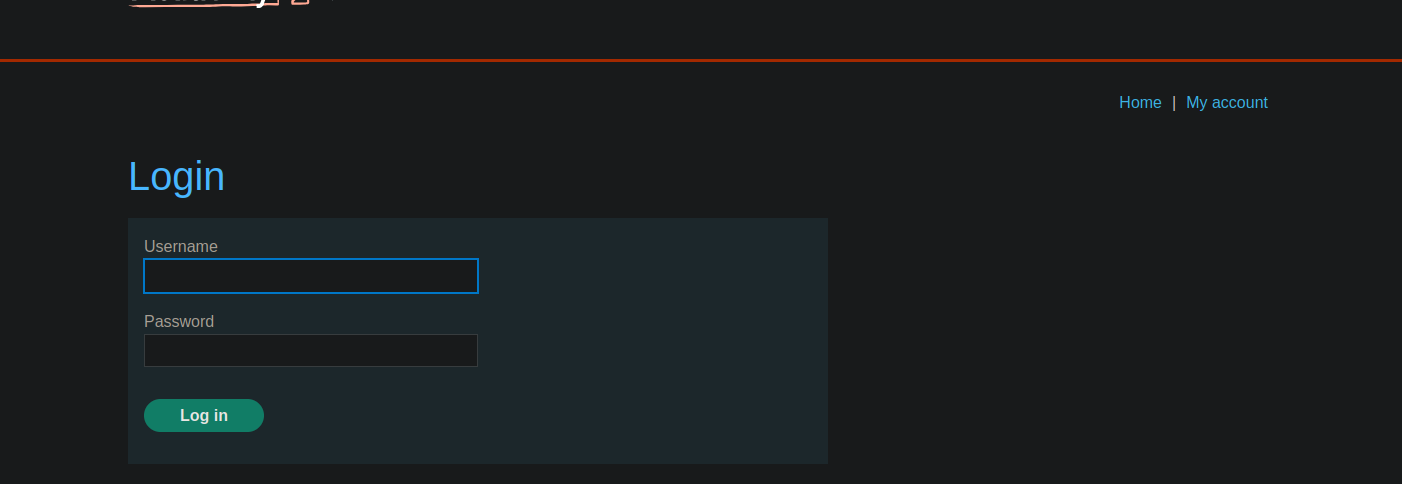
* Сайт предлагает классическую **входа** форму.
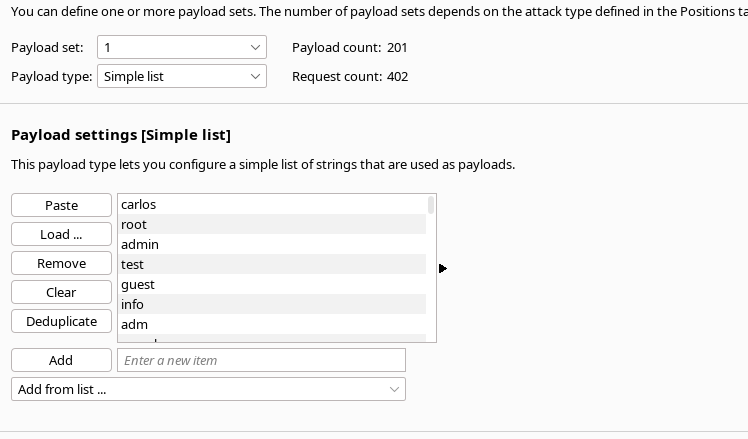
* Имеются списки **имен пользователей** и **passwords** предоставленные лабораторией.
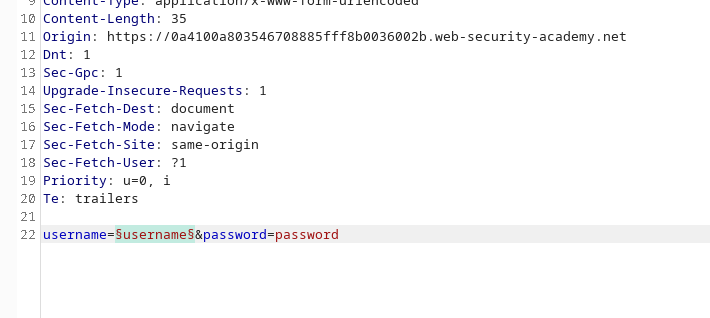
* Запрос соединения перехватывается, чтобы отправить в **Burp Intruder**.
#### 1. Список пользователей
1. Перехватите попытку соединения и отправьте ее в **Intruder**.
2. Разместите полезную нагрузку в **имя пользователя** параметре.
* Загрузите **словарь пользователей** предоставленные лабораторией.
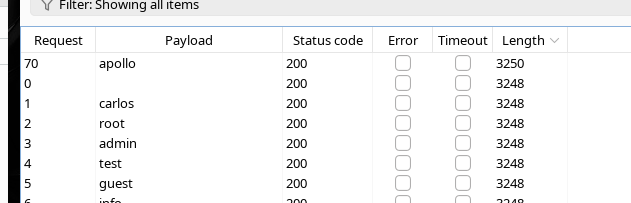
1. Запустите атаку и наблюдайте за ответами (статус, длина и т. д.).
Обратите внимание, что для имени пользователя **`apollo`**, ответ имеет другую **длину** по сравнению с остальными.
→ Это указывает на то, что **`apollo`** является валидным **имя пользователя**.
#### 2. Грубый подбор пароля
1. Возобновите запрос на вход с **имя пользователя, установленное на `apollo`**.
2. Отправьте запрос снова в **Intruder**.
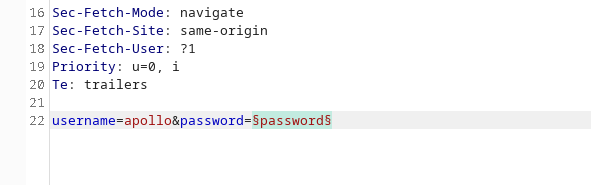
3. На этот раз поместите полезную нагрузку в **пароль** параметре.
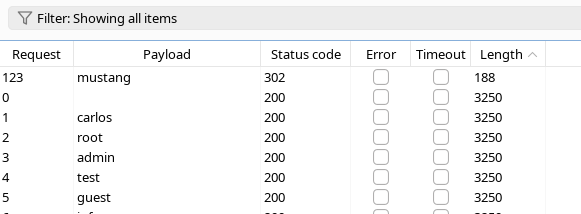
4. Загрузите **список паролей** предоставленный.
5. Запустите атаку и проанализируйте ответы.
Эта **`mustang`** пароль вызывает другой **ответ** (например, длина или содержимое), указывающий на успешное **подключение**.
#### 3. Итоговый вход
Действительные учетные данные:
* **Имя пользователя :** `apollo`
* **Пароль :** `mustang`
---
# Agent Instructions
This documentation is published with GitBook. GitBook is the documentation platform designed so that both humans and AI agents can read, navigate, and reason over technical content effectively. Learn more at gitbook.com.
## Querying This Documentation
If you need additional information that is not directly available in this page, you can query the documentation by asking a question.
Perform an HTTP GET request on the following URL with the `ask` and `goal` query parameters:
```
GET https://hacking-notes.jord4n.pro/ru/web/authentication/username-enumeration-via-different-responses.md?ask=&goal=
```
`ask` is the immediate question: it should be specific, self-contained, and written in natural language.
`goal` is what the user is ultimately trying to achieve, the reason they need the answer. Sharing it helps GitBook give you a better, more relevant answer. A goal is most helpful when it describes the outcome the user wants rather than restating the question. For example, with `ask=how do I create an API token`, a goal like `automate deployments from our CI pipeline` lets GitBook tailor the answer to that use case.
The response will contain a direct answer to the question and relevant excerpts and sources from the documentation.
Use this mechanism when the answer is not explicitly present in the current page, you need clarification or additional context, or you want to retrieve related documentation sections.