> For the complete documentation index, see [llms.txt](https://hacking-notes.jord4n.pro/llms.txt). Markdown versions of documentation pages are available by appending `.md` to page URLs; this page is available as [Markdown](https://hacking-notes.jord4n.pro/zh/active-directory/kerberos/kerberos-observation-with-wireshark.md).
# 使用 Wireshark 观察 Kerberos
针对使用 Wireshark 观察 Kerberos 的 Active Directory 安全笔记,涵盖枚举、Kerberos、凭据、ACL 滥用、横向移动、利用流程和验证步骤。
### 观察一次认证
我们打开 Wireshark,然后使用一个用户连接,例如:
```
user1
```
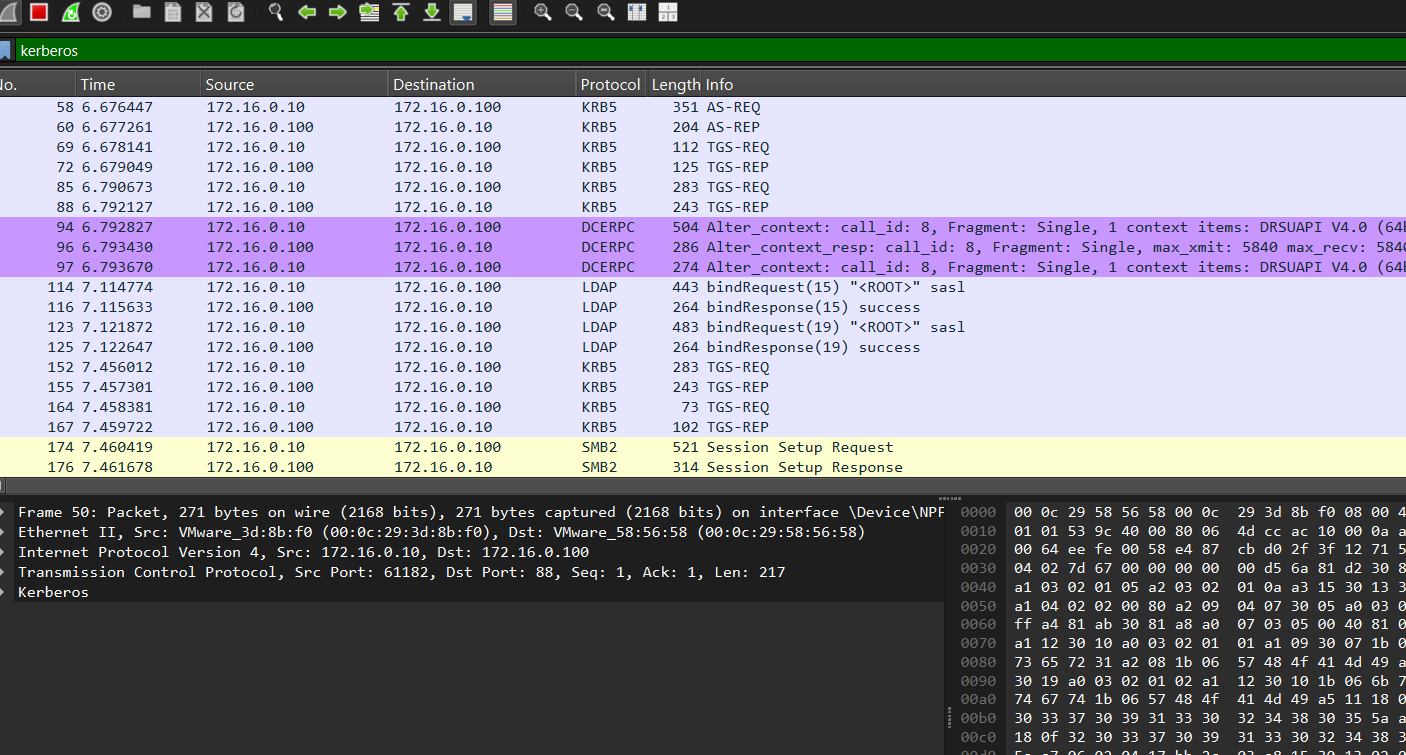
在 Wireshark 中,你可以使用以下方式过滤 Kerberos 流量:
```
kerberos
```
然后我们观察这些交换:
```bash
AS-REQ
AS-REP
TGS-REQ
TGS-REP
```
### 无权限访问共享的示例
从 `user2`,我们尝试访问一个管理共享:
```
cd //WS01/C$
```
在 Wireshark 中,我们可以观察到:
```
TGS-REQ
TGS-REP
SMB 访问被拒绝
```
这意味着:
1. 用户请求服务票据;
2. KDC 签发该票据;
3. 将票据出示给服务器;
4. 服务器由于 SMB 或 NTFS 权限而拒绝访问。
### 票据与认证器
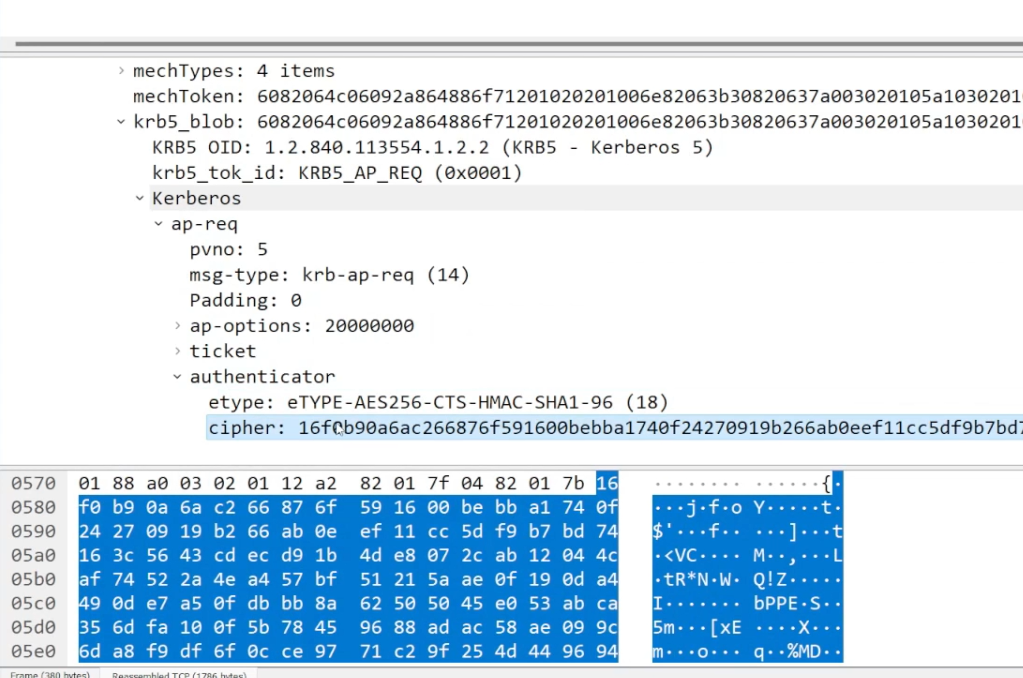
访问服务时,客户端通常会发送:
* 一个服务票据;
* 一个认证器。
该票据证明 KDC 已授权访问该服务。
认证器证明使用该票据的确实是该客户端。
---
# Agent Instructions
This documentation is published with GitBook. GitBook is the documentation platform designed so that both humans and AI agents can read, navigate, and reason over technical content effectively. Learn more at gitbook.com.
## Querying This Documentation
If you need additional information that is not directly available in this page, you can query the documentation by asking a question.
Perform an HTTP GET request on the following URL with the `ask` and `goal` query parameters:
```
GET https://hacking-notes.jord4n.pro/zh/active-directory/kerberos/kerberos-observation-with-wireshark.md?ask=&goal=
```
`ask` is the immediate question: it should be specific, self-contained, and written in natural language.
`goal` is what the user is ultimately trying to achieve, the reason they need the answer. Sharing it helps GitBook give you a better, more relevant answer. A goal is most helpful when it describes the outcome the user wants rather than restating the question. For example, with `ask=how do I create an API token`, a goal like `automate deployments from our CI pipeline` lets GitBook tailor the answer to that use case.
The response will contain a direct answer to the question and relevant excerpts and sources from the documentation.
Use this mechanism when the answer is not explicitly present in the current page, you need clarification or additional context, or you want to retrieve related documentation sections.